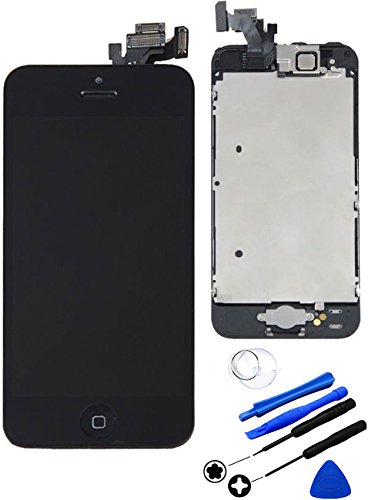
for iPhone 5 LCD Display Touch Screen Full Assembly Replacement with Home Button Front Camera Ear Speaker Repair Tools and Tempered Glass, Black
Product Description
for iPhone 5 LCD Display Touch Screen Full Assembly Replacement with Home Button Front Camera Ear Speaker Repair Tools and Tempered Glass, Black
<br><b>Product Specifications:</b><br><br>Color:Black<br><br>Size:4.0 inches<br><br>Display: LED-back lit IPS LCD touch screen, 16M colors<br><br>Resolution: 1136 x 640 pixels, 326 ppi pixel density<br><br>Front camera: 120 Megapixel<br><br>Home Button<br><br>Front Camera<br><br>Ear Speaker<br><br>Metal Back Plate<br><br><b> Installation Tips:</b><br> <br>1.Check screen appearance to confirm there is no damage.<br> <br>2.Before DIY, watch videos on how to replace iPhone 5 screen, there are step by step guidelines.<br> <br>3.Connect the cables to mother board and test replacement screen functions.<br> <br>4.Screws have different size and length, do not mix them up. Assemble them to the wrong position will damage the screen.<br> <br>5.Connection cables are fragile, over bend or twist will cause malfunction to the screen.<br> <br>6.Do not pry the cable sockets on the motherboard when disconnect them, it will damage the sockets and the screen will not work.<br> <br>7.Match screen into right position of the rear case, and press with general force from top to bottom.Do not push too hard to crack the screen.<br> <br><b>Problems may occur after installation: </b><br><br>Screen could not turn on, touch with no response, flashing screen, lines on screen etc. <br> <br>1.Make sure the flex cables are well connected and there are no debris on the connectors. <br> <br>2.Disconnect and reconnect the flex cables(including the battery cable). <br><br>3.Reboot: Hold Home Button, Up Volume, and Power Button until your iPhone power off and then power on.<br><br>4.Clean the screen surface with alcohol to eliminate static after installation.<br>
Technical Specifications
You might also like
cellphoneage For iPhone 5S New LCD Touch Screen Replacement Black with Home Button and Camera Full Set Digitizer Diplay Assembly Replacement with Free Repair Tool Kits
iRepair Master Only for iPhone 5 LCD Display Screen Touch Digitizer Full Assembly Replacement with Home Button, Front Facing Camera, Ear Speaker, Repair Tools, Black
Replacement LCD Screen Digitizer with tools and 3D Touch for iphone 6s screen(white-0)
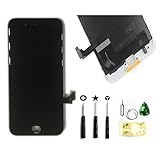
ZTR Black LCD Display Touch Digitizer Screen Assembly Replacement for iPhone 7 4.7 inch
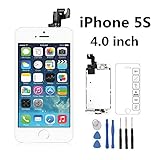
iRepair Master For iPhone 5S LCD Display Screen Touch Digitizer Full Assembly Replacement with Home Button, Front Camera, Ear Speaker, Repair Tools, White
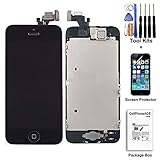
cellphoneage For iPhone 5 5G New LCD Touch Screen Replacement with Home Button and Camera Full Set Digitizer Display Assembly Replacement Black with Free Tool Kits + Free Screen Protector

eBoot Full Screw Set Replacement with Bottom Pentalobe Screws and Clean Cloth for iPhone 6 Plus 5.5 Inch

cellphoneage® [Prime]For iPhone 5 5G Black Full Set with Spare Parts LCD Screen Replacement Digitizer with Home Button, Bracket, Flex, Sensor, Front Camera, Frame Housing Assembly Display Touch Panel + Free Repair Tool Kits
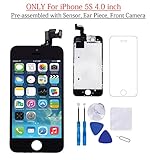
Glob-Tech iPhone 5S LCD Display Screen Replacement Touch Digitizer Full Assembly for iPhone 5S with Preassembled Components (Facing Proximity Sensor, Ear Piece, Front Camera) and Repair Tools, Black