
iRepair Master For iPhone 5S LCD Display Screen Touch Digitizer Full Assembly Replacement with Home Button, Front Camera, Ear Speaker, Repair Tools, White
Product Description
iRepair Master For iPhone 5S LCD Display Screen Touch Digitizer Full Assembly Replacement with Home Button, Front Camera, Ear Speaker, Repair Tools, White
- Tips: Screen is only for iPhone 5S (not for other iPhone types such as iPhone 5 or iPhone 5C)
- Note: Replacement has not Touch ID(finger scan) function, need to switch original home button to remain that function
- Screen function has been fully tested before sending to Amazon warehouse and packged in tight box, while damage in unavoidable, if reveived with defective, please contact us and we will be responsible for it
- It's better to watch some YouTube videos on how to replace iPhone 5S screen before installation(such as JerryRigEverything), it will help with the installation process.
- Repair Faulty Screen: Cracked LCD Screen, Display Problems, Dead Pixels, Wrong Color Issues, etc.
<br><b>Installation Tips: </b><br><br>1.Connect all cables to logic board requires accurate positioning and balanced pressure application. Inaccurate positioning or pressing too hard will damage the shape of the connector and cause display malfunction. <br><br>2.Turn on cell phone to test functions.Use one hand press the cables and another hand to test<br><br>3.Handle the flex cable ribbon carefully, when disassemble the screen, take care to pry up only the cable connectors, not their sockets on the logic board. Especially be careful with the home button cable when tearing down your cell phone! <br><br>4.Professional Installation is highly recommended! If you want to DIY, please follow a Youtube video on How to replace iPhone 5S lcd display screen!<br> <br>5.If there are any problems, please feel free to contact us. We will do our best to solve your cell phone problem. <br> <br><b> General Problems you may meet: </b><br> <br>When your iPhone meet problems such as could not turn on, touch with no response, flashing screen, lines on screen etc, please read following steps: <br> <br>1.Make sure the flex cables are well connected and there are no debris on the connectors. <br> <br>2.When switched original home button, disconnect and reconnect the flex cables(including the battery cable) from the motherboard. <br> <br>3.Reboot: Hold Home Button, Up Volume, and Power Button until your iPhone power off and then power on. <br> <br>4.Clean the screen surface with alcohol to eliminate static after installation. And leave your iPhone alone for several hours.<br><br><b>Product Specifications: </b><br> <br>Color: White<br><br>Size: 4.0 inches<br><br>Home Button<br> <br>Ear Speaker<br> <br> Front Facing Camera<br><br> LCD Display Screen <br> <br> Digitizer Touch Panel <br> <br>Front Glass<br> <br>LCD Metal Back Plate and LCD Heat Shield<br>
Technical Specifications
You might also like

Complete Full Screw Set Replacment with Bottom Pentalobe Screws for Iphone 5s White/black/gold
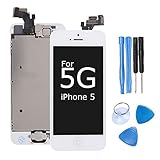
Ibaye LCD Display Touch Screen Digitizer Glass Lens Assembly Camera and Home Button Repair Replacement with Tools for iPhone 5 White

MMOBIEL Complete Full Screw Set Kit Replacement for iPhone 5S with each 2 x Bottom Pentalobe Screws (White/Black/Gold) incl. 3 x screwdrivers
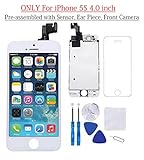
for iPhone 5S Screen Replacement White 4.0" LCD Display Touch Digitizer Frame Assembly Full Repair Kit, with Proximity Sensor, Earpiece Speaker, Front Camera, Free Screen Protector, Repair Tools
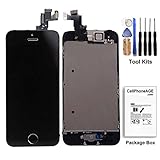
CELLPHONEAGE For iPhone 5S New LCD Touch Screen Replacement Black with Home Button and Camera Full Set Digitizer Diplay Assembly Replacement with Free Repair Tool Kits
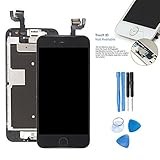
Screen Replacement For iphone 6S Touch Digitizer - ibaye 4.7 inch Black LCD Display Full Assembly with Home Button Front Camera, 3D Touch
Ibaye LCD Display Touch Screen Digitizer Glass Lens Assembly Camera and Home Button Repair Replacement with Tools for iPhone 5 Black
For iPhone 5S LCD Display Touch Screen Digitizer Glass Lens with Camera and Home Button Assembly Repair Replacement with Tools White

iPhone 5C LCD Display Screen Touch Digitizer Full Assembly Replacement with Home Button Front Camera Proximity Sensor Ear Speaker Complete Repair Tools and Screen Protector Black