
YEMIUGO 12V WiFi Relay Switch Module Inching & Self-Locking Switch Module High Powe 15A APP Smart Relay Delay Switch Module for DIY Smart Home Compatible with Alexa Google Nest

Product Description
YEMIUGO 12V WiFi Relay Switch Module Inching & Self-Locking Switch Module High Powe 15A APP Smart Relay Delay Switch Module for DIY Smart Home Compatible with Alexa Google Nest
- 🎄【MULTI FUNCTION】: WiFi Relay Switch Module greatly apply to DIY smart home, it has momentary / cyclic timing control, Delay switch control and Mechanical switch output function, meeting your life more smart.
- 🎄【MULTI NETWORK SUPPORT】This WiFi Inching /Self-locking Relay enables remote control of home appliances through the mobile application "eWeLink", available on both Android and IOS 2G/3G/4G Networks, And the APP "eWeLink" is also compatible for Amazon Alexa, Google Assistant and Google Nest.
- 🎄【Inching & Self-Locking setting】This smart relay switch provide inching and self-locking mode choices, you can free to set as your need. Self-locking mode: the relay will open after press the open botton, then press the button once again to close the relay. Inching (momentary) mode: the switch will open if press the botton on app or the manual button on the board, and auto close after 0.5 second.
- 🎄【Widely Applications】The switch can be wide use for any smart home DIY, such as applied to access control, turn on PC, garage door, computer application, remote control computer boot etc. one phone can remoto control multiple smart home devices at the same time.
- 🎄【Parameter】Operating Voltage: DC 12V, 250mA operating current, 90mA quiescent current
<b>Parameters:</b><br> ▶Operating Voltage:DC 12V<br> ▶Load Voltage: AC 0-250V, DC 0~30V<br> ▶Load Voltage&Current: AC 0-250V or DC 0~30V; 15A/Channel(MAX)<br> ▶Work Current: 250mA<br> ▶Quiescent Current: 90mA<br> ▶Output Type: Mechanical Switch Output(Cannot Output Voltage!)<br> ▶Board consumption: less than 1W<br> ▶Control Way:wifi network control,support 2G/3G/4G cellphone network <br> ▶WorkMode: Self-locking mode (default) & inching mode (Set by APP)<br> ▶WIFI standard: 2.4GHz<br> ▶Work Temperature: -40°C~85°C<br> ▶Work Humidity: 0%~95%RH<br> ▶Size: 52*28*20mm<br> <b>Features:</b><br> 1.Remote Control Added Devices Through APP<br> 2.Status Tracking. Home appliances' status will be fed back into your APP timely.<br> 3.Supports ①Scheduled Timing ②Countdown Timer ③Loop Timing ④Grouping Function ⑤Smart Scene ⑥Share Control ⑦ Numerous WIFI Switches W/ One Account.<br> <b>Pairing steps of WIFI relay module:</b><br> ✯ Step 1: Install and register APP eWelink from "APPStore" or "Google Play" or eWelink Official website, select the appropriate language.<br> ✯ Step 2: Connect DC 12V power supply on "12V" and "GND". (Note: Please don't connect load before select work mode and test.)<br> ✯ Step 3: Make WIfI relay module and phone connect to the same WIFI router.<br> ✯ Step 4: Open APP eWelink.<br> ✯ Step 5: Keep press the configuration button on module for more than 6 seconds. When the LED starts to flash and then Click "Add Device"<br>. ✯ Step 6: Select "Touch" on APP and then input WIFI name and password.<br> ✯ Step 7: Waiting and configuring about 3 minutes.<br> ✯ Step 8: If the pairing fails, please try it several times.<br> ✯ Step 9: Reset the module device name after connection successfully.<br> ✯ Step 10:Test and set module.<br> <b>NOTE:</b><br> It's relay output. So it cannot out put voltage. It just like a switch. Work voltage and load voltage are indispensable<br>.
Technical Specifications
You might also like
inShareplus 12V LED Strip Power Supply 2A 24W, Wall Mounted 12V Switching Power Supply, 110V to 12 Power Supply for LED Strip Light with 5.5/2.1 DC Female Barrel Connector to Screw Adapter
Blink Indoor Home Security Camera System with Motion Detection, HD Video, 2-Year Battery Life and Cloud Storage Included - 1 Camera Kit

WHDTS WiFi Switch Relay Momentary Inching & Self-Locking Relay Delay Switch Module Smart Home Remote Control DC 12V Compatible with iOS Andriod 2G/3G/4G Network, Read Manual Before Use
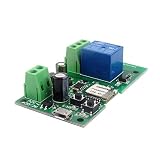
DIY 5V 12V Inching/Self-locking Wifi Switch Module (12)