
Smart Dimmer Switch, Acenx Wifi Light Dimmer Switch Compatible with Alexa and Google Assistant, Switch Dim Lighting from Anywhere with Smart Life APP, Easy In-Wall Installation (Single-Pole Only)
Product Description
Smart Dimmer Switch, Acenx Wifi Light Dimmer Switch Compatible with Alexa and Google Assistant, Switch Dim Lighting from Anywhere with Smart Life APP, Easy In-Wall Installation (Single-Pole Only)
- 【Enjoy Smart Lifestyle】Controlling your light indoors or outdoors has never been this simple. It works with Amazon Alexa and Google Assistant, you can dim/brighten your lights by your voice or your phone App. And you can also directly adjust the lights with switch, the physical button give your good touch feeling and better responsiveness.
- 【Schedule and Timer】With Smart Life App, your lights will turn on (or off) automatically at the time you set on your phone. Decrease your electrical bill and environmentally friendly. You can also schedule your living room lights with the sunset so you never come home to a dark house.
- 【Brightness Memory】The light dimmer switch will remember last used light level, prevent bright-light blinding when you're getting a midnight snack or checking on the kids.
- 【Comfortable Visual Effect】Light Dimmer switch will calibrate the bulbs you're using make it soft on and soft off for comfortable visual effect, And it can provide the maximum amount of dimming range with no flickering.
- 【Installation Notice】The dimmer switch only works in a single-pole(Not support 3-way). Neutral Line is required. Only works with 2.4G Wi-Fi (Not Support 5G Wi Fi). We offer you 30 days money back, 1 years warranty and lifetime service support. If you have any problems or questions, please feel free to contact us via Amazon.
<p>How to set up for smart devices app remote control:</p><p>1. Install the switch to get blue LED indicator flashing, it accesses to pairing mode. (If the led not flash quickly, about 2 times every second, cut off the power for 20 seconds, power on again and long press the minus button for 20 seconds to have it reset.)</p><p>2. Download free Smart Life app to your phone and register an account as guided.</p><p>3. Click "+" to add device on app. Do as it asked to connect to wifi and rename the switch. Now use your phone to remote control lights on/off and dim brightness.</p><p>Smart dimmer switch Compatible with Alexa & Google Assistant</p><p>1. In Amazon Alexa app, click "Skills" > search "Smart Life" app > click "enable" > Log into your smart life account and click "Link now" > When finished, ask Alexa to discover device. It will find your named light switch and now just give voice command to turn on/off lamp or dim it.</p><p>2. In Google Home App, find 'Home Control' > Click "add a device" and search "Smart life" > Sign up with your smart life account then you can use your google assistant to control the switch.</p><p>Specifications:</p><p>Rated current: 3A</p><p>Rated voltage: 120V/60Hz</p><p>Rated power: 400W</p><p>Maximum output: INC (incandescent) 400W, CFL (energy saving lamp) 150W, LED 150W</p><p>Wireless frequency: 2.4GHZ ONLY</p><p>Wireless standard: IEEE80211b/g/n</p><p>Phone System Compatibility: Android 4.1 / iOS 8.0 Above</p><p>Electrical Requirements:</p><p>- Neutral wire required.</p><p>- WIFI Requires support for 2.4G Hz network.</p><p>- Not compatible with 3-way (multi-location control) switches.</p><p>- Only suitable for your existing single-switch plate</p>
Technical Specifications
You might also like
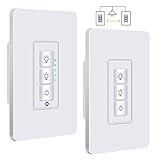
Justcool 3 Way Smart Dimmer Switch Kit: Wifi Timer Light Switch works with Alexa Google Assistant And IFTTT, Master Switch And Add-on Switch Dual dimmable, SmartLife App, NEUTRAL Wire Required, 3-Way
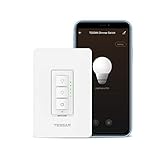
Smart Dimmer Switch for Dimmable LED Lights, WiFi Light Switch Compatible with Alexa and Google Assistant, Single-Pole, Smart Life APP, Neutral Wire Required - White

Smart Switch by Martin Jerry, Works with Alexa, Smart Home Devices Works with Google Home, 2.4G Wifi, No Hub, Single Pole Light Switch, Need Neutral Wire

Outdoor Smart Plug, Acenx Wifi 2 Outlets Plug Waterproof Compatible with Alexa and Google Home, Support Wireless Remote Control/Timer by Smartphone, No Hub Required
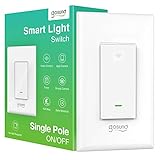
Smart Light Switch, Gosund 15A Smart Wifi Light Switch with Remote Control and Timer, Works with Alexa, Google home and IFTTT, No Hub required, Easy and Safe installation, ETL and FCC listed. (1pack)

2 Pack Smart Dimmer Switch for Dimmable LED Lights, WiFi Light Switch Compatible with Alexa and Google Home, Single Pole Only, Smart Life APP, Neutral Wire Required - White

Smart Light Switch, Gosund 15A Smart Wifi Light Switch with Remote Control and Timer, Works with Alexa, Google home and IFTTT, No Hub required, Easy and Safe installation, ETL and FCC listed. (2pcs)

3 Way Smart Dimmer Switch for Dimmable LED Lights, WiFi Light Switch Compatible with Alexa and Google Home, Neutral Wire Required, Smart Life APP - White
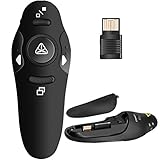
Greyghost 2.4GHz Wireless Presenter Pointer Pen PPT Pen Remote Control Teacher Slide Clicker