
2 Pack Smart Dimmer Switch for Dimmable LED Lights, WiFi Light Switch Compatible with Alexa and Google Home, Single Pole Only, Smart Life APP, Neutral Wire Required - White
Product Description
2 Pack Smart Dimmer Switch for Dimmable LED Lights, WiFi Light Switch Compatible with Alexa and Google Home, Single Pole Only, Smart Life APP, Neutral Wire Required - White
<p><b> Install and Connect the Smart Switch to Wifi </b></p> <p> </p> <p> <b>STEP 1: Install the Smart Dimmer Switch </b></p> <p> </p> <p> You need 3 wires (<i>NOT INCLUDE THE GROUND WIRE</i>) to install this switch, if you have only 2 wires, Please take a photo about your electrical box and mail to us for a technical support </p> <p> </p> <p> -> The white wire(neutral wire) from your smart switch to the group of white wires(neutral wire) in the box. </p> <p> </p> <p> -> Add green wire from your smart switch to the group of Ground wires in the box(Recommended but not required). </p> <p> </p> <p> -> Find out which wire goes to the lights and attach it to the brown wire(load wire) from this smart switch. </p> <p> </p> <p> -> Attach the hot wire in the wall box to the black wire(live wire) from your new switch. </p> <p> </p> <p> <b>STEP 2: Check Whether the Wiring is Correct (<i>IMPORTANT FOR NEXT STEP</i>) </b></p> <p> </p> <p> -> Manually turn on/off and Dim/Brighten the lights normally, the wiring is ok. </p> <p> </p> <p> -> The switch can't work well, Go back STEP 1 to check the wiring or mail to us for a technical support. </p> <p> </p> <p> <b>STEP 3: Connect the Smart Switch to Wifi </b></p> <p> </p> <p> -> Make sure the router and your phone are all on the 2.4Ghz channel. </p> <p> </p> <p> -> Login the "Smart Life - Smart Living" App with your account. </p> <p> </p> <p> -> Click"+" in the top right corner of app. </p> <p> </p> <p> -> <i><b>Click "Wall Switch"(not "Wall Switch (bluetooth)" or "Wall Switch(ZigBee)" ) in Electrical Category. </b></i></p> <p> </p> <p> -> Follow the app instructions to complete the addition </p>
Technical Specifications
You might also like
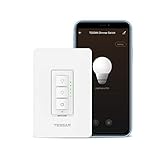
Smart Dimmer Switch for Dimmable LED Lights, WiFi Light Switch Compatible with Alexa and Google Assistant, Single-Pole, Smart Life APP, Neutral Wire Required - White
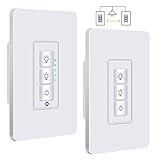
Justcool 3 Way Smart Dimmer Switch Kit: Wifi Timer Light Switch works with Alexa Google Assistant And IFTTT, Master Switch And Add-on Switch Dual dimmable, SmartLife App, NEUTRAL Wire Required, 3-Way

Extra Add-on Smart Dimmer Switch, Add-on 4 Way Switch for Tessan 3 Way Wifi Dimmer Switch Kit, Can not Work Alone

Legrand - Pass & Seymour TP262W Trade Master Wall Plate 2 Gang 2 Decorator, White, SMALL
Smart Light Switch, Wifi Light Switch No Hub Required, Phone Remote Control Wireless Decora Switch, Requires Neutral Wire, Timing Schedule, Compatible with Alexa and Google Home Kuled K36 (4pack)
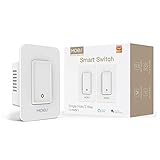
MOES 3 Way WiFi Smart Switch for Light,Compatible with Alexa and Google Home,No Hub Required,Smart Life APP Provides Control from Anywhere,ETL Listed

Treatlife Smart Light Switch, Neutral Wire Needed, 2.4Ghz Wi-Fi Light Switch, Works with Alexa, Google Assistant and IFTTT, Schedule, Remote Control, Single Pole, ETL Listed (2 PACK)

Smart Light Switch, Gosund 15A Smart Wifi Light Switch with Remote Control and Timer, Works with Alexa, Google home and IFTTT, No Hub required, Easy and Safe installation, ETL and FCC listed. (2pcs)