
ONXE LED USB Clock Fan with Real Time Display Function,Stocking Stuffers for Men Christmas Gadgets,Father's Day Gifts,1 Year Warranty
Product Description
ONXE LED USB Clock Fan with Real Time Display Function,Stocking Stuffers for Men Christmas Gadgets,Father's Day Gifts,1 Year Warranty
- PVC soft fan blades are safe to use and the gooseneck is flexibly bent. Gently adjust the flexible neck to the position you need to keep cool in any position
- Ideal for desktops and laptops, simply plug in any USB port on your laptop or PC without installing a driver
- Gently adjust the flexible neck to positon the cool breeze anywhere you wish
- The Temperature clock fan is a USB fan with a special blade that creates an LED clock face
Features: <br> 1. Gently adjust the flexible neck to position the cool breeze any where you wish. <br> 2. Super compact & lightweight. <br> 3. USB port powered, no external power supply needed. <br> 4. Durable soft fan blades for safe usage. <br> 5. No dirve, plug and play. <br> 6. Convenient On/Off switch. <br> 7. The clock keeps time when switched off and seting the time is easy too <br><br> Specifications: <br> 1. USB powered <br> 2. Flexible gooseneck <br> 3. Quiet electric motor <br> 4. Soft blades for safety <br> 5. Working Volt: DC 5V <br> 6. Working current: ≤350mA <br> 7. Product length: 40cm <br> 8. Switch: keyswitch <br> 9. Fan diameter:88mm <br> 10. weight: 54g <br><br> Setting the time <br> 1. Plug into a USB port and press the ON/OFF switch to turn fan on and to activate the clock display. <br> 2. Press and hold the ON/OFF button until minute hand starts blinking. <br> 3. Setting the hour hand:continue to hold ON/OFF button to set the hour hand.The clock will spin clockwise fast,release the button just before the correct hour. <br> 4. Setting the minute hand:After the hour is set,the minute hand will flash,Click the ON/OFF button to move the minute hand forward to the correct time. <br> 5. Leave for 6 seconds and the time is set. <br><br> NOTE: <br> 1. Keep your hair,face and eyes away from the rotating fan blades. <br> 2. In order to protect your USB port form damage,be careful not to press hard to the USB connector when adjusting the flexible neck. <br> 3. When the fan is moving keep children under 3 years away from the product. <br><br> 4. Please turn off the fan when you do not use it. <br><br> 5.Give it a break after 4-5 hours working.It will prolong the service life. <br><br> Package includes: <br> 1 X ONXE USB LED Clock Fan
Technical Specifications
You might also like

2019 New USB Clock Fan with Real Time Clock and Temperature Display Function,Silver,1 Year Warranty (Temperature and Clock)

(New RGB version) USB LED RGB Programmable Fan for PC Laptop Notebook Desktops Flexible Gooseneck Mini USB Programmable Fan

ATECH Multifunction Pen 7 in 1 Tech Tool Pen with Ruler, Stylus, Bottle Opener, 2 Screw Driver, and Phone Stand, Multi Tool Fit for Mens Survival (Black)
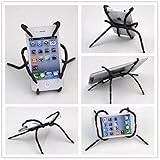
Rienar Universal Multi-Function Portable Spider Flexible Grip Holder for Smartphones and Tablets

The Original Toilet Night Light Tech Gadget. Fun Bathroom Motion Sensor LED Lighting. Weird Novelty Funny Birthday Gag Stocking Stuffer Gifts Ideas for Him Her Guys Men Boys Toddlers Mom Papa Brother
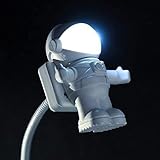
Soondar Creative Spaceman Astronaut LED Flexible USB Light for Laptop PC Notebook
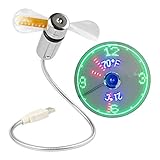
[New] USB LED Clock Fan with Temperature, SAYTAY Mobile USB Real Time Fan Fahrenheit and Celsius Display Portable Cooling Mini USB Quiet Gooseneck Fan for Office, Home & Travel (TC)

ICEWATER 3-in-1 Smart Stainless Steel Water Bottle(Glows to Remind You to Stay Hydrated)+Bluetooth Speaker+ Dancing Lights,20 oz,Stay Hydrated and Enjoy Music,Great Gift

Fourtune Notes Holder and Reminder Memo Board for Right Computer Monitors Screen Acrylic Message Boards Memo Pads (PANDA)

Novelty Design Silicone Drink Coasters Blanked label Retro 3.5 Inches Floppy Disk All-weather, 4.7 x 3.6", Set of 6 Black, Red, Yellow, Blue, Cherry, and Green