
Kingbolen Brake Fluid Tester Automotive Tools Diagnostic Testing Tool Auto Brakes Calibrated For DOT3 DOT4 DOT5 with 5 LED Indicator

Product Description
Kingbolen Brake Fluid Tester Automotive Tools Diagnostic Testing Tool Auto Brakes Calibrated For DOT3 DOT4 DOT5 with 5 LED Indicator
<br><P><b>What to do: </b><br> 1. Turn on the brake fluid tester by pressing the button. A green light should light up. If the light does not come on, it may be time to change a battery. <br> 2. Unscrew the lid for the brake fluid reservoir, and take off the cap for the brake fluid tester. <br> 3. Dip the test probes into the brake fluid and the LED lights will indicate the percentage of water in the brake fluid. <br> 4. After testing, remember to screw the lid of the brake fluid reservoir back on tightly. <br> 5. The tester will automatically power off after 12 seconds of inactivity. <br> <br><P><b> The LED lights will indicate the percentage of water in the brake fluid: </b><br> Green: None<br> Green/Yellow: Less than 1%<br> Green /Yellow/Yellow: Approx. 2%<br> Green/Yellow/Yellow/Red: Approx. 3% (Time to change brake fluid.) <br> Green/Yellow/Yellow/Red/Red: Approx. 4% (Change brake fluid immediately!) <br> <br><P><b> Please note: </b><br> - Replace the battery if the green LED light no longer lights up after you press the button.<br> - Wash the test probe with tap water after every use. <br> - In case of skin contact with brake fluid, thoroughly wash the affected skin or clothing with water. <br> - Do not expose brake fluid to the atmosphere for a long time as it is highly hygroscopic. <br>
Technical Specifications
You might also like

Cool-Trak 311519 Coolant Testing Strips - Set of 50
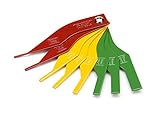
Steelman 97844 8-Piece Brake Lining Thickness Gauge

Phoenix Systems 8006-B Double-Ended Coolant + Brake Fluid Test Strips (15 foil wrapped test strips), 1 Pack

PTE Tester Calibrated for DOT 4 Brake fluids

Prestone AF-1420 Antifreeze/Coolant Tester
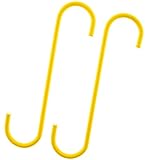
Mission Automotive Brake Caliper Hooks/Brake Caliper Hangers (Set of 2) - Excellent Brake Tool for Brake Calipers

ITEQ Brake Fluid Liquid Tester Pen with 5 LED Indicators, Calibrated For DOT3 DOT4 Brake Fluid
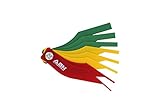
ABN Brake Lining Thickness SAE & Metric Gauge 8 Piece Tool Set

OTC 6596 Brake Pad Gauge
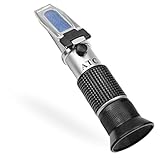
Antifreeze Refractometer for Glycol, Antifreeze, Coolant and Battery Acid. Antifreeze Tester for Measuring Freezing Point of Automobile Antifreeze and Battery Fluid Condition.