
ITEQ Brake Fluid Liquid Tester Pen with 5 LED Indicators, Calibrated For DOT3 DOT4 Brake Fluid
Product Description
ITEQ Brake Fluid Liquid Tester Pen with 5 LED Indicators, Calibrated For DOT3 DOT4 Brake Fluid
- Test the car brake fluid quality quickly to check whether it’s qualified, which can remind you to change the brake fluid when necessary to avoid traffic accident
- The LED indicators will show percentage of water in the brake fluid with 3 colors green yellow and red
- Calibrated for cars using DOT4 and DOT3 brake fluids (But DOT3 is almost replaced by DOT4 because DOT4 has better performance)
- Only takes seconds to know the results,very easy to use
- CE and RoHS approved. Protective cap included.Takes 1 x AAA/1.5V battery (not included)
<b>How to Use:</b><br> 1. Turn on the brake fluid tester by pressing the button on top. A green light should light up. If the light does not come on, it may be time to change a battery<br> 2. Unscrew the lid for the brake fluid reservoir, and take off the cap for the brake fluid tester<br> 3. Dip the test probes into the brake fluid and the LED lights will indicate the percentage of water in the brake fluid<br> 4. After testing, remember to screw the lid of the brake fluid reservoir back on tightly<br> 5. The tester will automatically power off after 12 seconds of inactivity<br><br> <b>What to Do:</b><br> <b>The LED lights will indicate the percentage of water in the brake fluid: </b><br> - Green: No water<br> - Green/Yellow: Less than 1% of water<br> - Green /Yellow/Yellow: Approx.2% of water<br> - Green/Yellow/Yellow/Red: Approx.3% (Brake fluid should be changed) <br> -Green/Yellow/Yellow/Red/Red: Approx.4% (Brake fluid must be changed urgently!) <br><br> <b>Please Note: </b><br> The ITEQ brake fluid tester is calibrated for DOT4 and DOT3 brake fluids, and DOT4 is used in most cars produced since 2006<br> Replace the battery if the green LED indicator no longer lights up after you press the button<br> Wash the test probe with tap water after every use<br> In case of skin contact with brake fluid, thoroughly wash the affected skin or clothing with water<br> Do not expose brake fluid to the atmosphere for a long time as it is highly hygroscopic<br><br> <b>Package:</b><br> 1 x brake fluid tester(Battery Not Included)
Technical Specifications
You might also like

Phoenix Systems 8006-B Double-Ended Coolant + Brake Fluid (15 foil Wrapped Test Strips)
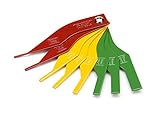
Steelman 97844 8-Piece Brake Lining Thickness Gauge
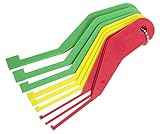
Lisle 81850 Combination Brake Lining Gauge Set
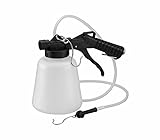
ARES 70923-1-Liter Vacuum Brake Fluid Bleeder - Hanging Hook and Locking Trigger Allows for Hands Free Operation
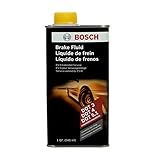
Bosch ESI6-32N Brake Fluid (Direct Replacement for DOT 3, DOT 4, and DOT 5.1)
Thexton THE106 Anti-Freeze Tester

Cool-Trak 311519 Coolant Testing Strips - Set of 50
Norpro Nylon Baster

Antifreeze Refractometer Displaying in Fahrenheit for Checking Freezing Point of Automobile Antifreeze Systems and Battery Fluid Condition. Battery Acid, Glycol, Coolant, Antifreeze Tester

Steelman Color Coded Tread Depth Gauge, Quickly Identifies Amount of Tread on Tires, Reads in MM and 32nds