
HiLetgo 2pcs ESP8266 NodeMCU CP2102 ESP-12E Development Board (Wi-Fi, USB) - Arduino Compatible, 1MB RAM, 80MHz CPU, 1M Flash, 2 Boards
Product Description
HiLetgo 2pcs ESP8266 NodeMCU CP2102 ESP-12E Development Board (Wi-Fi, USB) - Arduino Compatible, 1MB RAM, 80MHz CPU, 1M Flash, 2 Boards
- ESP8266 CP2102 NodeMCU LUA ESP-12E WIFI Serial Wireless Module
- Built-in Micro-USB, with flash and reset switches, easy to program
- Arduino compatible, works great with the latest Arduino IDE/Mongoose IoT/Micropython
- Data download access to the website: http://www.nodemcu.com
<b>Product description:</b><br> ESP8266 is a highly integrated chip designed for the needs of a new connected world. It offers a complete and self-contained Wi-Fi networking solution, allowing it to either host the application or to offload all Wi-Fi networking functions from another application processor. <br><b> Instruction & Steps of How to use:</b><br> 1. Download the Arduino IDE, the latest version. <br> 2. Install the IDE<br> 3. Set up your Arduino IDE as: Go to File->Preferences and copy the URL below to get the ESP board manager extensions: http://arduino.esp8266.com/stable/package_esp8266com_index.json Placing the http:// before the URL lets the Arduino IDE use it...otherwise it gives you a protocol error.<br> 4. Go to Tools > Board > Board Manager> Type "esp8266" and download the Community esp8266 and install. <br> 5. Set up your chip as:<br> Tools -> Board -> NodeMCU 1.0 (ESP-12E Module)<br> Tools -> Flash Size -> 4M (3M SPIFFS)<br> Tools -> CPU Frequency -> 80 Mhz<br> Tools -> Upload Speed -> 921600<br> Tools-->Port--> (whatever it is)<br> 6. Download and run the 32 bit flasher exe at Github(Search for nodemcu/nodemcu-flasher/tree/master/ at Github) github.com/nodemcu/nodemcu-flasher/tree/master/Win32/Release Or download and run the 64 bit flasher exe at: github.com/nodemcu/nodemcu-flasher/tree/master/Win64/Release<br> 7. In Arduino IDE, look for the old fashioned Blink program. Load, compile and upload. <br> 8. Go to FILE> EXAMPLES> ESP8266> BLINK, it will start blinking. <br><br><b> Note: Please contact us if you need the driver or meet any issue when using. We provide 100% satisfication service for customers.</b> <br><br><b> Package included: </b><br> 2* ESP8266 NodeMCU CP2102 WiFi Wireless Development Board
Technical Specifications
You might also like

HiLetgo 2pcs DHT22/AM2302 Digital Temperature And Humidity Sensor Module Temperature Humidity Monitor Sensor Replace SHT11 SHT15 for Arduino Electronic Practice DIY
—

HiLetgo ESP-WROOM-32 ESP32 ESP-32S Development Board 2.4GHz Dual-Mode WiFi + Bluetooth Dual Cores Microcontroller Processor Integrated with Antenna RF AMP Filter AP STA for Arduino IDE
—

Elegoo EL-CP-004 120pcs Multicolored Dupont Wire 40pin Male to Female, 40pin Male to Male, 40pin Female to Female Breadboard Jumper Wires Ribbon Cables Kit for arduino
—

Gowoops 2 PCS DHT22 Temperature Humidity Sensor Module Digital Measurement for Arduino Raspberry Pi 2 3
—

Tanbaby 5V 60A DC Universal Regulated Switching Power Supply for CCTV, Radio, Computer Project Mode Converter
—

XCSOURCE 5PCS IIC I2C Logic Level Converter Bi-Directional Module 5V to 3.3V TE291
—
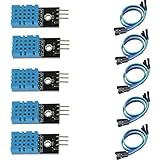
HiLetgo 5pcs DHT11 Temperature Humidity Sensor Module Digital Temperature Humidity Sensor 3.3V-5V Humidity Measure Range 20%-95% Temperature Measure Range 0-50℃ Celsius with Dupont Wires
—

Onyehn IR Pyroelectric Infrared PIR Motion Sensor Detector Modules DC 2.7 to 12V(Pack of 2pcs)
—

ESP8266 NodeMcu ESP8266 Module (4pcs),ESP-12E NodeMcu LUA CP2102 Internet WiFi Development Board Works with Arduino IDE/Micropython
—

Qunqi 5pack MP1584EN Ultra Small DC-DC 3A Power Step-Down Adjustable Module Buck Converter 24V to 12v 9V 5V 3V for Arduino
—