
Mitid Backlit Wireless Mini Keyboard with Mouse Touchpad Combos for Computer, Google Android TV Box, IPTV, HTPC, KODI (Gyro Controller)

Product Description
Mitid Backlit Wireless Mini Keyboard with Mouse Touchpad Combos for Computer, Google Android TV Box, IPTV, HTPC, KODI (Gyro Controller)
- 6-Axis somatosensory (3-Gyro & 3-G sensor) and infrared remote controller with learning function.
- The G sensor remote controller also 2.4G wireless mini keyboard and mouse combo in the other side.
- It's compatible with KODI, Computer, TV Box, Smart TV, IPTV, XBOX, Raspberry Pi 3 and more.
- LED backlit, plug and play, can learn up to 5 keys on your TV IR remote.
- This remote is not compatible with Amazon fire tv and fire sticks.
1) Support System: Google/ Android OS, Mac OS, Linux OS, Windows<br> 2) Compatible: Android Smart TV, Google Android TV Box, IPTV, Networked set-top Box, Mini PC, HTPC, PCTV, Xbox360, PS3/PS4<br> <br> <b>Specification:</b><br> 1) Transmission: 2.4G RF wireless<br> 2) Sensor: 3-Gyro + 3-Gsensor<br> 3) Number of keys:81 keys<br> 4) Range: 10m<br> 5) Battery Type: AAA*2 (Not included in the package) <br> 6) Material: Plastic and silicone<br> 7) Size: 172*52*19mm<br> 8) Weight: About 100g<br> <br> <b>IR Learning</b><br> There are five buttons which could be programmed to your TV remote keys: the top left Power button and the bottom four color buttons as showed in Product Diagram. <b>Please be noted your TV remote has to support NEC protocol for learning.</b><br> 1) Pointing IR emitters of the TV remote and the airmouse to each other. <br> 2) Press and hold the TV key on the remote for 4-5 seconds until LED slowly flashes. <br> 3) While you see LED slowly flashing, press the key on your TV remote to learn. <br> 4) While the IR signal is received to the remote, LED light will turn solid. You will have to choose one of those 5 learning keys. <br> 5) Press TV button to finish the learning. Start from step 1 to revise or start a new set up. <br> <br> <b>Important Notice:</b><br> 1) <b>Since it's a universal controller, it's normal that a few keys might not be applicable to your device because of different codes by different manufacturer.</b><br> 2) For Smart TVs, please test with normal wired keyboard. If they work, then this remote is compatible with your Smart TV. <br> 3) This is a remote controller, it cannot be used as gamepad. <br>
Technical Specifications
You might also like

The Confident Speaker: Beat Your Nerves and Communicate at Your Best in Any Situation

Socceres Hoodies for Women V Neck Pullover Sweatshirts Long Sleeve Shirts Fashion Tops

Pulsar Turbo Systems PULSAR G25 550 Billet Dual Ball Bearing Turbo T25 and IWG Hsg 0 72AR Actuator

The Black Book of Outsourcing: How to Manage the Changes, Challenges, and Opportunities (Wiley Desktop Editions)

Officially Licensed Smokey Bear MEGA-Pack Vintage Classic Indoor/Outdoor Stickers - All 9 Premium Stickers
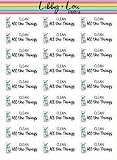
Clean All the Things Planner Stickers | Libby and Lou Sticker Co

DANGER CRANE SWING Sign, Sticker Decal - 8" X 10" By That Slaps! All Cranes should have this sticker on its swing points! Stay Safe!

GO SEE DESIGN National Park Stickers - Complete Set of All 63 United States National Parks | Designer Series | 2" x 3" Vinyl Laminated Stickers/Decals Suitable for Indoor & Outdoor Use