
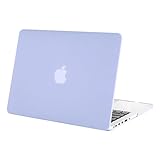
MOSISO Compatible with MacBook Pro 13 inch Case 2015 2014 2013 end 2012 Older Version (Models: A1502 & A1425) with Retina Display, Protective Plastic Hard Shell Case Cover, Serenity Blue
Product Description
MOSISO Compatible with MacBook Pro 13 inch Case 2015 2014 2013 end 2012 Older Version (Models: A1502 & A1425) with Retina Display, Protective Plastic Hard Shell Case Cover, Serenity Blue
<b>Mosiso® High Quality Soft-Touch Plastic Hard Case Series </b> <br> <br> <b> Specifications </b> <br> <br> — Designed to fit MacBook Pro 13.3" with Retina Display A1502 & A1425 <br> — Snap on design, easy on easy off <br> — Fully access to all buttons and features <br> — Plug your charger, cable or headset without removing the case <br> — Super light-weight with smooth rubberized exterior texture to protect your MacBook from scrapes and scratches <br> — Material: Polycarbonate <br> <br> <b> Case Compatible with </b> <br> <br> <b> MacBook Pro 13.3" with Retina Display </b> <br> <br> Model: A1502 <br> <br> Newest Release Spring 2015: MF839LL/A, MF840LL/A, MF841LL/A <br> Release 2014 and 2013 <br> MGX72LL/A, MGX82LL/A, MGX92LL/A <br> ME864LL/A, ME865LL/A, ME866LL/A <br> <br> Model: A1425 <br> <br> Release October 2012 <br> MD212LL/A, MD213LL/A, ME662LL/A ME664LL/A <br> <br> <b> Case NOT Compatible with </b> <br> <br> — Macbook Air 11" (A1465 / A1370) <br> — Macbook Air 13" (A1466 / A1369) <br> — Macbook Pro 15" with Retina Display (A1398) <br> — Macbook 12" with Retina Display (A1534) <br> — Macbook Pro 13" (A1278) <br> — Macbook Pro 15/15.4" (A1286) <br> <br> <b>Installation</b> <br> <br> 1. Start with the top cover of the case. Clip the 2 clips at the back of the MacBook first. <br> 2. Pull the case slightly to the front until the 3 clips "clicking". <br> 3. Turn around the MacBook. Clip the bottom cover on the back of the MacBook first. <br> 4. Pull the case slightly to the front until the clips "clicking".
Technical Specifications
You might also like

GMYLE Serenity Blue Silicon Keyboard Cover for Macbook Air Pro 13 15 15 Pro Retina 17 US model

Mosiso - Keyboard Cover Silicone Skin for MacBook Air 13" and MacBook Pro 13" 15" 17" (with or w/out Retina Display) iMac - Serenity Blue

Mosiso Laptop Sleeve, Quatrefoil Style Canvas Fabric Case Bag Cover for 13-13.3 Inch MacBook Pro, MacBook Air, Notebook with a Small Case, Gray
Mosiso MacBook Case Pro 15 inch with Retina Display (No CD-ROM Drive), Ultra Slim Soft-Touch Plastic See Through Hard Shell Snap On Cover for Retina 15.4"(Model: A1398), Serenity Blue

iBenzer Macbook Pro 13" with CD-ROM Plastic Hard Case, Keyboard Cover (Serenity Blue)

Case Star Bohemian Style Canvas Laptop Sleeve Zipper Bag for Apple Macbook Pro Retina Macbook Air 13 /13.3-Inch, HP Dell Toshiba Chromebook 2 ASUS Sony Lenovo Samsung (Blue Lattice)

Lacdo Waterproof Fabric Laptop Sleeve Case Bag Notebook Bag Case For Apple MacBook Pro 13.3 Inch With Retina Display Macbook Air 13 Ultrabook, Gray

TopCase New Arrival Transparent TPU Keyboard Cover Skin for Macbook Pro 13-Inch with Logo Mouse Pad

BOVKE 13-13.3 Inch Waterproof Canvas Laptop Sleeve Case Bag Notebook Bag for MacBook Pro 13.3-inch Retina Display MacBook Air 13.3" Surface Book 12.9-inch iPad Pro Acer Asus Dell HP Chromebook,Blue

iBenzer Macbook Pro 13" with CD-ROM Plastic Hard Case, Keyboard Cover (Rose Quartz)