
iPhone 7 Screen Replacement For Lcd Touch Screen Digitizer Frame Assembly Set with 3D Touch Coolmall369 Free Tool Set Included (White)
Product Description
iPhone 7 Screen Replacement For Lcd Touch Screen Digitizer Frame Assembly Set with 3D Touch Coolmall369 Free Tool Set Included (White)
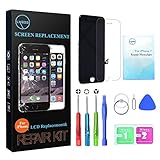
<b>Coolmall369 iPhone 7 White 4.7 Inch </b><br><b><br>Installation: </b><br> 1. Please make sure you are a special repair technician, otherwise you will break the product. <br>2. Please test it by inserting the flex to your motherboard before installation, be sure you feel a gentle snap. If not, then try again, or the cable will not be connected properly and will not work functionality. <br><br><b>If you meet some problems like can't turn on, touch insensitive, flash, lines on screen etc, please follow below steps: </b> <br>1. Please check the LCD to make sure the flex cables are in good condition and there are no debris on the connector. <br>2. Disconnect and reconnect the flex cables from the motherboard side. <br>3. Then Reboot: Hold buttons (Home, Up volume, and Power button) untill the phone switch down and then switch up again. <br>4. Make sure IOS has been upgraded to the latest version. <br>5. Please leave phone alone overnight and see if this problem persists in the morning. Sometimes there is static after installing that will go away after some time. <br><br><b>Package Include: </b><br>1* iPhone 7 White 4.7 Inch LCD replacement assembly kit <br>1* Set Repair Tool Kits,<br><br><b>Warning: No protection & Inappropriate installation may cause injury. Please follow installation guide step by step.</b><BR> 1.Check the package before open it. If found break, Please contact Amazon or Seller for exchange. <BR>2.Please switch off phone to avoid any electrical injury before installation. <BR>3.Not charge phone to avoid any electrical injury during replacement.
Technical Specifications
You might also like

iPhone 7 Screen Replacement For Lcd Touch Screen Digitizer Frame Assembly Set with 3D Touch Coolmall369 Free Tool Set (Black)
iPhone 7 Plus Screen Replacement For Lcd Touch Screen Digitizer Frame Assembly Set with 3D Touch Coolmall369 Free 5.5 Inch Tool Set Included (Black)

iPhone 7 Screen Replacement For Lcd Touch Screen Digitizer Frame Assembly Set with 3D Touch Coolmall369 Free Tool Set (White)
iPhone 7 Plus Screen Replacement For Lcd Touch Screen Digitizer Frame Assembly Set with 3D Touch Coolmall369 Free Tool Set (Black)
iPhone 6 Screen Replacement For Lcd Touch Screen Digitizer Frame Assembly Set Coolmall369 Free Tool Kit included (Black)

White for iPhone 7 Screen Replacement with 3D Touch - LYESS LCD Display Touch Digitizer Frame Assembly Set for iPhone 7 4.7 inch, Free Tools Kit Included

iPhone 7 Plus Screen Replacement For Lcd Touch Screen Digitizer Frame Assembly Set with 3D Touch Free Tool Set (Black)
iPhone 6 Screen Replacement, Coolmall369 4.7 Inch LCD Touch Screen Digitizer Frame Assembly Set With Free Tool Set Included (Black)
Black for iPhone 7 Screen Replacement with 3D Touch - LYESS LCD Display Touch Digitizer Frame Assembly Set for iPhone 7 4.7 inch, Free Tools Kit Included