
iPazzPort Bluetooth Mini Wireless Keyboard with Touchpad, Backlit, IR Learing for Android TV Box, TV Stick, Nvidia Shield TV, Smart TV KP-810-61 BT

Product Description
iPazzPort Bluetooth Mini Wireless Keyboard with Touchpad, Backlit, IR Learing for Android TV Box, TV Stick, Nvidia Shield TV, Smart TV KP-810-61 BT
- Bluetooth mini wireless keyboard, the combo of mini keyboard and touchpad and mouse and tv remote, all in one to replace streaming media player and tv remote (Note: Bluetooth Dongle Not Included, so all devices should support bluetooth function)
- New Features than others: add IR learning feature, program with tv remote to navigate tv basic function(Power on/off、Volume up/down etc), don't need the tv original remote too
- New layout design, ergonomic keyboard with the new location of touchpad and mouse right/left button, much easy to select、copy and paste; Touchpad and keyboard lock button to prevent the misuse from child
- RGB backlit keyboard, three kinds of backlit color for your option; Rechargeable battery keyboard, work for several months after fully charged (Note:Remove battery cover and take insulation sticker away before using)
- Work for: Mini wireless keyboard for Android tv box、Nvidia Shield TV、xiaomi mi box、Smart TV、Raspberry Pi、HTPC and PC. Doesn't work for samsung tv. Subscribe "iPazzPortfans" channel on youtube to get the video instructions. (Note: Can't work with Hulu and HBO Now due to system compatibility)
<b>How to set IR learning function:</b><br> 1. On keyboard remote, hold down the power button until the LED lights solid. <br> 2. Put together your keyboard remote and the source IR remote, head to head, approximately 1 inch apart. <br> 3. Press the button on keyboard "+" for example, and the LED will start blinking and be steady on, then press the button V+ on your source IR remote. <br> 4. The LED on the keyboard will blink 3 times quickly, indicating a successful learning .<br> 5. While LED is on solid, repeat steps 3 and 4 to program other target buttons. <br> 6. When the learning process is all completed, just wait for its auto setting process approximately 10 seconds till the LED goes off. <br> 7. It is ready to use, now. <br> Note: Please wait for 3 seconds before programming the next button. <br><br> <b>Specifications: </b><br> - Bluetooth connection<br> - Max Distance:10 m (33 ft) <br> - Dimensions: 142.5X97X19.8 mm (5.61x3.82x0.78 in) <br> - Weight: 121g (0.27lb) <br> - Voltage: 3.3V <br> - Power Supply: Working Rechargeable Li-ion battery<br><br> <b>System Requirement: </b><br> - Windows <br> - Mac OS <br> - Linux <br> - Android/Google/Smart TV<br><br> <b>Package: </b><br> - 1 x Mini Keyboard more better more cheaper than rii mini wireless keyboard <br> - 1 x User manual <br> - 1 x USB cable <br>
Technical Specifications
You might also like
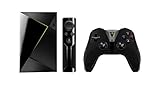
NVIDIA SHIELD TV Gaming Edition | 4K HDR Streaming Media Player with GeForce NOW

iPazzPort RGB Backlit Mini Wireless Keyboard with Touchpad Mouse and IR Learning TV Remote Combo, 2.4GHz USB Keyboard for Android TV Box, Nvidia Shield TV, Smart TV, Raspberry Pi, Black KP-810-61
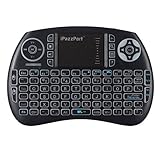
iPazzPort Backlit Keyboard and Bluetooth Mini Wireless Keyboard with Touchpad for Raspberry Pi and Android Smart Tv and PC KP-810-21SBL
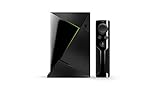
NVIDIA Shield TV | 4K HDR Streaming Media Player
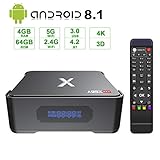
Android 8.1 TV Box,Dolamee A95X 4GB RAM 64GB ROM Amlogic S905X2 Quad Core 64bit Smart TV Box Support 3D 4K2K@75fps/ 5G&2.4G Dual Band WiFi/BT 5.0 & USB 3.0 Media Player Box with Recording Function

Rii FMKBTL1-IV1 i8+ BT Mini Wireless Bluetooth Backlight Touchpad Keyboard with Mouse for PC/Mac/Android, Black (RTi8BT-5)

Fosmon Portable Lightweight Mini Wireless Bluetooth Keyboard Controller (QWERTY keypad) w/ Built-In Touchpad for Apple / Android / Windows Smartphones, Tablets, PS4, Laptop, Notebook - Black & Orange
NVIDIA Shield TV Smart Home Edition | 4K HDR Streaming Media Player with SmartThings Link
iPazzPort Mini Wireless Keyboard with Touchpad, Universal Infrared Remote Control, 2.4GHz Wireless Portable USB Keyboard for PC/Android TV Box/Smart TV/Raspberry Pi 3 KP-810-19RS

SmartiPi Touch case for The Official Raspberry Pi 7" Touchscreen Display - Adjustable Angle