
iClever Bluetooth Keyboard - Rechargeable Multi-Device Wireless Keyboard with Aluminium Alloy Housing and Phone Holder, Universal Bluetooth Keyboard for Tablet Android iOS Windows
Product Description
iClever Bluetooth Keyboard - Rechargeable Multi-Device Wireless Keyboard with Aluminium Alloy Housing and Phone Holder, Universal Bluetooth Keyboard for Tablet Android iOS Windows
- VERSATILE BLUETOOTH KEYBOARD: Between smartphones, iPad, tablet, laptops, mac and PCs, a super compatible keyboard is a must! The iClever Wireless Bluetooth Keyboard will pair seamlessly with any and every Bluetooth device. Use it with your iPhones, Android devices, MacBooks, PCs and so much more Bluetooth-enable devices.
- CONNECT MULTIPLE DEVICES SIMULTANEOUSLY: Three is better than one. This universal wireless keyboard can connect with up to three devices at once. Choosing your device is easy-- just press F1, F2, or F3 to switch between devices at lightning speed. Even better, the 33ft range allows you to move around without losing your connection.
- COMFORTABLE, ERGONOMIC DESIGN: Typing can be tough-- give your fingers a break. The ergonomic, low-profile keys are easy to use and minimize discomfort, even after hours of use. They're smooth, responsive, and easy to press. Ergonomic keycaps fit perfectly with your fingertips and embrace comfort once touching on them.
- SLEEK AND MODERN: Keyboards can be stylish, too! A durable ALUMINUM ALLOY body and premium ABS keycaps provide an elegant finish that will set you apart from the crowd. This smartphone keyboard is just as long-lasting as it is luxurious-- the keys will withstand a whopping 5,000,000 presses.
- 70 HOUR BATTERY LIFE In today's digital world, a dead keyboard can be a disaster. Thanks to the ultra-powerful rechargeable battery, you'll get up to 70 hours of use on a single charge. Away from your desk? The auto sleep function will turn off the bluetooth keyboard after 10 minutes of inactivity, maximizing battery life and minimizing frustration.:
<b>Give Your Thumbs the Day Off</b><br> Sick of two-thumb typing on your smart devices? Say goodbye to tiny, hard-to-use keyboards once and for all! The iClever Bluetooth Keyboard uses cutting-edge Bluetooth technology to connect to<br> all of your wireless-enabled devices. Pair it with your iPhone, Android device, iPad, MacBook, PC and more.<br><br> <b>Built-in Device Stand</b><br> Keep your devices upright and at attention with the included cradle holder. The build-in device pocket holds your devices (up to 10'') at a comfortable angle for easy viewing. <br><br> <b>Make Typing Easy Again</b><br> For most of us, typing is an everyday necessity. Why not make it easy? This Bluetooth keyboard's ergonomic keys are super quiet and simple to press. <br>The gentle angle minimizes wrist strain, while multi-device support allows you to switch between up to three devices with the touch of a button.<br><br> <b>Quick Charge and Power Saving</b> Don't waste time waiting for your keyboard the charge. A mere two hours of charge provides up to 70 hours of continuous use! <br>Intelligent power saving prolongs battery life even further-- if the wireless keyboard is idle for 10 minutes, it will turn off automatically. <br>Hit any key to bring it back to life.<br><br> <b>Solution of Bluetooth connection problem</b><br> If the Bluetooth keyboard fails to connect to your devices, please try to solve it via the following steps:<br> 1.Please ensure your device is Bluetooth enabled, and the system of your device is Windows, iOS, Mac OS or Android.<br> 2.Please charge the keyboard for at least half an hour, because low battery may cause various problems.<br> 3.Delete all the Bluetooth connection records from your device.<br> 4.Turn off the Bluetooth on your device, then turn it on again.<br> 5.Press and hold the Fn+1/2/3 keys for 10 seconds, then choose "KB01" on your device to connect it.<br> 6.If the keyboard still cannot be connected, please contact iClever Customer Support.
Technical Specifications
You might also like

iClever Vertical Mouse - Ergonomic Mouse Wireless 6 Buttons with Adjustable DPI 1000/1600/2000/2400 Comfortable 2.4G Optical Ergo Mouse for Laptop, Computer, Desktop, Mac, Windows, Mac OS

iClever Lightweight Bluetooth Headphones, Quick and Stable Pairing Wireless Earphones Bluetooth V4.1 with Microphone, Sweat-Resistant for Running, Sport, Outdoors, at Home

iClever Bluetooth Keyboard, Universal Wireless Keyboard, Rechargeable Ultra-Slim Wireless BT Keyboard with Number Pad Ergonomic Design Full Size Stable Connection for Windows, iOS, Android, Black
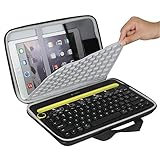
Hermitshell Travel Case Fits Logitech K480 Bluetooth Multi-Device Keyboard

Samsers Foldable Bluetooth Keyboard - Portable Wireless Keyboard with Stand Holder, Rechargeable Full Size Ultra Slim Folding Keyboard Compatible IOS Android Windows Smartphone Tablet and Laptop-Black
Samsung Galaxy Tab S5e 128GB WiFi Tablet Black (2019)

Macally Compact Wireless Bluetooth Keyboard - Features a Built-in Stand & Multi-Device Sync - Compatible with Apple Mac, iMac, MacBook Pro/Air, iPhone, iPad, Windows PC Computer Laptop, Android, etc.

Heaviest Cable Organizer on the Market! Compact and Weighted Desktop Cord Holder and Cable Organizer, Eco-Friendly Silicone, No Bad Smell, Bundled with 4 Reusable Cable Ties! (Black)
Logitech Crayon for iPad (6th Gen), iPad Air (3rd Gen) and iPad Mini (5th Gen)