
ezOutlet2 - Internet Enabled IP Remote Power Switch with Reboot (AC Power/Single Outlet/iOS/Android/Cloud/Web Controllable)
Product Description
ezOutlet2 - Internet Enabled IP Remote Power Switch with Reboot (AC Power/Single Outlet/iOS/Android/Cloud/Web Controllable)
ezOutlet2 monitors an Internet connection and automatically power-cycles the device plugged in to it if the network goes down. <p><p><b>ezOutlet2 can:</b><br> Keep-alive a network device<br> Remote power on-off-reset a device on demand<br> Schedule a power on-off-reset at specific times<br><p><p><b>Control the ezOutlet via:</b><br> Free "ezDevice" APP for Apple IOS and Andriod (download from your app store)<br> Free "Cloud4UIS.com" web site (an Amazon Web Services hosted application)<br> ezOutlet2's internal password-protected HTTP web server<br> ezOutlet2's API<br> Function button on the device<br> <p> There is no messing around with port forwarding or domain names. Just connect ezOutlet2 to the Internet, install the APP on your phone/tablet, sync and use. The smartphone and cloud apps allow you to remotely turn On / Off / Reset / Schedule an unlimited number of ezOutlet2's.</p> <p> <b>Usage:</b><br> 1) Connect LAN cable to ezOutlet<br> 2) Connect power cable to ezOutlet2. Solid yellow LED indicates unit is online<br> 3) Install the APP on an Android/iOS device or go to Cloud4UIS.com<br> 4) Add your ezOutlet2 to the APP by entering the ID # printed on ezOutlet2's label<br> 5) Done<br> </p> <p> <b>Function Button</b><br> Press Once: Toggle Auto Reset on ping failure mode<br> Press Twice: Toggle the outlet's power (on/off) state<br> Press 10 sec: Reset to factory defaults<br></p><p></p><p><b>Specifications</b><br> Model: EZ-22b<br> Input: 125~250V, 50/60Hz Output: 10A<br> Network: 10/100 Base-T, RJ45<br> Operating: 0~60C at 10~90% RH<br> Dimensions: 95x85x55 mm<br> Includes: ezOutlet2, AC power cord, Ethernet cable, QuickStart Guide<p><p><p>NOTE: ezDevice and Cloud4UIS apps can <b>not</b> control previous ezOutlet models (e.g. EZ-11b)<p><b>Proxicast is Mega System Technologies' Only Authorized ezOutlet2 Reseller on Amazon.</b>
Technical Specifications
You might also like

MSNSwitch Internet Enabled IP Remote Power Switch with Reboot - Control via Smartphone App, Cloud Service, Web Browser, Skype or Hangouts - 2 Independent AC Power Outlets (Model 522B)
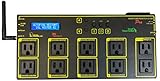
Web Power Switch Pro Model
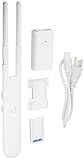
Ubiquiti UAP-AC-M-US Unifi Mesh Access Point, White
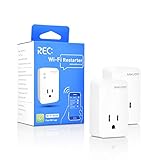
Wi-Fi Router Reset 2 Pack, Smart Plug Auto Monitor and Restart Wi-Fi Router/Modem/Access Points if Wi-Fi Fails, Auto Power Cycler for Routers, Works with REC App

Ubiquiti NanoBeam ac Gen2 High-Performance airMAX ac Bridge (NBE-5AC-Gen2-US)

Ubiquiti UniFi Switch 8 60W (US-8-60W)

Ubiquiti UniFi Switch - 24 Ports Managed (US-24-250W)

10G SFP+ DAC Cable - for Ubiquiti 10GBASE-CU Passive Direct Attach Copper (DAC) SFP Twinax Cable, 0.5m

Ubiquiti Universal Antenna Mount UB-AM (Original Version)

NetReset-Digital Timer Outlet Automating Modem and Router Reboot.Net Reset Turns Modem on 2 Mins Before Router Providing Most Secure,Fast,and Reliable Internet. 24 Hour Timer. Original WiFi Reset Plug