
XREXS Digital Kitchen Timer Magnetic Countdown Up Cooking Timer Clock with Magnet Back and Clip, Loud Alarm, Large Display Minutes and Seconds Directly Input-White (2 Battery Included) (DC-101)
Product Description
XREXS Digital Kitchen Timer Magnetic Countdown Up Cooking Timer Clock with Magnet Back and Clip, Loud Alarm, Large Display Minutes and Seconds Directly Input-White (2 Battery Included) (DC-101)
<p>Specifications: </p> <p>Type:Clock / Digital Timer/ Stopwatch </p> <p>Digital Display: Minutes and Seconds </p> <p>Function: Countdown/Countup </p> <p>Operation: </p> <p>1.Take away the battery compartment cover according to the indication on the back case,install battery with correct polarity,put back the battery compartment cover,the device enters CLOCK mode first. </p> <p>2.Under CLOCK mode,press START/STOP button one time to change to COUNT-DOWN timer mode,Press 'M', 'S' and 'START/STOP' buttons simultaneously,the device returns to CLOCK mode. </p> <p>Clock setting: </p> <p>press 'S' to change between 12h and 24h style. </p> <p>Press 'M' for 2-3s to enter hour setting, then press 'S' to change hour value. </p> <p>Press 'M' one time again to enter minute setting. </p> <p>Press 'S' button to change minute value. </p> <p>Press 'M' button one time again to close CLOCK setting,the device returns to normal CLOCK mode. </p> <p>Count-down timer setting: </p> <p>Under count-down mode,press 'M' button to set minute value,press 'S' button simultaneously to ZERO the minute and second value.After minutevalue and second value is set,press 'START/STOP' button one time to start time counting-down,during counting-down,press 'START/STOP' button one time again to pause,press 'START/STOP' button one time again to restart counting-down from the pause point.After the device counts down to zero,it gives off 'd-di' sound for about 60 seconds.To stop 'di-di' sound before 60 seconds,press 'START/STOP' button one time to realize. </p> <p>Note:No action for 5 minutes under 'COUNT-DOWN TIMER' mode,the device returns to CLOCK mode. </p> <p>Notice: In case of any abnormal display or action,please take out the battery and install it back after 2 seconds,then the device starts normal working.</p>
Technical Specifications
You might also like

wavve 2-in-1 Bamboo Charcoal Cooling Pillow Memory Foam Height Adjustable with Washable Cover, Standard Size
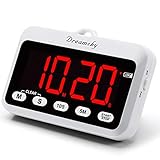
DreamSky Portable Digital Kitchen Timer with Large Red Number Display, Count Up/Down Timer with ON/OFF Button, Magnetic Back Foldout Stand, Battery Operated Timers for Cooking Baking Yoga.

POWERADD EnergyCell 15000 Compact Portable Charger - Dual 5V/2.4A Output Ultra-Portable Cellphone Charger Power Bank for iPhone (11/11 Pro/11 Pro Max) Samsung iPad iPod and More Devices

TickiT Jumbo Timer - Red - Digital Timer with Large Display for Kitchens, Classrooms, Games, Home Use - with Stand and Magnet for Mounting

Wireless Doorbell - SadoTech Door Bells & Chimes Wireless Door Bell Kit - Over 1000 feet Range with 52 USA Doorbell Chime, Adjustable Volume, LED Flash, Model C, various color doorbells
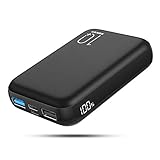
Power Bank 10000mAh Battery Backup Portable Charger with Actual Dual Inputs and Dual outputs, Battery Pack with Visible LCD Screen, External Battery for iPhone,Samsung Galaxy,ipad and More.

Storex Classroom Caddy, 9.25 x 9.25 x 5.25 Inches, Assorted Colors, Case of 6 (00940U06C)
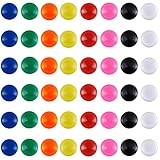
Patelai 48 Pieces Mini Fridge Magnets Round Magnetic Button Whiteboard Magnets Office Magnets, 8 Colors

Wausau Paper Astrobrights Colored Paper Assortment, 500-Sheets, 8.5 x 11-Inch (21224)