
Wireless Security camera, UOKOO Mini IP Camera 720P HD Home WiFi Wireless Security Surveillance Camera with Motion Detection, Remote Monitoring Baby Monitor, Nanny Cam(black)
Product Description
Wireless Security camera, UOKOO Mini IP Camera 720P HD Home WiFi Wireless Security Surveillance Camera with Motion Detection, Remote Monitoring Baby Monitor, Nanny Cam(black)
- QUICK & EASY SETUP: One-key WiFi (2.4Ghz only) setup in 5 minute via iPhone or Andriod smartphone using the iSmartviewpro app. Watch setup video: https://www.youtube.com/watch?v=-gyUxBtTuBs
- MOTION DETECTION: Motion Detection with email or push alert notifications based on motion sensing technology. Motion detection sensibility can be adjusted by yourself, When the camera detected abnormity or alarm is triggered, instant alarm pictures will be sent via email/FTP.
- REMOTE ACCESS AND HD 720P VIDEO: Crystal clear HD 720p video one-way audio, day vision only. Remote access to the camera on Smartphone, Tablet, Mac or Windows PC.
- MUILT USERS REMOTE VIEW : Feed live can be viewed by multiple users simultaneously, you can view 4 videos on the phone app and 64 videos on PC.
- WIDELY USAGE: Pet monitoring, nanny cam, business monitoring, security, vacation home monitoring, senior monitoring, remote live video streaming via Smartphone, download the free APP to view anytime anywhere.
<p><br><b>Professional Home Security Camera</b> <br>The UOKOO Wireless IP Camera is ideal suited to home usage. You can watch room, baby, toddler, pet, elder person at anytime and from anywhere.</p> <p><br><b>Video on how to connect the WIFI by OneKey Wifi Configuration: </b> <br>https://www.youtube.com/watch?v=-gyUxBtTuBs </p> <p><br><b>Features: </b> <br>â‘ Vivid 720p HD: You can see crystal clear images with this high resolution camera. <br>â‘¡Listen to your home: With the audio, you can hear what is happening at your home. <br>â‘¢Wider view angle: 120 degree wide-angle camera with 4x digital zoom, keep eyes on the bigger space. <br>â‘£Take lots of cute photos & videos: Capture special moments, and share with friends and family. New feature: One Key WI-FI Configuration by WPS/QSS</p> <p><br><b>Motion Detection Email Setting</b> <br>Advanced Settings>Alarm Setting>Motion Detect Armed ON, Save Picture on SD/FTP, Send Email When Alarm <br>If you need to set Email: Advanced Settings>Mail Setting>Fill in all Blanks including Authentication ON</p> <p><br><b>Trouble Shooting</b> <br>Cannot connect to WIFI <br>a. Make sure the APP version is the latest. <br>b. Make sure your WiFi has password, otherwise, you will configure failed <br>c. Make sure you have done the wifi configuration, visit youtube Video above <br>d. Make sure the Red LED always ON for the power cord, and the blue LED blinks or ON for the camera. <br>If the power cord LED does not ON always please contact after-sales team for replacement. <br>e. Reboot the camera via plug out the cord for 1 minute and re-plug in the cord. <br>f. If above steps does not work, please reset the camera via press and hold the reset button for 10 seconds, and the blue LED will be OFF for 1 second and then flash slowly.</p> <p><br><b>Package </b> <br>1 * Mini IP camera <br>1 * Power adapter <br>1 * Quick Installation Guide 1 * Set of mounting screws</p>
Technical Specifications
You might also like
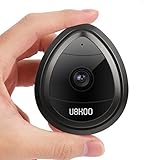
Wireless Security Camera, Home WiFi Wireless IP Camera with Motion Detection Remote Monitoring Baby Monitor, Nanny Cam
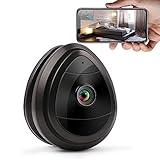
Wireless IP Home Surveillance Security Camera System with Motion Email Alert/Motion Detection for Indoor Security, Nursery, Pet Monitor, Remote Control (MINI-BLACK)

Zmodo EZCam Wireless Two-Way Audio Smart HD IP Home Security Camera with Night Vision, Works with Alexa
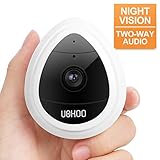
Wireless Security Camera, UOKOO 1280x720p Home Surveillance Wireless IP Camera with Night Vision/Two Way Audio White