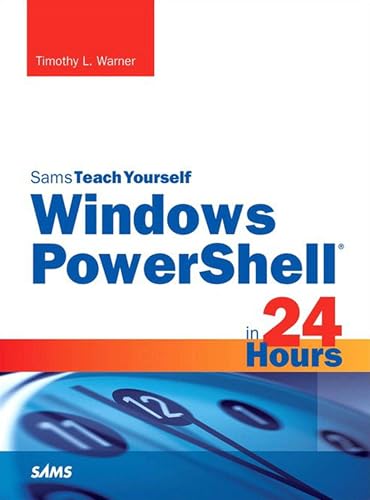
Sams Teach Yourself Windows PowerShell in 24 Hours Pearson uCertify Course Student Access Card
Product Description
Sams Teach Yourself Windows PowerShell in 24 Hours Pearson uCertify Course Student Access Card
<P style="MARGIN: 0px">In just 24 lessons of one hour or less, <I>Sams Teach Yourself Windows PowerShell in 24 Hours </I>helps you streamline all facets of Windows administration, supercharging your effectiveness as an IT professional or power user. This book’s straightforward, step-by-step approach shows you how to build and run scripts, extend Windows PowerShell reach, manage computers remotely, and automate a wide variety of tasks on any modern Windows server or client. Every lesson builds on what you’ve already learned, giving you a rock-solid foundation for real-world success!</P> <P style="MARGIN: 0px"> </P> <P style="MARGIN: 0px"> <B>Step-by-step instructions</B> carefully walk you through the most common PowerShell scripting tasks. </P> <P style="MARGIN: 0px"> </P> <P style="MARGIN: 0px"> <B>Practical, hands-on examples</B> show you how to apply what you learn. </P> <P style="MARGIN: 0px"> </P> <P style="MARGIN: 0px"> <B>Quizzes and exercises</B> help you test your knowledge and stretch your skills. </P> <P style="MARGIN: 0px"> </P> <P style="MARGIN: 0px"> <B>Notes, tips, and cautions</B> point out shortcuts, pitfalls, and solutions. </P> <P style="MARGIN: 0px"> </P> <P style="MARGIN: 0px">Learn how to...</P> <UL> <LI> <DIV style="MARGIN: 0px">Install, configure, and explore Windows PowerShell (including updates for PowerShell 5) </DIV> </LI> <LI> <DIV style="MARGIN: 0px">Leverage .NET’s remarkable power and scope with easy-to-use cmdlets </DIV> </LI> <LI> <DIV style="MARGIN: 0px">Build new scripts with the console, ISE visual tools, and other popular hosts </DIV> </LI> <LI> <DIV style="MARGIN: 0px">Apply best practices for writing more reliable, flexible, team-friendly scripts </DIV> </LI> <LI> <DIV style="MARGIN: 0px">Work effectively with the pipeline, objects, and data </DIV> </LI> <LI> <DIV style="MARGIN: 0px">Extend Windows PowerShell reach via providers, drives, and output </DIV> </LI> <LI> <DIV style="MARGIN: 0px">Run external tools like ping, ipconfig, and tracert from within PowerShell </DIV> </LI> <LI> <DIV style="MARGIN: 0px">Remotely manage computers with basic and advanced remoting (WinRM), WMI, and Regex </DIV> </LI> <LI> <DIV style="MARGIN: 0px">Configure Windows devices across the web with PSWA </DIV> </LI> <LI> <DIV style="MARGIN: 0px">Sort, filter, measure, format, export, and convert script output </DIV> </LI> <LI> <DIV style="MARGIN: 0px">Run Windows PowerShell flexibly, using background and scheduled jobs </DIV> </LI> <LI> <DIV style="MARGIN: 0px">Customize your environment with profile scripts, alternate credentials, thirdparty tools, and packages </DIV> </LI> <LI> <DIV style="MARGIN: 0px">Strengthen your control over Windows systems and services with Desired State Configuration </DIV> </LI> <LI> <DIV style="MARGIN: 0px">Administer key tasks on SQL Server, SharePoint, and other Windows servers </DIV> </LI> <LI> <DIV style="MARGIN: 0px">Master PowerShell skills needed to earn many Microsoft certifications </DIV> </LI> </UL> <P style="MARGIN: 0px"> </P>
Technical Specifications
You might also like

PowerShell: For Beginners! Master The PowerShell Command Line In 24 Hours (Python Programming, Javascript, Computer Programming, C++, SQL, Computer Hacking, Programming)
Windows PowerShell Cookbook: The Complete Guide to Scripting Microsoft's Command Shell

Mastering Windows PowerShell Scripting

Windows PowerShell Step by Step

Basics with windows powershell

Powershell: Beginner to Pro Guide (Powershell 2016)

One Hour Expert: Managing Files & Folders with Windows PowerShell

Learn Command Line and Batch Script Fast, Vol I: A course from the basics of Windows to the edge of networking

WMI Query Language via PowerShell: Explore the Basics of WMI Query Language, Types of WMI Queries, and using PowerShell to Retreive WMI Management Information