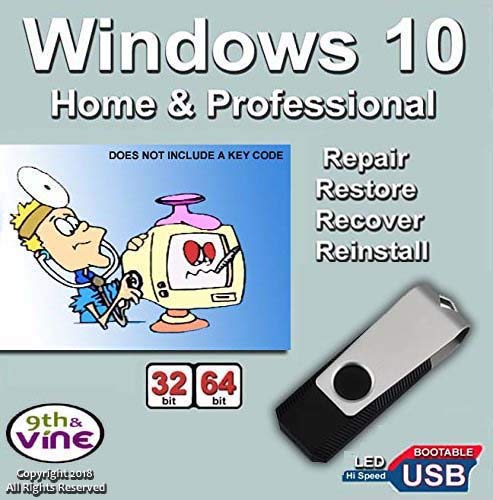
9th & Vine USB Flash Drive Compatible With Windows 10 Home & Professional 32/64 bit. Install, Repair, Restore & Recovery USB Drive For Legacy Bios

Product Description
9th & Vine USB Flash Drive Compatible With Windows 10 Home & Professional 32/64 bit. Install, Repair, Restore & Recovery USB Drive For Legacy Bios
- Install, repair or restore your operating system.
- Perfect for installs that are corrupted or full of viruses.
- Repair BOOTMGR is missing, NTLDR is missing, Blue Screens of Death (BSOD) and more.
- Works on any make or model computer, as long as you have a valid product key to install.
- THIS ITEM DOES NOT INCLUDE A KEY CODE. YOU MUST HAVE A KEY CODE TO USE THE REINSTALL OPTION.
<b><li>Are you getting any of these problems?</b></li><p><li> * Your operating system has crashed during an update</li> <li>* Can't boot because Boot Manger or Boot.ini is missing</li><li> * BOOTMGR or NTLDR is missing </li> <li>* System repeatedly returns to the Advanced Boot Options Screen</li><li> * Fatal System" error or "Blue-Screen of Death" after an update</li><li> * Running Slow, Virus, spyware, or malicious software problems</li></p> <b><p><li>This Product is EASY to use. Repair, Restore, Recover or Re-Install and Save Time and Money and Fix your computer yourself in minutes </b></li><p><b><li>RESTORE:</b> Restore your PC to an earlier working date that was previously saved and make your computer run like new! Does not require a key code</li><b><li> REPAIR:</b> Searches for problems and attempts to automatically fix them. Command-line prompt for manual advanced recovery. Does not require a key code</li><b><li> RECOVER: </b>Complete PC Backup and Recovery of a previous saved recovery. Does not require a key code</li><b><li> RE-INSTALL:</b> Re-Install operating system to Factory Fresh eliminating Bloat ware, Viruses and spyware. A key code IS REQUIRED to activate, register and get future updates</li><b><li>Install option is a trial version that expires in few days and you will get a non authentic message if you do not enter a key code or use a non genuine key or use a key that has been used many times & blocked</li><p><b><li> EASY TO USE</li></b><li> 1) Insert the USB drive in the PC/Laptop</li><li> 2) Boot the Laptop or the PC</li><li>3) Push F2 or F12 or other F function to access boot setup menu and select to Boot from USB Device. Push Enter and follow screen instructions</li></P> <b><p>NOTE: This is not an OEM software but a repair Product. Key Code, COA & License are NOT INCLUDED. Instructions are included</p></b>
Technical Specifications
You might also like

9th and Vine Compatible Windows 10 Home 32/64 Bit DVD. Install To Factory Fresh, Recover, Repair and Restore Boot Disc. Fix PC, Laptop and Desktop.
Windows 10 Home and Professional Compatible 32/64 Bit DVD. Recover, Repair, Restore or Install Windows To Factory Fresh

Bootable USB Compatible w/ Windows 10 Pro & Home Reinstall Recovery Repair Reboot Restore Clean Install Fix Reset w/ Antivirus Protection & Drivers Software | For ANY PC 32 or 64 Bit
PROFESSIONAL HARD DRIVE ERASER 32/64Bit Professional Edition - Wipe your Hard Drive Securely for for ALL operating systems
Computer IT Repair - Windows Antivirus Hard Drive Data File Recovery Password Reset Tools Utilities Drivers Live Bootable Boot USB Flash Thumb Drive

9th & Vine USB Compatible With Windows 7 32-64 bit All Versions Professional, Home Premium, Ultimate, Basic. Install To Factory Fresh, Recover, Repair and Restore Boot Disc. Fix PC

Windows Password Reset Recovery USB for Windows 10, 8.1, 7, Vista, XP | #1 Best Unlocker Software Tool {For Any PC Computer}
COMPUTER PASSWORD RESET - Recovery Boot Password Reset CD Disc for Windows XP, Vista, 7, 8, 8.1 and Windows 10 (All Versions of Windows)

Learn How To Use Linux, Linux Mint Cinnamon 19 Bootable 8GB USB Flash Drive - Includes Boot Repair and Install Guide

9th and Vine Compatible Windows 10 Home, Professional, Education, Enterprise 32/64 Bit USB Flash Drive. Install To Factory Fresh, Recover, Repair and Restore. Fix PC, Laptop and Desktop.