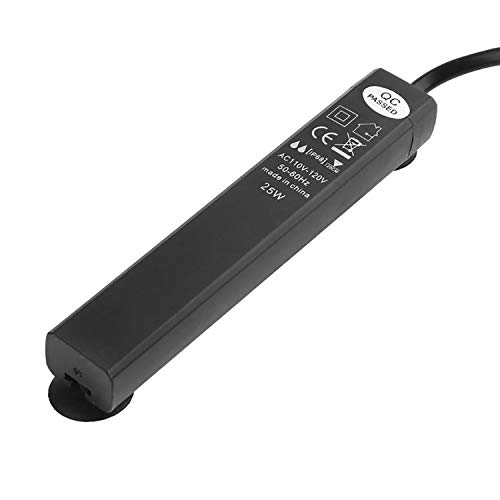
WenTop Digital Programmable Timer Socket Plug Wall Home Plug-in Switch Energy-Saving Home Lights, Fish Tank Heater All Household Appliances (Video Guide)
Product Description
WenTop Digital Programmable Timer Socket Plug Wall Home Plug-in Switch Energy-Saving Home Lights, Fish Tank Heater All Household Appliances (Video Guide)
<b>Feature</b><br> Automating your lighting adds convenience and encourages productive growth with consistenthrs of light<br> Timers are also essential for all hydroponic system applications<br> Saves energy; completely cuts power after timer expires<br> Makes your home safer by automatically shutting off space heaters, curling irons, coffee makers etc.<br> Can be used throughout home for multiple devices including fans, cell phone chargers, lights, kitchen appliances, electric toothbrushes etc.<br> <b>15 combinations of day or blocks of days are available for this timer as following </b><br> Monday<br> Tuesday<br> Wednesday<br> Thursday<br> Friday<br> Saturday<br> Sunday<br> Mo, Tu, We, Th, Fr<br> Sa, Su<br> Mo, Tu, We, Th, Fr, Sa<br> Mo, We, Fr,<br> Tu, Th, Sa<br> Mo, Tu, We<br> Th, Fr, Sa<br> Mo, Tu, We, Th, Fr, Sa, Su<br> <b>Setting steps:</b><br> <b>A.</b><br> Simultaneously press "Clock" "Week". Set the current week.<br> Simultaneously press "Clock" "Hour". Set the current hour.<br> Simultaneously press "Clock" "Min". Set the current minutes.<br> Simultaneously press "Clock" "Sec". Set the current seconds.<br> <b>B.</b><br> E.g. I hope timer work Monday through Sunday, 6:00 pm to 11:00 pm.<br> <b>1</b> Press "PROG" (display 1 ON) and then press "WEEK" set to "MO, Tu, We, Th, Fr, Sa, su"; press "HOUR" set to "6"; press "MIN" set to "00".<br> <b>2</b>Press "PROG" again (display 1 OFF) and then press "WEEK" set to "MO, Tu, We, Th, Fr, Sa, su"; press "HOUR" set to "11"; press "MIN" set to "00".<br> <b>3</b> Press "hand symbol" set to "AUTO OFF"<br> <b>Others setting</b><br> Randomly on/off:Simultaneously press "week"and "hour"<br> Add one hour more:Simultaneously press "hour" and "mins"<br> <b>Package List</b><br> 1* Timer<br> 1* Manual<br> <b>Tips</b><br>If not clear,Please email us to get the video guide.
Technical Specifications
You might also like

General Hydroponics pH Control Kit

API FRESHWATER MASTER TEST KIT 800-Test Freshwater Aquarium Water Master Test Kit

Century 7 Day Heavy Duty Digital Programmable Timer - Dual Outlet (Indoor)

Seachem Equilibrium 300gram
Bloom Brothers GGWR06 Hydro Halo Water Ring 6-Inch with 3 leg support

Seachem Prime 500ml

12 Water Spangles (Salvinia Minima), Live Aquarium/Aquatic/Floating/Pond/Freshwater Plant by G&Z

Seachem Flourish Excel 500ml

SUN 12 Piece Plus 4 Coarse Fine Filter Pads for Aquatop CF400 and HW303 Canister Filters

Umiwe Stainless Steel Aquarium Plant Trimming Tools Aquascaping Tweezers Scissors Kit for Fish Tank Plants