
Universal Nvidia Shield Remote - Voice Control, Air Mouse for Android TV Box and Media Player
Product Description
Universal Nvidia Shield Remote - Voice Control, Air Mouse for Android TV Box and Media Player
- Voice Control - Equipped with gyroscope core compensation algorithm, to identify gestureposture in the movement, anti-tremor and anti-shake.Works anywhere in the room without having to point at the TV.
- Small and Portable Remote Control - With small dimension, you can use it at home, enjoying PC multi-media entertainment or take it to the office, suitable for conference, presentation & lecturing.Farewell to the mouse hand,no lines and the shackles of the desktop, suitable for more scenes.
- Easy to use, plug and play.Just insert 2 AAA batteries, plug the USB dongle into devices, you can control devices immediately without referring to instructions..Work current is less than 15mA, Standby state is kind of microampere power consumption.
- Use voice search with the built-in mic to instantly find TV shows, movies, and games.This is voice remote with air mouse function which use usb receiver,cannot work with fire stick.
- You will get - 1*G20 Voice Remote,1*USB receiver,1* 1 x User Manual.Please confirm the Huafeliz, provide the quality produt and services. If you have any question about our remote, please contact us,we would be happy to assisant to you.
<br><b>This is wireless air mouse with built-in axis gyoscope and gravityacceleration sensor and fidelity voice control;</b><br><b>it can perform the functions of a traditional remote control,computer mouse,and gaming motion controller on android platform.</b><br><b>Plug and play micro receiver is compatible with personal computer,projector,TV box,Home Theater Personal Computer etc.</b><br><b>Ergonomics of air mouse will replace slationary computer mouse and infrared button remote control giving you convenience manage your computer and television set from a position which comfortable for you.</b><br><b>How to Use</b><br><b> For initial use,plug a USB receiver into the USB port of device and wait for 20-60 seconds to intall driver of USB receiver.</b><br><b> Move the mouse,the mouse cursor can move on the screen means that pairing is successful.</b><br><b>If it is unsuccessful,press and hold 'OK' and 'Return' buttons,LED light begin to flash,Pairing is successful when LED light stop flashing.</b><br><b>
Technical Specifications
You might also like

NVIDIA Shield TV Pro | 4K HDR Streaming Media Player, High Performance, Dolby Vision, 3GB RAM, 2X USB, Works with Alexa
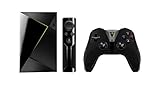
NVIDIA SHIELD TV Gaming Edition | 4K HDR Streaming Media Player with GeForce NOW
NVIDIA Shield TV | 4K HDR Streaming Media Player, High Performance, Dolby Vision, Works with Alexa

SofaBaton U1 Remote Control with OLED Display and Smartphone APP, All in One Universal Remote Control for up to 15 Entertainment Devices, Compatible with Smart TVs/DVD/STB/Projector so on
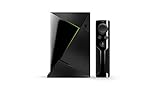
NVIDIA Shield TV | 4K HDR Streaming Media Player

FLIRC Universal Remote Control Receiver for NVIDIA Shield, Amazon FireTV, PCs, Set Top Boxes, and Raspberry Pi's

NVIDIA SHIELD TV Stand
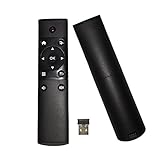
X-Strong 2.4G Mini Remote Control USB Wireless Receiver for Android TV Box IPTV HTPC Mini PC Windows Mac OS Lilux
Inteset IReTV USB IR Receiver for use with Nvidia Shield (2nd Gen), F-TV, Kodi, PCs, Raspberry Pi & Other Streamers with The INT422 & Harmony Remotes (Remote not Included)

Fm4 2.4G Universal Remote Control USB Wireless Remote Control for Android TV Box IPTV HTPC Mini PC Windows Mac OS Lilux