
VAVA USB C Hub, 8-in-1 USB C Adapter with 4K HDMI, 1Gbps RJ45 Ethernet Port, USB 3.0, SD/TF Card Reader, 100W PD Charging Port for MacBook/Pro/Air and Type C Windows Laptops

Product Description
VAVA USB C Hub, 8-in-1 USB C Adapter with 4K HDMI, 1Gbps RJ45 Ethernet Port, USB 3.0, SD/TF Card Reader, 100W PD Charging Port for MacBook/Pro/Air and Type C Windows Laptops
- Capability Expansion: VAVA USB C Hub comes with 2* USB 3.0 & 1* USB 2.0 ports, 4k HDMI video output, RJ 45 Gigabit Ethernet port, SD/TF card reader slots, and 100W Power delivery port, meets all the request of Type-C laptops.
- High Resolution USB C to HDMI Adapter: Supports 4K resolution video at 30Hz and 1080p at 60Hz; you can duplicate or extend your screen for multitasking, viewing spreadsheet data, editing documents, giving presentations, watching movies and playing video games.
- Fast Data Transfer USB C Dock: Two USB 3.0 ports, one SD 3.0 and one TF 3.0 Card Reader, with up to 5Gbps speed, can transfer large files, videos and other data in seconds. Especially designed a USB 2.0 port for perfect connection to wireless devices like wireless mouse.
- Mac-Style Design USB-C multiport adapter to internet: Thanks to the included Ethernet port, you can instantly access into a stable, reliable web at 1 Gbps speed. Additionally, the 100W PD charging port allows you to charge your laptop at the same time.
- Great Compatibility: 8-IN-1 USB-C Hub supports most of devices with the USB C ports, including Macbook Pro, Macbook Air, iMac/ iMac Pro, Surface Pro, Chromebooks, etc. Suitable for operating systems: Windows, Mac, Unix and Chromebook OS.
<b>VAVA - Smart Made Simple</b> <br /><br /><b>1000M GIGABIT ETHERNET ADAPTER</b><br />Provides faster data transfers and better security than most Wi-Fi / wireless connections; <br />Ideal solution for replacing a failed network card or upgrading the bandwidth of an older computer. <br /><br /> <b>HDMI Input for 4K Videos</b><br />Say goodbye to image lag while mirroring or extending your device’s screen on a secondary monitor. <br />Integrated in the hub is a HDMI port so you can project 4K UHD or Full HD 1080p video content on HDTV, Monitor, or projectors. <br /><br /><b>On-the –Go with your phone via Micro SD/TF Card Reader</b><br />USB 3.0 Max Data Transfer Rate 5 Gbps. The SD & TF card slots can be used simultaneously. <br />Simply Plug the USB C Hub with cards to a smartphone, you can enjoy and update movies or feelings with your friends everywhere<br /><br /><b>Effortless data transfer</b><br /> 2* 3.0 USB ports support up to 5Gbps transmission speed rates, fast enough to transfer HD movie in seconds. <br />Also there comes with a USB 2.0 port, perfect to connect a keyboard, mouse, flash drives, or other USB A connected peripherals. <br /><br /><b>Integrated Type-C Charging Port</b><br />With just one Type-C port, what peripherals can you connect while MacBook Pro or USB C Windows’s laptop is being charged? <br />While the answer is none usually, the VAVA USB C Adapter comes with an in-unit Type-C input so you can charge while having access to multiple peripherals. <br /><br /><b>Note: </b><br />Please connect power delivery adapter when using high powered devices. <br />Don't recommend for charging iPads, tablets or smart phones via USB Slots.<br />Don't suggest to use this hub with iPad Pro 2018 /Mojave /Nintendo Switch /Apple USB SuperDrive.<br />To use the HDMI output port, the host USB-C port from your device must support DisplayPort Alt Mode.<br />To power and charge a connected USB-C laptop, the host USB-C port from your device must support USB Power Delivery
Technical Specifications
You might also like

Apple 96W USB-C Power Adapter
—
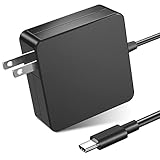
87W/90W USB C Power Adapter, WEGWANG Type C Power Delivery PD Wall Charger 87W(Compatible 61W, 45W, 30W and 12W) for MacBook Pro Air 2018, HP, Dell, Lenovo and Any Laptops or Smart Phones with USB C
—
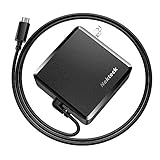
USB C Wall Charger, Nekteck 90W Power Delivery Laptop Charging Adapter with Built-in 6ft Type Cable for MacBook Pro/Air 2018, Dell XPS, Matebook, HP Spectre, iPad Pro 2018, Pixel, Galaxy (Upgraded)
—
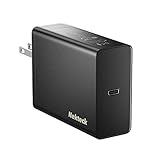
Nekteck 60W USB Type C Wall Charger with Power Delivery, Supply Adapter with Foldable Plug for MacBook Pro/Air 2018, Dell Xps, Matebook, Ipad Pro, iPhone, Galaxy, Pixel, Nintendo Switch
—

Syntech USB C to USB Adapter (2 Pack), Thunderbolt 3 to USB 3.0 Adapter Compatible with MacBook Pro 2019 and Before, MacBook Air 2019/2018, Dell XPS and More Type C Devices, Space Grey
—

USB-C Charger, Anker 100W 4-Port Type-C Charging Station with Power Delivery, PowerPort Atom PD 4 [Intelligent Power Allocation] for MacBook Pro/Air, iPad Pro, Pixel, iPhone Xs/Max/XR, Galaxy and more
—

UPPERCASE GhostCover Premium Ultra Thin Keyboard Protector for MacBook Pro with Touch Bar 13" and 15" (2016 2017 2018 2019, Apple Model Number A1706, A1707, A1989, A1990, A2159)
—

Cable Matters USB C to DisplayPort Cable (USB-C to DisplayPort Cable/USB C to DP Cable) Supporting 4K 60Hz Black 6 Feet - Thunderbolt 3 Port Compatible for MacBook Pro, Dell XPS 13/15 and More
—

i-Blason Case for MacBook Pro 13 2019 2018 2017 2016 Release A2159/A1989/A1706/A1708, Smooth Frosted Cover for MacBook Pro 13" inch with Retina Display or W/O Touch Bar & Touch ID (Frost Black)
—