
Lighting to USB Camera Adapter, Lighting to USB 3.0 Female OTG Adapter Cable with Charging Interface for iPhone/iPad,No App Required, Supporting Card Readers, Keyboard and Audio/midi interfaces
Product Description
Lighting to USB Camera Adapter, Lighting to USB 3.0 Female OTG Adapter Cable with Charging Interface for iPhone/iPad,No App Required, Supporting Card Readers, Keyboard and Audio/midi interfaces
- We add a USB power interface to make it more powerful, with a USB power adapter, then your iPhone or iPad could connect USB peripherals like hubs, keyboards, audio/MIDI interfaces, ethernet adapters, card readers of SD and Micro SD and more
- It is much easier to transfer photos or videos from your camera to your iPhone or iPad by this USB camera adapter, NO APP NEEDED. Your iPad or iPhone will open the photos app automatically by connecting this adapter, and you could choose photos or videos you like to import
- The USB 3.0 Camera Adapter supports standard photo formats, including JPEG and RAW, along with SD and HD video formats, including H.264 and MPEG-4; the iPhone 7 and later models can read 4K video. but iPhone 5/5s/6/6s/6 plus/6s plus can not, because the processing power of their chip are insufficient.
- Compatible with iOS 9.3 or later compatibility Version, compatible with the latest iOS 12
- We promise a 45-days Money Back Guarantee and 12 months Warranty for every our customers to make sure you would be happy about your purchasing from us. If you have any questions about the items you received, Please contact us and our team will respond to you within 24 hours
<p><b>VABSCE Digital Camera USB Reader Adapter, OTG Adapter Cable with Charging Port and USB Female Port Compatible for iPhone/iPad, Plug and Play, No App Required </b></p><p><b>To import photos from a camera or iOS device:</b><br>1. Turn on iPhone & iPad and attach the USB Camera Adapter to the Lighting port.<br>2. Turn on your camera or iOS device and connect it to the USB Camera Adapter using the USB cable that came with your camera or device.<br>3. Your iPad or iPhone will open the photos app automatically 3-7 seconds after connecting this adapter, and then you can choose photos or videos you like to import<br></p><p><b>Please NOTE:</b><br>1. You can connect currents greater than 100mAh of USB peripheral (within 500mAh) when you powering the adapter with a USB power adapter<br>2. When connecting with U disk, you can't put photos in the U disk directly, Must create a folder called "DCIM" to the root of the U disk, then create a folder called "100CANON" into "DCIM". Copy the photos and videos into the "100CANON" folder. Rename each photo and video file as "IMG_XXXX", where XXXX is a unique number. For example, if you had one JPG file and one MOV file, name them "IMG_0001.JPG" and "IMG_0002.MOV", then insert the U disk to this adapter, after 3-7 seconds, iPad will automatically pop-up the picture window<br>3. Only for transfer photos and videos files.<br></p><p><b>Compatible Models: Requires iOS 9.3 or later</b><br>For iPhone Models: iPhone Xs Max, Xs, X, 8 Plus, 8, 7 Plus, 7, 6s Plus, 6s, 6 Plus, 6, 5s, SE, 5<br>For iPad Models: iPad Pro 10.5-inch, 12.9-inch, 9.7-inch, mini 4, mini 3, mini 2, mini, Air 2, Air,iPad with Retina display</p><p><b>Package:</b><br>1 x Lighting to USB Camera Adapter<br>1 x Instruction book</p><p><b>Any Problem, please contact us first, we will provide a satisfactory solution to you</b></p>
Technical Specifications
You might also like

AmazonBasics USB Type-C to USB 3.1 Gen1 Female Adapter - White
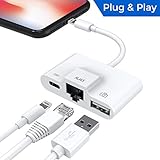
Lightning to RJ45 Ethernet LAN Wired Network Adapter, Lightning Ethernet Adapter, Lightning to USB Camera Adapter, Charging & Data Sync OTG Adapter Compatible with iPhone/iPad, Required iOS 10.0 or Up

Pwr+ 6Ft Long USB-2.0 Cable Type-A to Type-B High Speed Cord for Audio Interface, Midi Keyboard, USB Microphone, Mixer, Speaker, Monitor, Instrument, Strobe Light System Laptop Mac PC Type A to Type B

TRENDnet 6-Port Fast Ethernet PoE+ Switch, 4 x PoE+ Ports, 2 x Non-PoE Ports, 60W PoE Budget, 1.2 Gbps Switching Capacity, Lifetime Protection, TPE-S50

iPad Keyboard Case for iPad 2018 (6th Gen) - iPad 2017 (5th Gen) - iPad Pro 9.7 - iPad Air 2 & 1 - Thin & Light - 360 Rotatable - Wireless/BT - Backlit 10 Color - iPad Case with Keyboard (Black)
Sabrent 4-Port USB 2.0 Hub with Individual Power Switches and LEDs (HB-UMLS)
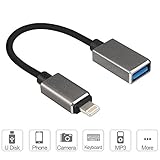
ElementDigital Lightning OTG Adapter 8 pin to USB Female OTG Cable for iPad, iPod & iPhone 7S / Plus 5S 5C 6S Work with the Newest Version [No Upgrade Needed]

SKYREAT 1.14ft / 35cm Lightning USB Cable Cord [Apple MFi Certified] Perfect Size Right Angle for DJI Mavic 2 Pro/Zoom / Mavic Air/Pro / Platinum,Parrot Anafi,Autel EVO,Phantom Series

Anker 4-Port USB 3.0 Ultra-Slim Portable Data Hub with 12W Power Adapter for MacBook, Mac Pro/Mini, iMac, XPS, Surface Pro, Notebook PCs and More

Apple Lightning to SD Card Camera Reader