
USB Type-C M.2 NVMe SSD Enclosure Adapter, USB 3.1 Gen 2 10Gbps Solid State Drive Aluminum Outer Case, Unique Cooling Fin Design for Good Heat Dissipation
Product Description
USB Type-C M.2 NVMe SSD Enclosure Adapter, USB 3.1 Gen 2 10Gbps Solid State Drive Aluminum Outer Case, Unique Cooling Fin Design for Good Heat Dissipation
- High Speed: USB3.1 theoretical transmission speed 10Gbps; Capable of performance over 900 Mb/s read/write when using high performance NVMe media; Backward compatible with USB 3.1 Gen 1 and USB 3.0 up to 5Gbps.
- Heat Dissipation: Patented internal heat sink shell design for excellent heat dissipation, reduced power consumption and prevent SSD from overheating.
- Compatibility: Only for NVMe M-key M.2 SSD (PCie-based); Does NOT support M.2 SATA based SSD (NGFF); Applicable to sizes 2230/ 2242/ 2260/ 2280; Supports Samsung 950Pro/ 960EVO/ PM951/ PM961/ SM951/ SM961.
- Adopt JMS583 Master Chip: Complies with UASP, Trim which can effectively improve the speed and extend the lifetime of SSD. Compatible Multi OS, Windows 7/ 8/ 8.1/ 10/ Linux/ MAC.
- We are so confident you will love our products that we offer a Money Back Guarantee with a 1 year Warranty.
<b>Product Specifications :</b><br><br> Product name:Wanfocyu M.2 NVMe PCIe SSD Enclosure<br> Interface type: M.2 NVMe PCIe to USB 3.1<br> Transfer Rate: Up to 10Gbps<br> Product Size:111mm*43mm*11mm(4.37inch*1.7inch*0.44inch)<br> Material: Aluminum <br> Cable Type : USB3.1 USB-C to C& USB3.1 USB-C to A cables <br> Support SSDs Drivers Size: 2230mm 2242mm 2260mm 2280mm<br><br> <b>Features:</b><br><br> 1. USB 3.1 USB-C extreme fast and high-capacity data transfer solution, Data transfer rate up to 10Gbps for USB 3.1;<br> 2. Supports NVMe PCIe-based M.2 SSDs;<br> 3. Easy installation & no driver required, No additional power required;<br> 4. Supports Plug & Play and Hot-Swapping;<br> 5. Multi OS Supported, like Windows, Mac OS & Linux etc.<br><br> <b>Package Included:</b><br> 1 x M.2 NVMe PCIe to USB 3.1 USB-C SSD Enclosure<br> 1 x USB 3.1 USB-C to C cable<br> 1 x USB 3.1 USB-C to A cable<br> 1 x Screw Driver<br> <b>Please note that it only supports M.2 NVMe PCIe-based SSD only. It does NOT support M.2 SATA based SSDs.<br> We tested our enclosure with Samsung 970 EVO NVMe SSD, the actual speed can UP to 1000MB/s on R/W. But to this speed,<br> pls make sure the Laptop TYPE C port is also comply with USB3.1 Gen 2(10Gbps), if USB3.1 Gen 1(5Gbps), then speed will be only half.</b><br><br> <b>For the brand new SSD drive, it may not be found, so please format it before the first time using. Pls format it<br> to corresponding type which Windows and Mac supported.</b><br> <b>Follow step is to find the brand new ssd drive:</b><br> 1. Use your mouse right key to click "Computer", it will show a drop-down menu;<br> 2. Use your mouse left key to click "Computer Managment";<br> 3. Use your mouse left key to click "Disk Management";<br> 4. After find the brand new SSD drive, please format it, and made partition. Then you can find the drive normally.
Technical Specifications
You might also like
Sabrent 1TB Rocket NVMe PCIe M.2 2280 Internal SSD High Performance Solid State Drive (SB-ROCKET-1TB)
Sabrent Rocket Q 2TB NVMe PCIe M.2 2280 Internal SSD High Performance Solid State Drive R/W 3200/2900MB/s (SB-RKTQ-2TB)
Sabrent Rocket Q 1TB NVMe PCIe M.2 2280 Internal SSD High Performance Solid State Drive (SB-RKTQ-1TB)
Samsung 970 EVO Plus SSD 1TB - M.2 NVMe Interface Internal Solid State Drive with V-NAND Technology (MZ-V7S1T0B/AM)
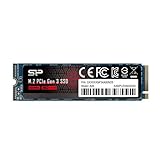
Silicon Power 1TB NVMe M.2 PCIe Gen3x4 2280 TLC R/W up to 3,400/3,000MB/s SSD (SU001TBP34A80M28AB)
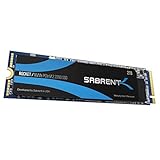
Sabrent 2TB Rocket NVMe PCIe M.2 2280 Internal SSD High Performance Solid State Drive (SB-ROCKET-2TB)
Silicon Power 512GB NVMe M.2 PCIe Gen3x4 2280 TLC R/W up to 3,400/2,300MB/s SSD (SU512GBP34A80M28AB)
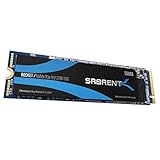
Sabrent 256GB Rocket NVMe PCIe M.2 2280 Internal SSD High Performance Solid State Drive (SB-ROCKET-256)

Samsung 970 EVO SSD 500GB - M.2 NVMe Interface Internal Solid State Drive with V-NAND Technology (MZ-V7E500BW), Black/Red
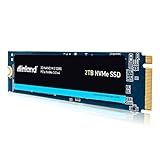
Inland Premium 2TB SSD 3D NAND M.2 2280 PCIe NVMe 3.0 x4 Internal Solid State Drive