
Boreguse USB Cable, USB to RJ45 Console
Product Description
Boreguse USB Cable, USB to RJ45 Console
- 【USB Console Cable】: This Console Cable
- 【Wide Compatible】: This USB to Rj45 Cable
- 【FT232RL Chip】: FTDI232RL+ZT213LEEA. The console cable a
- 【Application】: USB to RJ45, using RS-232 specification,
- 【Simple Installation】: Replaces RS232 (DB-25/DB-9) Serial port perfectly
<b>Boreguse USB Console Cable-6ft(1.8m)</b><br> This Console Cable is Full support for Windows, MAC and Linux, no CD needed because the drivers are part of the OS distribution.<br> If the system can not Automatic installation the driver, you need to download and install from the FTDI website on , http://www.ftdichip.com/FTDrivers.htm<br> <br> <b>Installation and operation method</b><br> 1. The USB port connect to the computer, RJ45 port need to connect configure the switch or router<br> 2. PC port found new hardware, follow the prompts<br> 3. If you need to install the driver, you can download the driver, and directly update the program.<br> 4. PC port configuration, according to the router or switch manual to select the port, the general use of<br> COM1 can (right-Properties-Device Manager-Port-select the new COM port-select the port-hold-re drive the computer)<br> 5. If the system can not Automatic installation the driver,you can download from the FTDI website on<br> and you will need to install a driver, http://www.ftdichip.com/FTDrivers.htm.<br> <b>Above windows7 system will install it automatically.<b><br> <b>Bellow Windows7 system you will need to download and install a driver on line, http://www.ftdichip.com/FTDrivers.htm.<b><br> <br> <b> Operating system support</b><br> <br> Windows 10<br> Windows 8.1<br> Windows 8.1 x64<br> Windows 8<br> Windows 8 x64<br> Windows Server2012<br> Windows Server 2008 R2<br> Windows 7<br> Windows 7 x64<br> Windows Server 2008<br> Windows Server 2008 x64<br> Windows Vista<br> Windows Vista x64<br> Windows Server 2003<br> Windows Server 2003 x64<br> Windows XP<br> Windows XP x64<br> Windows ME<br> Windows 98<br> Linux<br> Mac OS X<br> Mac OS 9<br> Mac OS 8<br> Windows CE.NET (Version 4.2 and greater)<br> Android<br> Windows RT<br> <br> <b> Package included</b><br> 1* FTDI USB to RJ45 cable<br> <br> <b> Support Policy:</b><br> 1 Year<br>
Technical Specifications
You might also like
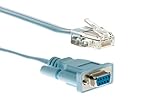
Cisco Compatible 72-3383-01 DB9 to RJ45 Console Cable / CAB-CONSOLE-RJ45

FTDI USB-C to RJ45 for Cisco Console Cable Windows 8, 7, Vista MAC Linux RS232
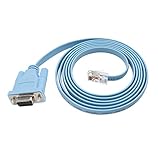
Cisco Console Cable 9-pin DB9 Female Serial RS232 Port to RJ45 Male Cat5 Ethernet LAN Rollover Console Cable Switch Cable Cisco (DB9P to RJ45)

Green-utech 12ft USB Rs232 - Rj45 Adapter for Cisco Router Console Cable

TRENDnet USB to Serial Converter, Connect a RS-232 Serial Device to a USB 2.0 Port, Easy Installation, Universal Plug & Play, TU-S9
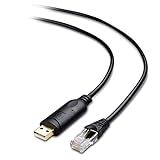
Cable Matters USB to RJ45 Console Cable (Compatible with Cisco Console Cable, Rollover Cable) with FTDI 6 Feet
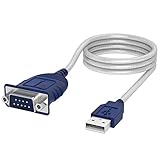
Sabrent USB 2.0 to Serial (9-Pin) DB-9 RS-232 Converter Cable, Prolific Chipset, Hexnuts, [Windows 10/8.1/8/7/VISTA/XP, Mac OS X 10.6 and Above] 6-Feet (CB-9P6F)

USB Console Cable, BENFEI 6 ft USB to RJ45 Cable Essential Accesory Compatible with Cisco, NETGEAR, Ubiquity, LINKSYS, TP-Link Routers/Switches for Laptops in Windows, Mac, Linux - FTDI Chip

Cable Matters Rack or Wall Mount 24-Port Cat6, Cat 6 Keystone Patch Panel (Blank Patch Panel)