
TP-Link 150Mbps Wireless N Router (TL-WR740N)
Product Description
TP-Link 150Mbps Wireless N Router (TL-WR740N)
- Wireless speed up to 150Mbps CCA technology delivers reliable performance even in noisy environment
- Wireless security encryption easily at a push of QSS button Priority of service assures the quality of bandwidth sensitive applications such as voice and video
- Standards: IEEE 802.11n, IEEE 802.11g, IEEE 802.11b Interface: 4x 10/100 LAN Ports, 1x 10/100 WAN Port
- Antenna: 5dBi Fixed Omni Directional Antenna Wireless Signal Rates: Up to 150Mbps Frequency Range: 2.4~2.4835GHz
- Ships in Certified Frustration-Free Packaging
- Receiver Sensitivity:130M: -68dBm@10% PER 54M: -68dBm@10% PER 11M: -85dBm@8% PER
- 6M: -88dBm@10% PER 1M: -90dBm@8% PER
- Power Supply: Input - localized to country of sale; Output - 9VDC /0.85A Switching PSU
- Industry-leading 2-year warranty and unlimited technical support. Technical Support: +1 866 225 8139; Hotline en Français: +1 855 987 5465.
- 150Mbps wireless data rates ideal for video streaming, online gaming and internet calling
- Wireless security encryption easily at a push of QSS button
- IP based bandwidth control allows administrators to determine how much bandwidth is allotted to each PC
- WDS wireless bridge provides seamless bridging to expand your wireless network
<LI>Exceptional wireless speed up to 150Mbps<br><LI>Wireless security encryption easily at a push of QSS button<br><LI> Supports SPI firewall and access control management for safer usage<br><LI>QoS enables multiple applications to stream smoothly to Your TV or PC<br><LI>Compact design enabling flexible deployment<br><LI>The router comes with a CD with an Easy Setup Assistant that helps you step by step to complete your Internet connection, wireless network settings and security configurations.<br><LI>This feature allows even novice users to setup the router products without sacrificing any key features, just play the AUTO-RUN CD bundled to have your network set up quickly & hassle-free.<br><LI>QSS for Quick Security Setup is a handy feature that allows users to almost instantly setup their security simply by pressing the QSS button on the wireless router or entering the PIN Code in the
Technical Specifications
Customers who bought this also bought

You might also like

TRENDnet Wireless N300 Home Router,High Power 5dBi Antennas, Pre-Encrypted, Internet Bandwidth Control, LAN Ports, WAN Port, IPv6, TEW-731BR

KEEBOX W150NR 1x10/100Mbps Auto-MDIX WAN Port Wireless-N 150 Home Router

TP-Link TC-7610 DOCSIS 3.0 (8x4) Cable Modem. Max Download Speeds Up to 343Mbps. Certified for Comcast XFINITY, Spectrum, Cox, and more. Separate Router is Needed for Wi-Fi

TP-Link Wireless N150 Access Point, 2.4Ghz 150Mbps, 802.11b/g/n, AP/Client/Bridge/Repeater, 4dBi, Passive POE (TL-WA701ND)

Tenda N301 N300 Wireless Wi-Fi Router, Easy Setup, Up to 300Mbps, White

Tenda N300 Wireless Wi-Fi Router with High Power 5dBi Antennas (F3)

Samsung Galaxy J2 Prime (16GB) 5.0" G532M 4G LTE GSM Single SIM Factory Unlocked International Version, No Warranty, Pink
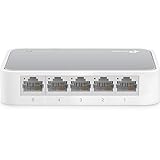
TP-Link 5 Port Fast Ethernet Switch | Desktop Ethernet Splitter | Ethernet Hub | Plug and Play | Fanless Quite | Unmanaged (TL-SF1005D)