
TP-Link 8 Port Gigabit Ethernet Network Switch - Ethernet Splitter | Plug & Play | Fanless | Sturdy Metal w/ Shielded Ports | Traffic Optimization | Unmanaged | Lifetime Protection (TL-SG108)

Product Description
TP-Link 8 Port Gigabit Ethernet Network Switch - Ethernet Splitter | Plug & Play | Fanless | Sturdy Metal w/ Shielded Ports | Traffic Optimization | Unmanaged | Lifetime Protection (TL-SG108)
- 𝗠𝗲𝘁𝗮𝗹 𝗖𝗮𝘀𝗶𝗻𝗴: Metal-cased switches provide superior durability, heat dissipation, and EMI protection, making them the clear choice for reliable performance over cheaper plastic switches.
- 𝗢𝗻𝗲 𝗦𝘄𝗶𝘁𝗰𝗵 𝗠𝗮𝗱𝗲 𝘁𝗼 𝗘𝘅𝗽𝗮𝗻𝗱 𝗡𝗲𝘁𝘄𝗼𝗿𝗸: 8× 10/100/1000Mbps RJ45 Ports supporting Auto Negotiation and Auto MDI/MDIX, Plug and play, no configuration needed
- 𝗚𝗶𝗴𝗮𝗯𝗶𝘁 𝘁𝗵𝗮𝘁 𝗦𝗮𝘃𝗲𝘀 𝗘𝗻𝗲𝗿𝗴𝘆: Latest innovative energy-efficient technology greatly expands your network capacity with much less power consumption and helps save money, Dimensions ( W x D x H ) - 6.2 x 4.0 x 1.0 in.(158 x 101 x 25 mm)
- 𝗥𝗲𝗹𝗶𝗮𝗯𝗹𝗲 𝗮𝗻𝗱 𝗤𝘂𝗶𝗲𝘁: IEEE 802.3x flow control ensures reliable data transfer by managing network congestion, while the fanless metal casing design provides silent operation, enhanced durability, and improved thermal efficiency
- 𝗟𝗼𝗼𝗽 𝗣𝗿𝗲𝘃𝗲𝗻𝘁𝗶𝗼𝗻: Dedicated button for loop prevention. Monitor and address loop-related issues within your network structure to prevent disruptions caused by looping.
- 𝗣𝗹𝘂𝗴 𝗮𝗻𝗱 𝗣𝗹𝗮𝘆: Easy setup with no software installation or configuration needed
- 𝗔𝗱𝘃𝗮𝗻𝗰𝗲𝗱 𝗦𝗼𝗳𝘁𝘄𝗮𝗿𝗲 𝗙𝗲𝗮𝘁𝘂𝗿𝗲𝘀: Prioritize your traffic and guarantee high quality of video or voice data transmission with Port-based 802.1p/DSCP QoS and IGMP Snooping
- 𝗦𝘁𝘂𝗿𝗱𝘆 𝗠𝗲𝘁𝗮𝗹 𝗖𝗮𝘀𝗲: Fanless Quiet Design, Desktop or Wall-mounting Design. Operating Temperature: 0 degree Celsius -40 degree Celsius (32 degree Fahrenheit -104 degree Fahrenheit)
- 𝟯 𝗬𝗲𝗮𝗿 𝗪𝗮𝗿𝗿𝗮𝗻𝘁𝘆: Backed by our industry-leading 3-year warranty and free technical support from 6am to 6pm PST Monday to Fridays, you can work with confidence.
- TP-LINK Live 24x7 Technical Support
<div class="aplus"> <div class="rightImage"><img src="https://images-na.ssl-images-amazon.com/images/G/01/aplus/detail-page/tplink_logo._CB341121412_.jpg"/></div> <h4>What This Product Does</h4> <p>TP-LINK's TL-SG108 provides an easy way to expand your wired network. All 8 ports support Auto-MDI/MDIX, eliminating the need to worry about what type of cable to use. Featuring full duplex mode, the device can process data at a rate of up to 2000Mbps, making it an ideal choice for expanding your high performance wired network. Moreover, with innovative energy-efficient technology, the TL-SG108 can save energy up to 72%.</p> <div class="break"></div> <div class="two-third-col"> <h4>Key Features</h4> <div class="leftImage" style='width:150px'><img src="https://images-na.ssl-images-amazon.com/images/G/01/aplus/detail-page/B00A121WN6_gigabit._CB340157376_.jpg"></div> <h5>Gigabit Switch</h5> <p>Featured with 8 10/100/1000Mbps ports, the TL-SG108 enables ultra-fast wired connectivity, enabling instant large files transferring. </p> <div class="break"></div> <div class="leftImage" style='width:150px'><img src="https://images-na.ssl-images-amazon.com/images/G/01/aplus/detail-page/B00A121WN6_steel-case._CB340157404_.jpg"></div> <h5>Steel Housing</h5> <p>The TL-SG108 is housed in a compact steel case for longer life span. With the desktop or wall-mounting design, you can place the device wherever it's convenient.</p> <div class="break"></div> <div class="leftImage" style='width:150px'><img src="https://images-na.ssl-images-amazon.com/images/G/01/aplus/detail-page/B00A121WN6_easy-to-use._CB340157405_.jpg"></div> <h5>Easy to Use</h5> <p>The auto features of this gigabit switch make installation plug and play and hassle-free. No configuring is required. Auto MDI/MDIX eliminate the need for crossover cables. Auto-negotiation on each port senses the link speed of a network </p> <div class="break"></div> <div class="leftImage" style='width:150px'><img src="https://images-na.ssl-images-amazon.com/images/G/01/aplus/detail-page/B00A121WN6_green._CB340157405_.jpg"></div> <h5>Go Green with Your Ethernet</h5> <p>The TL-SG108 features the latest innovative energy-efficient technologies that can save power up to 72%. It automatically adjusts power consumption according to the link status and cable length to limit the carbon footprint of your network.</p> </div> <div class="third-col last"> <h4>Specifications</h4> <ul> <li>Support IEEE 802.3x flow control for Full Duplex mode and backpressure for Half Duplex mode</li> <li>Support QoS (IEEE 802.1p)</li> <li>Non-blocking switching architecture that forwards and filters packets at full wire-speed for maximum throughput</li> <li>16Gbps Switching Capacity, 8K MAC address table, 12KB Jumbo Frame, 2MB Buffer Memory</li> <li>Auto-MDI/MDIX eliminates the need for crossover cables</li> <li>Support MAC address auto-learning and auto-aging</li> <li>Auto-negotiation ports allow smart integration between 10Mbps, 100Mbps, and 1000Mbps devices</li> <li>Fanless desgin to keep a quiet environment</li> <li>Support 100-240V power supply</li> </ul> <h4>What's in the Box</h4> <ul> <li>8-Port Gigabit Switch</li> <li>Power Adapter</li> <li>User Guide</li> </ul> </div> <div class="break"></div> <h4>TP-LINK Unmanaged Switches Series </h4> <table class="data"> <tbody> <tr> <th width="12%" style="text-align:center">Which Unmanaged Switch is Right for Me?</th> <th width="11%" style="text-align:center">TL-SG1005D</th> <th width="11%" style="text-align:center">TL-SG1008D</th> <th width="11%" style="text-align:center">TL-SG105</th> <th width="11%" style="text-align:center">TL-SG108</th> <th width="11%" style="text-align:center">TL-SG1016D </th> <th width="11%" style="text-align:center">TL-SG1024D</th> <th width="11%" style="text-align:center">TL-SG1016</th> <th width="11%" style="text-align:center">TL-SG1024</th> </tr> <tr> <td style="text-align:center"></td> <td style="text-align:center"><img src="https://images-na.ssl-images-amazon.com/images/G/01/aplus/detail-page/B00A121WN6_tplinkamz_Comparison-1._CB340157378_.jpg"></td> <td style="text-align:center"><img src="https://images-na.ssl-images-amazon.com/images/G/01/aplus/detail-page/B00A121WN6_tplinkamz_Comparison-2._CB340157376_.jpg"></td> <td style="text-align:center"><img src="https://images-na.ssl-images-amazon.com/images/G/01/aplus/detail-page/B00A121WN6_tplinkamz_Comparison-3._CB340157379_.jpg"></td> <td style="text-align:center"><img src="https://images-na.ssl-images-amazon.com/images/G/01/aplus/detail-page/B00A121WN6_tplinkamz_Comparison-4._CB340157404_.jpg" ></td> <td style="text-align:center"><img src="https://images-na.ssl-images-amazon.com/images/G/01/aplus/detail-page/B00A121WN6_tplinkamz_Comparison-5._CB340157377_.jpg"></td> <td style="text-align:center"><img src="https://images-na.ssl-images-amazon.com/images/G/01/aplus/detail-page/B00A121WN6_tplinkamz_Comparison-6._CB340157379_.jpg"></td> <td style="text-align:center"><img src="https://images-na.ssl-images-amazon.com/images/G/01/aplus/detail-page/B00A121WN6_tplinkamz_Comparison-7._CB340157377_.jpg"></td> <td style="text-align:center"><img src="https://images-na.ssl-images-amazon.com/images/G/01/aplus/detail-page/B00A121WN6_tplinkamz_Comparison-8._CB340157407_.jpg"></td> </tr> <tr> <td style="text-align:center"><b>Product Name</b></td> <td style="text-align:center">5-Port Gigabit Desktop Switch</td> <td style="text-align:center">8-Port Gigabit Desktop Switch</td> <td style="text-align:center">5-Port Gigabit Desktop Switch</td> <td style="text-align:center">8-Port Gigabit Desktop Switch</td> <td style="text-align:center">16-Port Gigabit Desktop/Rackmount Switch</td> <td style="text-align:center">24-Port Gigabit Desktop/Rackmount Switch</td> <td style="text-align:center">16-Port Gigabit Rackmount Switch</td> <td style="text-align:center">24-Port Gigabit Rackmount Switch</td> </tr> <tr> <td style="text-align:center"><b>Case Material</b></td> <td style="text-align:center">Plastic</td> <td style="text-align:center">Plastic</td> <td style="text-align:center">Steel</td> <td style="text-align:center">Steel</td> <td style="text-align:center">Steel</td> <td style="text-align:center">Steel</td> <td style="text-align:center">Steel</td> <td style="text-align:center">Steel</td> </tr> <tr> <td style="text-align:center"><b>Port Number</b></td> <td style="text-align:center">5</td> <td style="text-align:center">8</td> <td style="text-align:center">5</td> <td style="text-align:center">8</td> <td style="text-align:center">16</td> <td style="text-align:center">24</td> <td style="text-align:center">16</td> <td style="text-align:center">24</td> </tr> <tr> <td style="text-align:center"><b>Size</b></td> <td style="text-align:center">Desktop</td> <td style="text-align:center">Desktop</td> <td style="text-align:center">Desktop</td> <td style="text-align:center">Desktop</td> <td style="text-align:center">13-inch</td> <td style="text-align:center">13-inch</td> <td style="text-align:center">19-inch</td> <td style="text-align:center">19-inch</td> </tr> <tr> <td style="text-align:center"><b>QoS</b></td> <td style="text-align:center">-</td> <td style="text-align:center">-</td> <td style="text-align:center">✓ </td> <td style="text-align:center">✓ </td> <td style="text-align:center">-</td> <td style="text-align:center">-</td> <td style="text-align:center">-</td> <td style="text-align:center">-</td> </tr> <tr> <td style="text-align:center"><b>IGMP Snooping</b></td> <td style="text-align:center">-</td> <td style="text-align:center">-</td> <td style="text-align:center">✓ </td> <td style="text-align:center">-</td> <td style="text-align:center">-</td> <td style="text-align:center">-</td> <td style="text-align:center">-</td> <td style="text-align:center">-</td> </tr> <tr> <td style="text-align:center"><b>AUTO MDI/MDIX</b></td> <td style="text-align:center">✓ </td> <td style="text-align:center">✓ </td> <td style="text-align:center">✓ </td> <td style="text-align:center">✓ </td> <td style="text-align:center">✓ </td> <td style="text-align:center">✓ </td> <td style="text-align:center">✓ </td> <td style="text-align:center">✓ </td> </tr> <tr> <td style="text-align:center"><b>IEEE 802.3X Flow Control</b></td> <td style="text-align:center">✓ </td> <td style="text-align:center">✓ </td> <td style="text-align:center">✓ </td> <td style="text-align:center">✓ </td> <td style="text-align:center">✓ </td> <td style="text-align:center">✓ </td> <td style="text-align:center">✓ </td> <td style="text-align:center">✓ </td> </tr> <tr> <td style="text-align:center"><b>Power Saving</b></td> <td style="text-align:center">✓ </td> <td style="text-align:center">✓ </td> <td style="text-align:center">✓ </td> <td style="text-align:center">✓ </td> <td style="text-align:center">✓ </td> <td style="text-align:center">✓ </td> <td style="text-align:center">✓ </td> <td style="text-align:center">✓ </td> </tr> <tr> <td style="text-align:center"><b>Plug and Play</b></td> <td style="text-align:center">✓ </td> <td style="text-align:center">✓ </td> <td style="text-align:center">✓ </td> <td style="text-align:center">✓ </td> <td style="text-align:center">✓ </td> <td style="text-align:center">✓ </td> <td style="text-align:center">✓ </td> <td style="text-align:center">✓ </td> </tr> </tbody> </table> </div> Interface Available: 8 x 10/100/1000Mbps RJ45 Ports, AUTO Negotiation/AUTO MDI/MDIX; Internal Memory: 1.5Mb; Protocols Supported: IEEE 802.3i IEEE 802.3u IEEE 802.3ab IEEE 802.3af , IEEE 802.3x IEEE 802.1q IEEE 802.1p; System Requirement: Microsoft Windows for running Utility
Technical Specifications
You might also like

Cable Matters 5-Color Combo Snagless Short Cat6 Ethernet Cable (Cat6 Cable, Cat 6 Cable) 5 ft
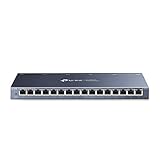
TP-Link 16 Port Switch Gigabit | Ethernet Network Switch | Shielded Ports | Fanless | Desktop | Sturdy Metal | Traffic Optimization | Unmanaged (TL-SG116)

Cat6 Ethernet Cable, 3 Feet (2 Pack) LAN, utp (0.9 Meters) Cat 6, RJ45, Network, Patch, Internet Cable - (3 ft)...

Rankie RJ45 Cat6 Snagless Ethernet Patch Cable, 5-Pack, 15 Feet, Black

iMBAPrice 1' Cat5e Network Ethernet Patch Cable, 10 Pack, Blue (IMBA-CAT5-01BL-10PK)

Cable Matters 5-Color Combo Snagless Cat6 Ethernet Cable (Cat6 Cable, Cat 6 Cable) 10 ft

Cat6 Ethernet Cable - 3 ft 10-Pack (0.9m) Cat 6 RJ45, LAN, Utp, Network, Patch, Internet Cable - 3 feet

Thomas & Betts SC100RR Carlon Single Gang Low Voltage Box
Cable Matters 5-Color Combo Snagless Short Cat6 Ethernet Cable (Cat6 Cable, Cat 6 Cable) 3 ft