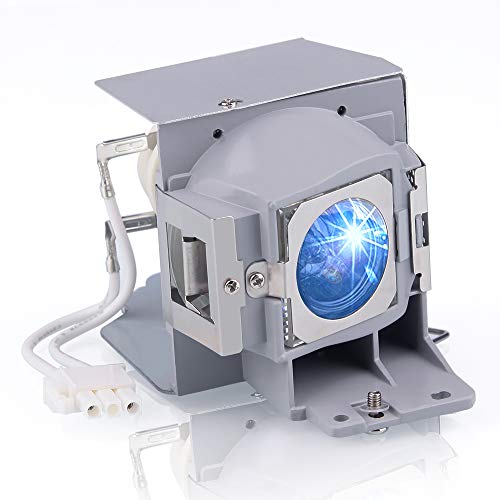
SunnyPro RLC-078 Projector Lamp with Housing,Compatible for Viewsonic PJD5132 PJD5134

Product Description
SunnyPro RLC-078 Projector Lamp with Housing,Compatible for Viewsonic PJD5132 PJD5134
- Compatible with VIEWSONIC PJD5132 PJD5134
- We use A++ quality wicks that provide higher brightness and better color contrast with a life span of up to 3000-3500 hours.
- Installing the projector light is very easy and will only take you a few minutes.
- All lamps are tested at the manufacturer before leaving the facility
- We offer up to 200 days after-sales guarantee, any problem with the projector lamp, you can contact us for exchange or refund.
Model Number:RLC-078 Lamp<br> Application:Commercial,Engineering,Indoor,Professional,Sailing<br> Wattage:190W<br> Type:Replacement Projector Lamp with Housing<br> Average Life (hrs):2000<br> Place of Origin: Shenzhen, China (Mainland)<br> Be used in projectors: ForVIEWSONIC PJD5132/ PJD5134/ PJD5232L/PJD5234L<br> <br> <br> 9 steps to replace the projector lamp<br> 1.Gather the necessary tools, screwdriver.<br> 2.Turn off TV or Projector.<br> 3.Remove Lamp Compartment Door.<br> 4.Remove Lamp Assembly. Carefully pull out the lamp assembly and disconnect any power cords that may still be connected to the lamp assembly. Put it aside and don't get it confused with your new lamp! <br> 5.Clean Lamp Compartment. Dust gets everywhere and while you have the projector open, use a soft cloth or micro-fiber cleaning cloth to remove any loose dust from the lamp compartment. <br> 6.Insert New Lamp Assembly. Carefully reconnect any power cables to the new lamp if present and slide the new lamp into the compartment in the same orientation that the original lamp came out. <br> 7.Replace Lamp Compartment Door. Set the lamp compartment door back into place and securely screw in the door without screwing it in too tightly. <br> 8.Reset the lamp timer. Instructions on how to do this should be covered by the instruction manual. <br> 9.You're Done! Enjoy your projector or TV again and make sure you have a backup lamp handy in case the lights go out unexpectedly. <br>
Technical Specifications
You might also like
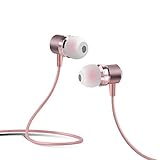
Earbuds, E&jing In-ear Earphones Metal Magnetic Headset Built in Mic 3.5mm Audio Jack Headphones (Pink)

Plant Therapy Lemon Essential Oil 100 mL (3.3 oz) 100% Pure, Undiluted, Natural Aromatherapy, Therapeutic Grade

Natural Heaven Lasagna Noodles 4 packs of 9 oz

Special Supplies Loop Scissors for Teens And Adults 8 Inches (3-Pack) Colorful Looped, Adaptive Design, Right and Lefty Support, Small, Easy-Open Squeeze Handles, Supports Elderly and Special Needs

Whats Up Nails - Thorns Vinyl Stencils for Nail Art Design (2 Sheets, 24 Stencils Total)

VEVOR 22 Cu.Ft 1600Lbs Steel ATV UTV Trailer Tow Behind Dump Cart, Heavy Duty Pull Behind Utility Dump Trailer for Lawn Mower Trailer Tractor Garden Yard with Removable Rear Panel

THERABAND Professional Latex Resistance Bands, Individual 6 Ft Elastic Band for Upper & Lower Body Exercise, Physical Therapy, Pilates, At-Home Workouts, 6 Foot Band, Gold, Max, Elite
L'Oreal Color Riche Anti-Age Serum Lipstick Lipcolour - S302 Light Chocolate (Pack Of 3)