
StarTech.com EDID Emulator for HDMI Displays - Copy Extended Display Identification Data - 1080p, TAA (VSEDIDHD)
Product Description
StarTech.com EDID Emulator for HDMI Displays - Copy Extended Display Identification Data - 1080p, TAA (VSEDIDHD)
- Maximizes compatibility between your HDMI display and video sources with EDID emulation
- Emulate or synthesize EDID settings with support for both EDID copying and EDID ghosting
- Hassle-free setup with an easy-to-set rotary dial
- Supports high-definition resolutions up to 1920 x 1080 (1080p)
- Stores EDID settings even when unplugged
<p><b>Achieve maximum performance from your HDMI display</b><br> EDID contains important information that your television or projector needs, to deliver its best picture quality. Because most video extenders or switches block EDID communication between your video source and display, EDID is often lost in transmission, limiting your video source's ability to output your display's native resolution. Using the EDID emulator, you can ensure your HDMI source and display are perfectly in sync, for crystal-clear picture quality.</p> <p><b>Versatile configuration options, with EDID copying or EDID ghosting</b> <br>To ensure that any EDID communication issue can be solved, the EDID emulator supports both EDID copying and EDID ghosting. </p> <p>EDID copying saves the EDID settings from your display and communicates those exact settings to your source, which is perfect for EDID issues that are caused by a third-party disruption, such as a video switch or extender.</p> <p>EDID ghosting lets you emulate generic EDID settings, to deliver common data to your source or display. This is the perfect solution for EDID issues that often occur when you’re working with devices that don’t output EDID, such as older legacy equipment or some analog to digital video adapters.</p> <p><b>Easy to set up, with a hassle-free rotary dial</b> <br>EDID communications contain a lot of important settings, such as maximum image size, color characteristics, factory preset timings, frequency range limits and more. With all of these specific details, it's easy to be confused or crossed up by the data. This emulator eliminates the hassle and confusion that comes with EDID, giving you a rotary dial that you can use to configure all of your settings in one simple step.</p> <p>The VSEDIDHD is TAA compliant and backed by a StarTech.com 2-year warranty with free lifetime technical support.</p>
Technical Specifications
You might also like
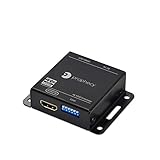
gofanco Prophecy 4K EDID Emulator & Feeder - 17 EDID Modes, Programmable EDID Copier & Manager, Amplifies & Equalizes Signal (4K @60Hz YUV 4:4:4, HDR, HDMI 2.0a, HDCP 2.2, 18Gbps, CEC Pass-Through)
—

Cable Matters 3-Pack High Speed HDMI to HDMI Cable 3 Feet with HDR and 4K Resolution Support
—

NETGEAR 5-Port Gigabit Ethernet Unmanaged PoE Switch (GS305P) - with 4 x PoE @ 55W, Desktop, Sturdy Metal Fanless Housing
—
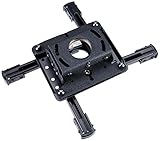
Chief RPAU Universal Projector Ceiling Mount
—
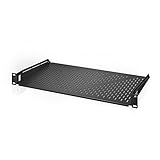
AC Infinity Vented Cantilever 1U Universal Rack Shelf, 10" Deep, for 19" equipment racks. Heavy-Duty 2.4mm Cold Rolled Steel, 60lbs Capacity
—

Ubiquiti EdgeRouter X Advanced Gigabit Ethernet Routers ER-X 256MB Storage 5 Gigabit RJ45 ports
—

Neutrik NE8FF Ethercon Connector Coupler
—
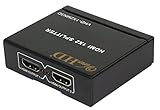
ViewHD 2 Port 1x2 Powered HDMI Mini Splitter for 1080P & 3D | Model: VHD-1X2MN3D
—