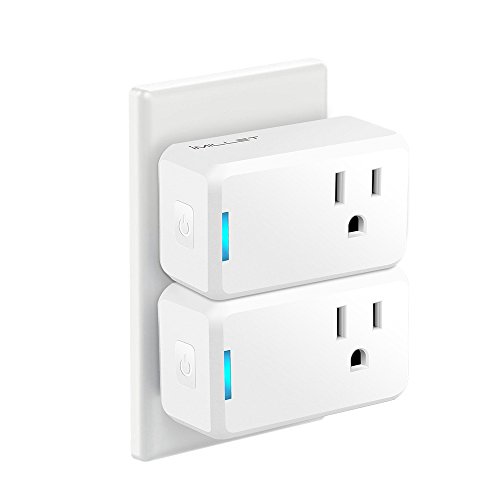
Smart Plug,IMILLET Wi-fi Socket Outlet,Compatible with Alexa IFTTT Google Assistant,2 Pack
Product Description
Smart Plug,IMILLET Wi-fi Socket Outlet,Compatible with Alexa IFTTT Google Assistant,2 Pack
- 1. Unique Design: The IMILLET smart plug use a compact mini design, keeps adjacent smart outlets accessible and allows two smart sockets to fit together perfectly in one stand outlet. Unique design make our smart plugs different from others.
- 2. Easy to Use and Install: IMILLET smart switch connect with internet through 2.4 GHz Wi-Fi network. No hub or subscription required, just plug it into an outlet. Connect a device to the smart switch, and wirelessly control appliances device whenever and wherever you are.
- 3. Powerful Multi-function Smart Socket: You can set schedules/timer and countdown function for various appliances in your home with a free app. Grouping and sharing. The smart timer is the great choice for the lite-duty electronics.
- 4. Voice Control: IMILLET Wi-Fi plug works with Amazon Alexa, Google Assistant and IFTTTT. You can turn on or off your devices through voice commands. And you can design interesting device linkage by IFTTT.
- 5. Quality Assurance: IMILLET mini smart plug have passed UL and FCC certificates. You can get a free replacement anytime and for any reason if the smart device is defective. Don not hesitate to contact us whenever you encounter product issue. We can solve your problem in case of any question. We are always at your service.
<b> Adorable Home Automation Option</b> <br>With Imillet Smart Plugs, you can create schedules for electronics and home appliances connected based on your routines. After installing the Jinvoo Smart app, you can turn on/off your devices simply on your smartphone or tablet when you are not at home. What an adorable home automation option! <br><br><b> Decent and Compact design</b> <br>Imillet Smart Plugs features a decent and compact design, which enables you to plug in two mini plugs into the same outlet/socket at the same time. It is lightweight, an adorable home automation option. <br><br><b> No Hub Required</b> <br>Imillet Smart Plugs work with any wifi router. Users have no need to set another hub or pay extra subscription fees. <br><br><b>Specifications: </b> <br>Input: AC120V 50/60Hz <br>Output: 10A max load <br>Max power: 2000W <br>Material: ABS <br>Power consuming:< 0.3W <br>Working temperature: -20-45℃(-4-113℉) <br>Working humidity: < 80% <br> Radio signal power: 1mW <br>Radio rate: 30 meter indoor <br>Radio rate: 50 meter outdoor <br>Plug standard: US standard <br>Wireless IEEE standards: 802.11b/g/N <br>Security: WPA2-psk WPA WPA2 WEP Wps2 WAPI <br>Encryption type: WEP TKIP AES <br><br><b>How to install? </b> <br>1. Download and install Jinvoo App on your smartphone or tablet, and launch the app; <br>2. Create your Jinvoo account (email address or phone number required) and log in; <br>3. Plug in socket <br>4. Click 'add device' in the app <br>5. Click 'next step' <br>6. Enter wifi passwords (connecting, pls wait patiently) <br>Notes: You can also change the name of the socket. <br><br><b>What's in box? </b> <br>Imillet Smart plugs * 2 <br>User Manual * 1 <br><br><b>Tips! </b> <br>Imillet Smart Plug supports 2.4GHz Wi-Fi network, not 5.0GHz. <br>Pls reset your wifi router and the plug and try again for failing to add the plug.<br>Compatible with Android 4.4 and iOS 8 or up; does not work with computers, Smart things, homekit.<br>
Technical Specifications
You might also like

Wifi Smart Power Strip, IMILLET Surge Protector Multi Outlets Compatible with Alexa IFTTT Google Assistant Smart Multi Plug with 4 Outlet and 4 USB Port
All-new Echo Dot (3rd Gen) - Smart speaker with Alexa - Charcoal
Echo Dot (2nd Generation) - Smart speaker with Alexa - Black
Jinvoo Wi-Fi Smart LED Light Bulb, Dimmable Multicolored Color, 6W E27, No Hub Required, Compatible with Alexa Echo, Works with Google Home - White

Echo Spot - Smart Display with Alexa - Black
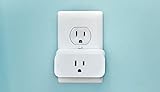
Amazon Smart Plug, works with Alexa
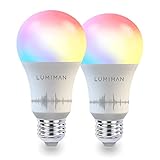
Smart WiFi Light Bulb, LED RGB Color Changing, Compatible with Amazon Alexa and Google Home Assistant, No Hub Required, A19 E26 Multicolor LUMIMAN 2 Pack

1 Mason Jar with Slotted Lid Insert Wide Mouth Half Gallon 64oz Piggy Bank for All Ages

Philips Hue White A19 Single LED Bulb Works with Amazon Alexa (Hue Hub Required)
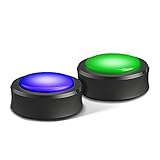
Echo Buttons (2 buttons per pack) - A fun companion for your Echo