
SibyTech Charging Case Replacement for Airpods Pro with Sync Button, 660mAh Built-in Battery, White
Product Description
SibyTech Charging Case Replacement for Airpods Pro with Sync Button, 660mAh Built-in Battery, White
- 【Perfect Alternative Case for Airpods Pro】- Compatible with Airpods Pro. A great replacement charging case when your original case is lost or damaged.
- 【Charging & Syncing】- Not only for charging, but also pairing with your iPhone or iPad.
- 【Large Capacity & Fast Charging】- 660mA built-in lithium battery. Airpods charging: 20 minutes. Case charging: 3 hours(fully charged).
- 【Support Wired & Wireless Charging】- The case can be charged with either a lightning cable or an QI enabled wireless charger pad.
- 【Rest Assured】- FCC, CE and ROHS certified. The built-in smart IC chip will protect your device from short circuit, over current, over voltage and over charge.
<b>Instruction for Syncing:</b><br> Bluetooth pairing AirPod Pro:<br> 1.Put AirPods Pro into this charging case;<br> 2.Long press the sync button until green light flashes and then release; <br> 3.The iPhone will pop up a window for pairing. 4. When pairing is complete, short press the sync button once and close the lid. And then click "complete" on your phone. Now you can open the case and use your earbuds <br><br> <b>Battery Level Indication:</b><br> Flashing red light (0%<battery level<33%)<br> Flashing blue light (33%<battery level<66%)<br> Flashing green light (66%<battery level<99%)<br> Green light always on (fully charged)<br><br> <b>Specifications</b><br> Color: White<br> Battery Capacity: 660mAh<br> Case Battery Charging Time: 3 hours (fully charged)<br> Airpod Charging Time: 20 minutes (fully charged)
Technical Specifications
You might also like

Camera Camcorder Digital Cameras Video Record Electronic Birthday Gifts Christmas
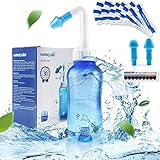
Neti Pot Sinus Rinse Bottle 300ml, Nose Cleaner, Nasal Irrigation System with 30 Nasal Wash Salt Packets and Sticker Thermometer for Adult & Kid BPA Free (300ml Bottle)

Canvas Grocery Shopping Bags with Bottle Sleeves, Micarsky 100% Organic Cotton Cloth Reusable and Washable & Eco-friendly Wine Totes with Handles (1 Bag)

Wireless Earbuds, EarFun Free Bluetooth 5.0 Earbuds with Qi Wireless Charging Case, USB-C Quick Charge, IPX7 Waterproof in-Ear Earphones, Deep Bass Wireless Headphones, 30H Playtime, Built-in Mic