
Samshow Digital Kitchen Cooking Timer Clock,3 Channels Simultaneous Timing Countdown Up Pocket Timer, Large Led Display, Loud Alarm, Memory Stopwatch Function, Magnetic Back, White (Battery included)

Product Description
Samshow Digital Kitchen Cooking Timer Clock,3 Channels Simultaneous Timing Countdown Up Pocket Timer, Large Led Display, Loud Alarm, Memory Stopwatch Function, Magnetic Back, White (Battery included)
<br><b>Product description</b> <br>Samshow digital timer can work 3 timing at the same time. When T1 is performing a countdown operation, you can switch to set up T2, and T1 will display working on screen, the same to T3. <br> when time is up, it will automatic exchange to count up with 1minute alarm to keep tracking your time <br> <br><b>Setting Time</b> <br> 1.Press ¡°Clock/Timer¡± to switch between the clock and timer <br>2.To set the clock, press ¡°Clock/Timer¡± button to display the ¡°Clock¡± mode, and then still press it for about two seconds until the digits start to flash <br>3.Press the ¡°HR¡± button to set hour, ¡°MIN¡± to set minute, and ¡°SEC¡± to set second <br>4.Press ¡°Clock/Timer¡± to store settings <br><b>Setting Timer</b> <br>1.Press ¡°Clock/Timer¡± button to display the ¡°Timer¡± mode, and then press the ¡°Timer 1¡± for two seconds until digits start to flash to setup <br>2.Press the ¡°HR¡± button to set hour, ¡°MIN¡± to set minute, and ¡°SEC¡± to set second <br>3.Press ¡°Timer 1¡± to store settings <br>4.Press ¡°Timer 1¡± or ¡°Start/Stop¡± button to start countdown operation <br>5.Press ¡°Timer1¡± to pause and restart the timer <br>6.Press ¡°Clear¡± to reset the value to zero <br>7.Press ¡°Timer 1¡± to recall the last setting time <br>8.The same setting for Timer 2 and Timer 3 <br><b>Memory function</b> <br> Press ¡°Start/stop¡± button to recall all three groups¡¯ last settings <br><b>Stopwatch function</b> <br>Under clock model, press ¡°start/stop¡± button to start and stop. Press ¡°clear¡± button to clear the record. <br><b>Product Specifications</b> <br> Time mode:12hr/24hr (Setting by back) <br>Count Down/ Up Timer: 99 hours, 59 minutes and 59 seconds. <br>LCD screen size: 1.72 x 1.56 inches <br>Dimensions: 3.5 x 2.6 x 0.52 inches <br> <br><b>Package Includes</b> <br>1x Digital Timer <br>1x Instruction manual <br>2x AAA batteries
Technical Specifications
You might also like

Taylor Precision Products Four-Event Kitchen Timer with Whiteboard (Regular)

AcuRite Triple Event Digital Kitchen Timer with Jumbo Display 00482
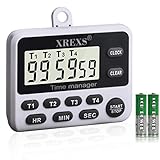
XREXS 4 Channels Digital Kitchen Timer Clock, Cooking Timer with Large LCD Display, 4 Groups Simultaneous Timing Countdown Up Pocket Timer, Magnetic Attachable (battery included)

Digital Timer EMDMAK 100 Hour Dual Count Up/down Timer with Magnet Hanging Bracket Large LCD Display Loud Alarm

OXO Good Grips Triple Timer

Samshow Digital Dual Kitchen Timer, Countdown Timer, Cooking Timer, Stopwatch, Large LED Display Count Up/Down Timer, Alarm Reminding by Flashing, Magnetic Back, Stand, White, Battery Included

Taylor Precision Products Four-Event Kitchen Timer with Whiteboard (Large)

West Bend 40053 Easy to Read Triple Digital Magnetic Kitchen Timer Features Clock Large Display and Electronic Alarm, White, 1

Mercer Culinary M23112 Millennia 12-Inch Wavy Edge Slicer, Black

Accuon Digital 4 Channel Timer and Clock