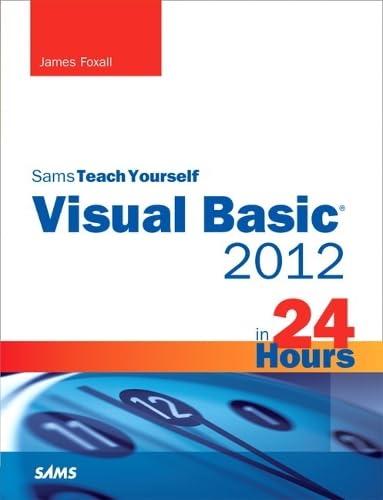
Sams Teach Yourself Visual Basic 2012 in 24 Hours

Product Description
Sams Teach Yourself Visual Basic 2012 in 24 Hours
- Used Book in Good Condition
<P style="MARGIN: 0px">In just 24 sessions of one hour or less, you’ll learn how to build complete, reliable, and modern applications with Visual Basic 2012. Using this book’s straightforward, step-by-step approach, you’ll master the entire process, from navigating VB 2012 to deploying finished solutions. You’ll learn how to write efficient object-oriented code; build superior user interfaces; work with graphics, text, and databases; and even control external applications. Each lesson builds on what you’ve already learned, giving you a strong, practical foundation for success!</P> <P style="MARGIN: 0px"> </P> <P style="MARGIN: 0px"> <B>Step-by-step</B> instructions carefully walk you through the most common Visual Basic 2012 tasks.</P> <P style="MARGIN: 0px"> <B>Quizzes and Exercises</B> at the end of each chapter help you test your knowledge. </P> <P style="MARGIN: 0px"> <B>By the Way</B> notes present interesting information related to the discussion. </P> <P style="MARGIN: 0px"> <B>Did You Know?</B> tips offer advice or show you easier ways to perform tasks. </P> <P style="MARGIN: 0px"> <B>Watch Out!</B> cautions alert you to possible problems and give you advice on how to avoid them.</P> <P style="MARGIN: 0px"> </P> <P style="MARGIN: 0px"> <B>Learn how to… </B> </P> <P style="MARGIN: 0px"> </P> <UL> <LI> <DIV style="MARGIN: 0px">Navigate the VB 2012 environment and use VB’s powerful new tools</DIV> </LI> <LI> <DIV style="MARGIN: 0px">Work with objects, collections, and events</DIV> </LI> <LI> <DIV style="MARGIN: 0px">Build attractive, highly functional user interfaces</DIV> </LI> <LI> <DIV style="MARGIN: 0px">Make the most of VB 2012’s advanced controls</DIV> </LI> <LI> <DIV style="MARGIN: 0px">Create efficient modules and reusable procedures</DIV> </LI> <LI> <DIV style="MARGIN: 0px">Store data, make decisions in code, and use loops to improve efficiency</DIV> </LI> <LI> <DIV style="MARGIN: 0px">Use powerful object-oriented programming techniques</DIV> </LI> <LI> <DIV style="MARGIN: 0px">Interact effectively with users</DIV> </LI> <LI> <DIV style="MARGIN: 0px">Work with graphics, text files, and databases </DIV> </LI> <LI> <DIV style="MARGIN: 0px">Debug and troubleshoot applications </DIV> </LI> <LI> <DIV style="MARGIN: 0px">Manipulate external applications, file systems, and the Windows Registry</DIV> </LI> <LI> <DIV style="MARGIN: 0px">Distribute the software you’ve created</DIV> </LI> </UL> <P style="MARGIN: 0px"> </P> <P style="MARGIN: 0px"> <B>On the Web: </B> </P> <P style="MARGIN: 0px"> </P> <UL> <LI> <DIV style="MARGIN: 0px">Access code examples from the book, as well as updates, and corrections as they become available at informit.com/title/9780672336294</DIV> </LI> <LI> <DIV style="MARGIN: 0px">Download Visual Studio 2012 Express for Windows Desktop from www.microsoft.com/visualstudio/eng/downloads</DIV> </LI> </UL> <P style="MARGIN: 0px"> </P>
Technical Specifications
You might also like

SQL in 10 Minutes, Sams Teach Yourself (4th Edition)

Visual Basic 2012 Programmer's Reference

Learn C# in One Day and Learn It Well: C# for Beginners with Hands-on Project (Learn Coding Fast with Hands-On Project) (Volume 3)

Microsoft Visual Basic .NET Programmer's Cookbook (Developer Reference)

Microsoft Visual Basic 2013 Step by Step (Step by Step Developer)

Sams Teach Yourself Visual Basic 2008 in 24 Hours: Complete Starter Kit

Beginning Visual Basic 2012

Stephens' Visual Basic Programming 24-Hour Trainer

Murach's Visual Basic 2012

Visual Basic for Applications (VBA) 2013 Quick Reference Guide: Introduction (Cheat Sheet of Instructions, Tips & Examples - Laminated)