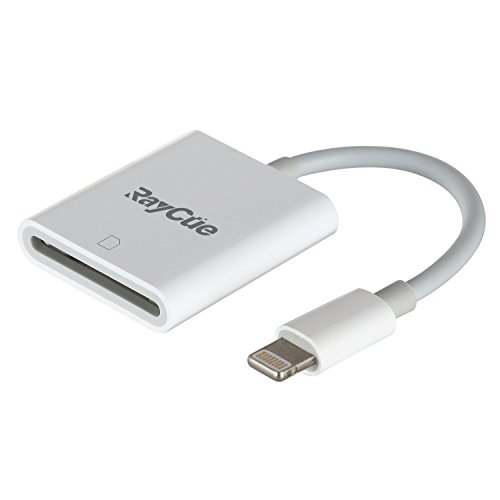
SD Card Reader, 3 in 1 Lightning to USB Camera Connection Kit SD/TF Card Reader, Trail Game Camera SD Card Reader, Lightning to USB 2.0 Female OTG Adapter Cable for iPhone & iPad
Product Description
SD Card Reader, 3 in 1 Lightning to USB Camera Connection Kit SD/TF Card Reader, Trail Game Camera SD Card Reader, Lightning to USB 2.0 Female OTG Adapter Cable for iPhone & iPad
<b>Compatibility:</b><br> For iphone models: iPhone 7/7 Plus 6 /6s/6s Plus/5/5c/5s/SE<br> For iPad Models: iPad mini/mini2/ Air/Air 2/mini 3/mini 4/Pro(12.9-inch)/Pro(9.7-inch) <br><br> <b>Advantages</b><br> 1.Release the space of your SD card and Backup your SD card; <br> 2.Share your photos and videos of your camera on your social network freely; <br> 3.For photographers,Save Time Much faster than using WiFi: Save money on the extra WiFi function for your camera; <br> 4. Copy the movie from SD card to your iPhone & iPad and watch and edit them easily. <br><br> <b>Specification:</b><br> Material: Plastic<br> Color: White<br> Total length: 4.7 inches<br> Wire length: 2.6 inches<br> Weight: 45g<br><br> <b>Tips:</b><br> 1. If photos or videos aren't transferring, be sure the memory card is inserted properly into the Lightning to SD Card Camera Reader. Completely unplug the Lightning to SD Card Camera Reader and memory card, then reconnect them and try again. <br> 2. Make sure the SD card is a good one. Please be noted the Wi-Fi SD card is not supported.<br> 3. If you are using a mini or micro SD card with an adapter, make sure the adapter is a good one. <br> 4. Check if the iOS is updated to iOS 9.2 or above for iPhone and iOS 8.0 or above for iPad. <br> 5. If photos were not taken by the digital camera, use your computer, create a folder called "DCIM" to the root of your memory card. Copy the photos and videos into the DCIM folder. Rename each photo and video file as "IMG_XXXX", where XXXX is a unique number. For example, if you had one JPG file and one .MOV file, name them "IMG_0001.JPG" and "IMG_0002.MOV".<br>
Technical Specifications
You might also like
AUCEE Hunting Camera, 12MP 1080P Full HD Trail Camera Infrared Wildlife Camera with Night Vision up to 65FT, 2.4 inch LCD Screen and IP56 Waterproof Game Cam for Wildlife Monitoring
—
Trail Game Camera, 1080P HD 12MP 65ft Infrared Night Vision Hunting Mini Camera with 24LEDs, Motion Sensor, 0.5s Trigger Speed, IP66, 2.4" LCD Screen for Wildlife Surveillance, Home Security【Upgraded】
—
Enkeeo PH760 Trail Game Camera 1080P 16MP HD Hunting Camera 47pcs 850nm IR Night Vision IP56 Water Resistant with 0.2s Trigger Time 2.4" LCD Screen
—

SanDisk 32GB Ultra Class 10 SDHC UHS-I Memory Card Up to 80MB, Grey/Black (SDSDUNC-032G-GN6IN)
—
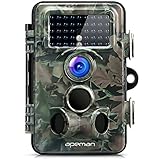
APEMAN Trail Camera 12MP 1080P HD Game&Hunting Camera with 130° Wide Angle Lens 120° Detection 42 Pcs 940nm Updated IR LEDs Night Version up to 20M/65FT Wildlife Camera with IP66 Spray Water Protected
—

【Upgraded】APEMAN Trail Camera 12MP 1080P 2.4" LCD Game&Hunting Camera with 940nm Upgrading IR LEDs Night Vision up to 65ft/20m IP66 Spray Water Protected Design
—
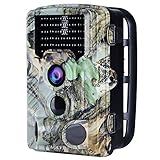
AUCEE Tracker Trail Camera, 16MP 1080P 120° PIR Sensor Wildlife Hunting Camera 65ft Infrared Scouting Camera with Night Vision 46pcs IR LEDs, IP56 Waterproof 0.2s Trigger Time Game Camera
—
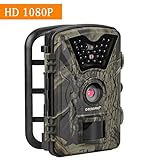
Trail Camera 12MP 1080P HD Game Hunting Camera with 65ft Infrared Night Vision,90°Detection Angle,24pcs 940nm IR LEDs,2.4" LCD Screen&Waterproof IP66 Wildlife Hunting Cam【Upgraded】
—
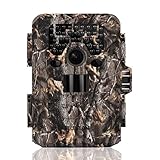
TEC.BEAN Trail Camera 12MP 1080P Full HD Game & Hunting Camera with 36pcs 940nm IR LEDs Night Vision up to 75ft/23m IP66 Waterproof 0.6s Trigger Speed for Wildlife Observation and Home Security
—
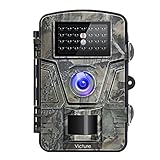
【Upgraded】Victure Trail Camera 1080P 12MP Wildlife Camera Motion Activated Night Vision 20m with 2.4" LCD Display IP66 Waterproof Design for Wildlife Hunting and Home Security
—