
SANKA iPhone 7 Plus LCD Display Screen Replacement Repair Kit, Digitizer Retina Touch Screen Glass Frame Assembly for iPhone 7 Plus, 5.5 inches - White (Free Tools Included)
Product Description
SANKA iPhone 7 Plus LCD Display Screen Replacement Repair Kit, Digitizer Retina Touch Screen Glass Frame Assembly for iPhone 7 Plus, 5.5 inches - White (Free Tools Included)
- ❤【Compatible】 This LCD screen replacement with 3D Touch function ONLY for iPhone 7 Plus ( 5.5 Inches), NOT for iPhone 7. Model: A1661 / A1784 / A1785, black color. NOTE: Please confirm your phone model and color before purchasing.
- ❤【For You Needs】Our screen replacement to repair cracked / shattered screen. Also solve display / touch issues, dead pixels and wrong color problems.
- ❤【Easy to Install】Come with free repair tools. Including a proximity holder, the camera ring and the net receiver. Each screen has tested before shipping and 100% work. Fast and Free shipping from Amazon USA warehouse.
- ❈【Caution】You need to transfer the home button assembly from your old display to retain Touch ID funtion. Due to Apple iPhone security setting, all the Touch ID function will only work with your phone's original home button assembly, no matter where you buy from.This is not problem of our original replacement.
- ❤【Friendly Suggestion】For any quality problems, or you need any assistance or comments, please feel free to contact us via your order. You also can contact us via click the seller name on product listing.
<b>Test Screen Replacement Tips:</b><br> 1.Please check the touch & display cables are all in good condition.<br> 2.Please connect the ribbon cables to test the new display before installation.<br> PS: Power on the iphone,then press one of APPs and move around the display.<br><br> <b>Ready to Install:</b><br> 1.Please download some installation videos on Youtube before operation.<br> 2.Power off the device before starting.<br> 3.Use the correct screwdriver to open the screws.<br> 4.Need to remark the screws and keep in mind its' original position.<br> (NOTE: Incorrect screws will damage your phone.)<br> 5.Remember to disassembly the battery connector when doing further steps.<br> 6.Transfer home button and camera from old screen. <br> NOTE: ONLY orginal home button can make your touch ID work.<br> Do not press the upper 2 corners of the LCD, it is easy damage.<br><br> <b>Q&A:</b><br> Q: If I installed the screen replacement as you said, but black screen / can't touch / have stripes, what should I do?<br> A: Could you check and operate as following steps?<br> a.Please power off your phone, then separate the screen and the other part.<br> b.Please check the flex cables are in good condition and there are no debris on the connector. Then press tight on the ribbon cables to make sure they are connected well.<br> c.Restart your phone.<br><br> Note: The screen belongs to fragile items, so please be careful when you install it in case it break.<br> If still not work, please feel free to CONTACT US.<br><br> <b>Package List:</b><br> -1 * iPhone 7 Plus, 5.5 inches Screen Replacement Assembly<br> -1 * 5 Point star pentalobe screwdriver<br> -1 * Philips screwdriver<br> -1* Suction Cup<br> -1*English Manual<br><br> <b>Attention:</b><br> Please check carefully if the screen have crack, scratches or something omission when sign for the parcel. <br> NOT included home button and camera.<br>
Technical Specifications
You might also like

ZTR LCD Screen Replacement Fits iPhone 7 4.7 inch Display Full Complete digitizer Assembly Frame Set Front Glass (Black)
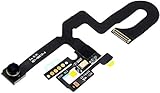
Afeax OEM Compatible with iPhone Face Front Camera Flex Cable with Sensor Proximity Light and Microphone Flex Cable Replacement for iPhone 7 Plus 5.5inch

passionTR LCD Screen Replacement Kit For iPhone 6S Plus with Digitizer Touch Screen Display Assembly 3D Touch Repair Tools For 6S Plus 5.5 Inch Black

ZTR LCD Screen Compatible with iPhone 6s Plus 5.5 inch Replacement Digitizer Display Frame Front Glass Full Assembly White

PassionTR Iphone 7 Plus 5.5 Inch Screen Replacement LCD Digitizer Full Assembly in Black

Compatible with iPhone 8 Plus Black (5.5''),LCD Display & Touch Screen Digitizer Frame Assembly Set with 3D Touch Free Repair Tool
PassionTR Black For iPhone 8 Plus 5.5 Inch LCD Screen Replacement Full Digitizer Assembly Frame Set Front Glass 3D Touch Display with Required Tool Kit

ZTR for iPhone 6S Plus Screen Replacement 3D Touch LCD Touch Screen Digitizer Frame Assembly Set (White)

passionTR for iPhone 7 Plus 5.5 Inch Model: A1661, A1784, A1785 LCD Screen Replacement Digitizer Frame Assembly in Black

Compatible with iPhone 8 Plus Screen Replacement White,FFtopu LCD Display & Touch Screen Digitizer Frame Assembly Set with 3D Touch Free Repair Tool(5.5''