
RJ45 Ethernet Network LAN Wired Adapter, RJ45 Ethernet Adapter Compatible with iPhone/iPad (RJ45)
Product Description
RJ45 Ethernet Network LAN Wired Adapter, RJ45 Ethernet Adapter Compatible with iPhone/iPad (RJ45)
- RJ45 Ethernet LAN Wired Network Adapter compatible with iPhone. Very nice build Ethernet adapter for working in environment that does not have wireless or you want fast connection. No software installation was needed. Just plug in the cables: one to your device and one to network cable. Then, in the setting, you can configure to use the Ethernet and connect to your network, the important thing is that it can also power the equipment.
- P&P(Plug and Play):Easy installation, Just Activates by Simply Connecting it to an available iPhone and LAN network, Then connect the charger to power.(The Adapter can't power the iPad in some System Version, sorry for that) Charger: External Power Needed(suggest 2A),Supports 10/100Mbps Cable
- Adapter size: W58×D23×H16mm, Cable:1M/3.3Ft, Weight: 30.4g, High Speed: 10Mbps/100Mbps
- System Version :iOS 10+ iOS 11+iOS 12
- Quality Warranty:18 months, If you have any questions or require any further information, please don't hesitate to contact us, we will take our immediate action to reply to you and make our every effort to solve all issue you raised.
RJ45 Ethernet LAN Wired Network Adapter compatible with iPhone/ipad <br> <br> Very nice build Ethernet adapter for working in environment that does not have wireless or<br> you want fast connection. No software installation was needed. Just plug in the cables: one<br> to your device and one to network cable. Then, in the setting, you can configure to use the<br> Ethernet and connect to your network, the important thing is that it can also power the equipment.<br> <br> Adapter size:W58×D23×H16mm, <br> Cable:1M/3.3Ft, <br> Weight:30.4g, <br> Package Weight: 46.1g,<br> Material: Light HFS+PC <br> High Speed: 10Mbp/100Mbps<br> Charger:External Power Needed(<b>suggest2A</b>),<br> Supports 10/100Mbps Cable directly.<br> <br> System Version :iOS 10+ iOS 11, <br> Package:1x RJ45 Adapter compatible with iPhone like iPhone XS/ iPhone XS MAX/iPhone XR/iPhone X<br>/iPhone8/iPhone8Plus/iPhone7/iPhone7Plus/6s/6sPlus/6/6Plus/SE/5s<br><br><b>Connection Instruction:</b><br> 1.Turn off your iPhone "WLAN" off,or turn your iPhone on "Airplane mode"<br> 2.Insert your router-connected Ethernet cable into Ethernet port of our adapter, and connect the cable<br> end into your iPhone,Make sure your LAN cable is connected to internet<br> ( Our Adapter can't dial-up internet itself, need your router device provide a IP by DHCP service)<br> 3.Go to"Setting" in your iPhone and an Ethernet setting will be found on your screen.<br> 4.Click the Ethernet to obtain a IP address.<br> 5.Connect the adapter to your iPhone and open the "Safari" of your iPhone, to check whether the<br> Internet is connected or not.<br> 6.Connect the charger to the adapter when you got the normal internet.<br> <b>Important! </b><br>You need to make sure you connect to Ethernet then plug charging interface, otherwise the device won't be powered. <br><br> <b>This item was fulfilled by Amazon, so you don't need worry about delivery. </b>
Technical Specifications
You might also like
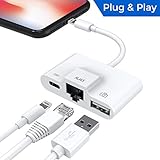
Lightning to RJ45 Ethernet LAN Wired Network Adapter, Lightning Ethernet Adapter, Lightning to USB Camera Adapter, Charging & Data Sync OTG Adapter Compatible with iPhone/iPad, Required iOS 10.0 or Up
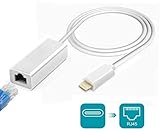
Amatage Lighting to RJ45 Ethernet LAN Network Adapter for Phone/Pad, Phone Ethernet Adapter, 3.3ft/1m Cable, 10/100Mbps High Speed, System Required iOS 10.0 or Up

Anker USB C to Ethernet Adapter, Portable 1-Gigabit Network Hub, 10/100/1000 Mbps, for MacBook Pro, iPad Pro 2019/2018, ChromeBook, XPS, Galaxy S9/S8, and More

Belkin Ethernet + Power Adapter with Lightning Connector (Mfi-Certified Lightning to Ethernet Adapter for iPad POS Systems)

Uwecan RJ45 Ethernet Network Lan Wired Adapter for iPhone/iPad,3 in 1 Ethernet Adapter & charging & OTG USB Camera Reader Adapter,Support iOS 10.0 or Above

UGREEN Ethernet Adapter USB 2.0 to 10/100 Network RJ45 LAN Wired Adapter for Nintendo Switch, Wii, Wii U, MacBook, Chromebook, Windows 10, 8.1, Mac OS, Surface Pro, Linux ASIX AX88772 Chipset (Black)

Ethernet Adapter for iPad, iPhone 7, iPhone 6/6s Plus Accessories,USB 2.0 to LAN Network Adapter for Apple Device iOS 9.3 Above

3 in 1 Lightning to RJ45 Ethernet LAN Wired Network Adapter, iPhone iPad to USB Camera Adapter Kit, HkittyXiong Lightning to USB OTG Adapter Cable (White)

Plugable USB 2.0 OTG Micro-B to 100Mbps Fast Ethernet Adapter Compatible with Windows Tablets, Raspberry Pi Zero, and Some Android Devices (ASIX AX88772A chipset).