
LANMUSZiTW Reader Card
Product Description
LANMUSZiTW Reader Card
- 1
<b>Packing list:</b></br>1*LAMMU Rfid Card Reader</br>1*USB cable</br></br><b>Product Description:</b></br>ID card reader can read the top 10 digital</br>Material: Hard Plastic</br>USB cable connection to PC (Plug and Play, Driverless for Windows 2000, 2003, XP, Vista, Windows7, Linux)</br> Can read all 125Khz RFID EM4100 EM410X Card/Tag</br>Product technical index Communication:Standard HID Signal</br>Communication Interface: full speed USB Device</br> interface,compatibleUSB V2.0 Power</br>Supply mode:USB Universal serial bus interface power supply</br>Working frequency:125 KHz.</br>Maximum induction distance:3-8CM;- Support</br>Card type: EM Series,4001 Compatible RFID card</br> Power consumption: less than 0.5 W</br>Exterior dimension:110 x 80 x 30MM.</br>Usage environment: temperature 0--50C</br>Humidity:50-95RHP ressure:88-106Kpa.</br></br><b>Instructions for use</b></br><b>Method of installation and use</b></br>1. Connect with computer through USB interface directly. When the buzzer sounded, reader into the self-inspection. And the same time, LED turn into red means standby.</br>2. Open the output of computer software,such as Notepad\a word document or Excel sheets.</br>3. The mouse in Notepad or WORD document clicking.</br>4. Put tag on the top of reader, the software will output a data(card number) of the tag. When reading the tag, LED light change from red to green.</br></br><b>Detecting device is connected:</b></br>Open the Device Manager of computer, If appears Humans Input Device that means Reader has successfully into computer.</br></br><b>Precautions</b></br>1. Do not install the reader on the magnetic objects and metal objects, they will seriously affect the RF signal.</br>2. If after reading, the tag is still in the induction zone, the RF reader will not send data and without any hints.</br></br> <b>Common problems</b></br>Operation without feedback: Please check whether the interface plugged in, whether the tag is a valid or whether another RF
Technical Specifications
You might also like

Proximity RFID Card 125KHZ EM4100 Read Only ID Smart Door Entry Access Control Plastic Card (pack of 10) -YARONGTECH

UHPPOTE Contactless 125kHz RFID Proximity Smart Card 0.8mm thick for Access Control System & Time Attandance (Read only, Pack of 50)

125 khz RFID Sticker,PVC Material 1mm Thick id Coin Key fobs (Pack of 10)

ETEKJOY 100 PCS 125KHz RFID Key Fob Proximity ID Card Token Tag Keypad Card for Door Entry Access Control System for Security Lock Wholesale, Read Only

XCSOURCE 13.56MHz USB Smart IC Card RFID Reader Contactless Proximity for Windows 2000/XP/WIN 7/Win 10/Vista/Android HS963

100pcs 125khz Wholesale New RFID Proximity Id Card Token Tags Key Keyfobs (Blue)
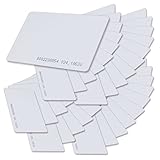
SainSmart Generic White Plastic Contactless 125kHz TK4100 EM4100 RFID Proximity ID Smart Entry Access Card (Pack of 100)

JEERUI 125KHZ RFID ID Card Reader Writer Copier Duplicator for Access Control with 5 PCS T5577 Writable Tags

YARONGTECH RFID MIFARE Card Reader 13.56mhz USB

UHPPOTE Proximity 125KHz RFID EM-ID Card Keyfob for Door Access Control (Read Only, Color Blue, 100 Pack)