
Screen Replacement for Iphone 7 LCD Display and Touch Screen Digitizer Replacement Full Assembly with Repair Tool Kit(Black, 4.7Inch, for Iphone 7)
Product Description
Screen Replacement for Iphone 7 LCD Display and Touch Screen Digitizer Replacement Full Assembly with Repair Tool Kit(Black, 4.7Inch, for Iphone 7)
Attention please<br> <br>refer to the installation tutorial on YouTube (related video shorts) <br> <br>test the screen by inserting the Flex to the main board before installation; be sure you feel a gentle snap. If not, try again.<Br> <confirm the phone is power off before installation.<Br> <br>do not press the left and upper corners of the screen, otherwise may cause lines on the screen.<Br> <br>Each screw should be installed into original location, because they are not same length! Never tighten screw over limit! <Br> <br>treat Flex cables gently, use tools instead of your finger during installation, otherwise the screen will damage! <Br> <br>If you meet with these issues> <cannot turn on, touch insensitive, flash, lines on screen, ghost click etc.<Br> <please try this: power off your phone, Disconnect All the cables including the battery cable, clean the connector on the motherboard, reconnect the cables, leave the phone alone for a while in a dry environment, A hard reset of your phone power on.
Technical Specifications
You might also like

Afeax Compatible with Apple iPhone Home Button Main Key Flex Cable Replacement for iPhone 7 and 7 Plus (Black)

Johncase 7MP Front Facing Camera Module w/Proximity Sensor + Microphone Flex Cable Replacement Part Compatible iPhone 7 4.7" (All Carriers)
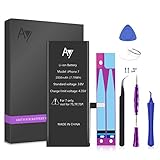
iPhone 7 Battery Replacement 2050mAh with Complete Repair Tools Kit, Adhesive, and Instructions 0 Cycle - 1 Year Warranty by AY

Afeax OEM Screen Adhesive Tape Strips LCD Display Adhesive Replacement for iPhone 7 Black,Front Housing Frame Waterproof Seal Stickers Waterproof Adhesive Glue

E-repair Screen Metal Bracket Front Camera Flex Cable Small Parts Set Replacement for Iphone 7 (4.7 inch) (Black)

oGoDeal OEM Back Rear Camera Glass Lens Cover Replacement Compatible for iPhone 8 and iPhone 7 Original with Adhesive and Repair Tools
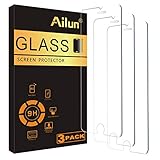
Ailun Screen Protector Compatible iPhone 8 iPhone 7,[4.7inch][3 Pack],2.5D Edge Tempered Glass Compatible iPhone 7/8,Case Friendly,Siania Retail Package

Esdabem Repair Tool Kit for iPhone 7 - Complete Premium Opening Pry Tool Kits with Titanium Alloy Screwdriver Set for iPhone X/8/8 Plus,7plus, 6Plus / 6S /6/5S/5/5C/4S/4/SE, iPod, iTouch