
Programming the BBC micro:bit: Getting Started with MicroPython
Product Description
Programming the BBC micro:bit: Getting Started with MicroPython
<div><div><b>Publisher's Note: Products purchased from Third Party sellers are not guaranteed by the publisher for quality, <span style="white-space: pre;"></span>authenticity, or access to any online entitlements included with the product.</b></div><div><b><br></b></div><div><b><br></b></div><div><b>Quickly write innovative programs for your micro:bit―no experience necessary!</b></div><div><b><br></b></div><div>This easy-to-follow guide shows, step-by-step, how to quickly get started with programming and creating fun applications on your micro:bit.. Written in the straightforward style that Dr. Simon Monk is famous for, <i>Programming the BBC micro:bit: Getting Started with MicroPython</i> begins with basic concepts and gradually progresses to more advanced techniques. You will discover how to use the micro:bit's built-in hardware, use the LED display, accept input from sensors, attach external electronics, and handle wireless communication.</div><div><br></div><div>•<span style="white-space:pre"></span>Connect your micro:bit to a computer and start programming!</div><div>•<span style="white-space:pre"></span>Learn how to use the two most popular MicroPython editors </div><div>•<span style="white-space:pre"></span>Work with built-in functions and methods―and see how to write your own</div><div>•<span style="white-space:pre"></span>Display text, images, and animations on the micro:bit's LED matrix</div><div>•<span style="white-space:pre"></span>Process data from the accelerometer, compass, and touch sensor</div><div>•<span style="white-space:pre"></span>Control external hardware by attaching it to the edge connector</div><div>•<span style="white-space:pre"></span>Send and receive messages via the built-in radio module</div><div>•<span style="white-space:pre"></span>Graphically build programs with the JavaScript Blocks Editor</div></div><div><br></div>
Technical Specifications
You might also like

The Official BBC micro:bit User Guide

BBC2546862 Micro:bit go

Getting Started with the micro:bit: Coding and Making with the BBC's Open Development Board (Make)
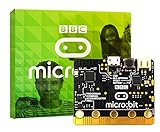
BBC micro:bit micro-controller with motion detection, compass, LED display and Bluetooth

Micro:Bit Basics: A first guide for hobbyists, students and teachers of the BBC's 'microbit' programmable computer

Easy micro:bit Projects

Programming with MicroPython: Embedded Programming with Microcontrollers and Python

sb components SB Case for BBC Micro:BitACCESS to all PortsMounted in 30 seconds OPEN (Transparent)