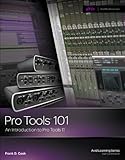
Pro Tools Made Easy - How To Use Pro Tools Recording Software in 30 Minutes

Product Description
Pro Tools Made Easy - How To Use Pro Tools Recording Software in 30 Minutes
<h1>Pro Tools Made Easy is a Quick Start Recording Guide for Pro Tools recording software.</h1><h2><strong>"How To Use Pro Tools" in 30 short Minutes"</strong></h2><p>This ebook has a <strong>written guide, vivid Illustrations and High Quality Video links</strong> that go over exactly <strong>what you need to Master Pro Tools</strong>.<br /><br />Pro Tools is a powerful software recording tool that you can learn Quickly and Easily.<br /><br />When I go out every week to teach it to private clients, I guarantee that they will learn it or I don't get paid. That is my policy.<br /><br /><em><strong>I have been teaching Pro Tools for over 5 years to beginners and Grammy Award winning professionals. We all start at </strong></em><br /><em><strong>the same spot.</strong></em> (The beginning)<br /><br />Even if you failed to learn Pro Tools in the past, I can teach you. I Guarantee It! Why?</p><h2><strong>Why You Will Learn Pro Tools Quickly and Easily...</strong></h2><p>Because I start from the very beginning and build a solid foundation using<br /><br /><u><strong>1) Video and Audio</strong></u><br /><br />You must see and hear what I am telling you. Music is not something you can only write about and get it.<br /><br /><u><strong>2) Written ebook</strong></u><br /><br />This allows you to reference what I said or did, while you try it.<br /><br /><u><strong>3) I don't waste time on Theory.</strong></u><br /><br />It is my understanding that you want to start recording immediately. I tell you what is important and why.<br /><br />In this Quickstart <strong>We will build a short song using audio, midi and a software instrument</strong> that you already have if you <br />have Pro Tools.<br /><br />You can finish this Quick Start in less than 30 Minutes and be up and recording today. I really mean it.</p><h1>Take Action and Get Started Now!!!</h1><hr /><h2><strong>Bonus</strong></h2><p><br />P.S. In case you want to go deeper past the fundamentals. I will give you a <strong>Free Library of Videos</strong> that cover thoroughly what my clients have asked me in the past.<br /><br />These extra bonus videos are in the correct order for learning as a course or you can use them as an additional library to reference when you need to.<br /><br />In the bonus area you will see things that at this moment No one is teaching... like How to Change the Menus on Pro Tools.<br /><br />Yes you can change the Menus. I will show you how to add a Save As... Shortcut to Pro Tools.<br /><br />I am with you all the way. I will also give you my contact information in case you need any additional help.</p><h3><strong>Scroll up, click the buy button & get started today!</strong></h3>