PowerPoint 2008 for Mac: Introduction Quick Reference Guide (Cheat Sheet of Instructions, Tips & Shortcuts - Laminated Card)
Product Description
PowerPoint 2008 for Mac: Introduction Quick Reference Guide (Cheat Sheet of Instructions, Tips & Shortcuts - Laminated Card)
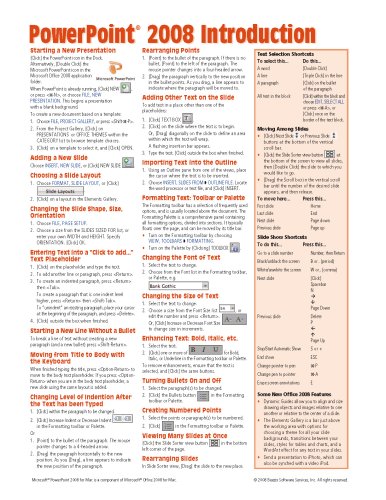
Laminated quick reference guide showing step-by-step instructions and shortcuts for how to use Microsoft PowerPoint 2008 for Mac. <BR><BR>The following topics are covered: <BR>Starting a New Presentation, Adding a New Slide, Choosing a Slide Layout, Changing the Slide Shape, Size, Orientation, Entering Text into a Text Placeholder, Starting a New Line Without a Bullet, Moving from Title to Body with the Keyboard. <BR>Changing Level of Indention After the Text has been Typed, Rearranging Points, Adding Other Text on the Slide, Importing Text into the Outline. <BR>Formatting Text: Toolbar or Palette, Changing the Font and Size of Text <BR>Enhancing Text: Bold, Italic, etc., Turning Bullets On and Off, Creating Numbered Points. <BR>Viewing Many Slides at Once, Rearranging Slides, Applying a Theme, Adding a Footer, Changing the Slide Master to Change All Slides at Once, Suppressing the Slide Master Elements on Some Slides. <BR>Importing PowerPoint Clip Art or Other Graphics, Resizing Graphics, Creating a Chart (Graph), Changing Chart Type, Editing a Chart, Creating and Editing an Organization Chart, Drawing Shapes, Resizing and Moving Shapes, Selecting Multiple Shapes, Changing the Color, Fill Pattern, or Line Style of a Shape or Line, Duplication a Shape, Adding Text to a Shape. <BR>Creating Speaker Notes, Printing the Presentation (or Notes, Handouts, Outline), Running a Slide Show, Assigning Transition Effects and Timings for a Slide Show, Animating Bulleted Text in a Slide Show. <BR>Also includes a list of Selection, Movement , and Slide Show Shortcuts. <BR>This guide is suitable as a training handout, or simply an easy to use reference guide, for any type of user.

