
Post-it Super Sticky Notes Evernote Collection 3 x 3 Inches 90 Sheets, Electric Yellow, 4 Pads per Pack (654-4SSY-EV)
Product Description
Post-it Super Sticky Notes Evernote Collection 3 x 3 Inches 90 Sheets, Electric Yellow, 4 Pads per Pack (654-4SSY-EV)
- Includes a free limited time subscription to Evernote Premium.
- Capture and save your Post-it Notes using Evernote to make all of your information available wherever you go.
- All of your notes, always at hand.
- Express yourself, put ideas on paper, from projects to brainstorms.
- Upload and save your ideas using the Evernote app.
<div class="aplus"> <div class="leftImage" style="width: 350px;"> <div id="image0"><img src="https://images-na.ssl-images-amazon.com/images/G/01/aplus/detail-page/evernote_1._CB339062677_.jpg" alt="Evernote Icons" ><div class="imageCaption"></div></div> </div> <h5><div id="header0">Post-it Notes + Evernote: All of Your Notes. Always at Hand.</div></h5> <div id="text0" class="a-spacing-small"><p>Evernote makes it easy to remember things big and small from your everyday life using your computer, smartphone, tablet, and the web. Over 50 million people worldwide know its power. So when you Express, Capture, Search, and Share in Evernote, you can accomplish even more. Especially with the ways you're already using Post-it Notes. The Evernote collection of Post-it Notes contains a distinct, four-color palette that's instantly recognized by Evernote. When you capture a note with the Evernote camera set to Post-it Note mode, the content of your note is enhanced for crisp reading and precise handwriting recognition in search. The note is immediately available across all of your devices. This technology also powers three automated functions that work in concert to streamline your workflow, allowing you to effortlessly route your notes right to where you want them to be, with your pre-assigned tags and reminders, if desired.</p></div> <h5><div id="header1">Searches Your Handwritten Post-it Notes & Does So Much More!</div></h5> <div id="text1" class="a-spacing-small"></div> <h5><div id="header2"></div></h5> <div id="text2" class="a-spacing-small"></div> <div class="break"></div><br> <div class="sixth-col"> <div class="centerImage"> <div id="image1"><img src="https://images-na.ssl-images-amazon.com/images/I/215GGo0fMsL.jpg" alt="Auto-Tagging" ><div class="imageCaption"></div></div> </div> </div> <div class="third-col"> <h5><div id="header3">Auto-Tagging</div></h5> <div id="text3" class="a-spacing-small"><p>Customize the way Evernote organizes your Post-it Notes by assigning meaning to any or all of the four supported Post-it Notes + Evernote colors. Designate a color for each member of your family, your most important client or project, or most common tasks.</p></div> </div> <div class="sixth-col"> <div class="centerImage"> <div id="image2"><img src="https://images-na.ssl-images-amazon.com/images/I/21-fdon6kgL.jpg" alt="Time/Date/Location Stamp" ><div class="imageCaption"></div></div> </div> </div> <div class="third-col last"> <h5><div id="header4">Time/Date/Location Stamp</div></h5> <div id="text4" class="a-spacing-small"><p>When you capture a Post-it Note, Evernote can automatically stamp the time, date, and if enabled, the location where the note was captured.</p></div> </div> <div class="break"></div> <div class="sixth-col"> <div class="centerImage"> <div id="image3"><img src="https://images-na.ssl-images-amazon.com/images/I/21pAi+MDgJL.jpg" alt="Auto-Remind" ><div class="imageCaption"></div></div> </div> </div> <div class="third-col"> <h5><div id="header5">Auto-Remind</div></h5> <div id="text5" class="a-spacing-small"><p>Say you write all of your to-do lists on Limeade Post-it Notes from the Evernote collection. Every time you capture a Limeade note with the Evernote camera in Post-it Note mode, Evernote can automatically set a reminder for whatever time you choose.</p></div> </div> <div class="sixth-col"> <div class="centerImage"> <div id="image4"><img src="https://images-na.ssl-images-amazon.com/images/I/111tdpXaPsL.jpg" alt="Meeting Info from Calendar" ><div class="imageCaption"></div></div> </div> </div> <div class="third-col last"> <h5><div id="header6">Meeting Info from Calendar</div></h5> <div id="text6" class="a-spacing-small"><p>When you give Evernote access to your calendar, the event is automatically added to the description of your captured Post-it Notes.</p></div> </div> <div class="break"></div> <div class="sixth-col"> <div class="centerImage"> <div id="image5"><img src="https://images-na.ssl-images-amazon.com/images/I/11+WQexCECL.jpg" alt="Auto-Notebook" ><div class="imageCaption"></div></div> </div> </div> <div class="third-col"> <h5><div id="header7">Auto-Notebook</div></h5> <div id="text7" class="a-spacing-small"><p>Much in the way Auto-Tagging woks, you can tell Evernote to automatically move Post-it Notes of a certain color to an Evernote notebook of your choosing.</p></div> </div> <div class="sixth-col"> <div class="centerImage"> <div id="image6"><img src="https://images-na.ssl-images-amazon.com/images/I/11+rkSVrAtL.jpg" alt="Post-it Note Holders" ><div class="imageCaption"></div></div> </div> </div> <div class="third-col last"> <h5><div id="header8">Post-it Note Holders</div></h5> <div id="text8" class="a-spacing-small"><p>To ensure your Post-it Notes are always right where you need them, try the Post-it Note Holder €" Single or Quad.</p></div> </div> <div class="break"></div> </div>
Technical Specifications
You might also like
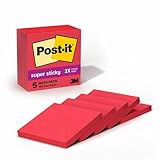
Post-it Super Sticky Notes, 3 x 3-Inches, Saffron, 5-Pads/Pack (654-5SSRR)

Post-it Super Sticky Notes, 3 x 3-Inches, Limeade, 5-Pads/Pack (654-5SSLE)
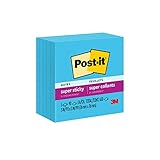
Post-it Super Sticky Notes, 3 x 3-Inches, Electric Blue, 5-Pads/Pack (654-5SSBE)

Post-it Super Sticky Notes, 3 x 3-Inches, Mediterranean Blue, 5-Pads/Pack (654-5SSBW)

Post-it Super Sticky Notes, 3 x 3-Inches, Neon Orange, 5-Pads/Pack (654-5SSNO)
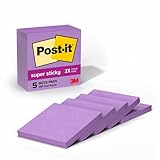
Post-it Super Sticky Notes, 3 in x 3 in, Mulberry, 5 Pads/Pack (654-5SSCG)

Post-it Super Sticky Notes, 3 x 3-Inches, Neon Pink, 5-Pads/Pack (654-5SSNP)

Post-it Super Sticky Notes, 3 x 3-Inches, White, 5-Pads/Pack (654-5SSW)

Post-it Super Sticky Notes, 3 x 3-Inches, Black, 5-Pads/Pack (654-5SSSC)

Post-it Note Holder, Evernote Collection, Single, Color will Vary (NH-654-EV1)