
Parrot Bebop Quadcopter Drone - Red
Product Description
Parrot Bebop Quadcopter Drone - Red
- Easily updates to meet FAA requirements
- Explore the world in 14 megapixel full HD 1080p and capture any vista with Bebop's 180° field of view
- Cruise at your own pace and return home automatically
- Take clear photos and videos using advanced 3-axis image stabilization
- Fly farther and faster with quick charging Lithium ion batteries (included)
- Control your experience with our Free Flight Pro app (iOS, Android, Windows 8.1)
Parrot Bebop Drone is a lightweight yet robust quadricopter with 14 megapixel Full HD 1080p "fisheye" Camera and 3-axes image stabilization.For any further queries please contact Parrot's Technical Support Number @ 877-9Parrot (877-972-7768) or email at http://www.parrot.com/usa/support/hotline/ . Please update the device to the latest Softwares version available on the Parrot website: http://www.parrot.com/usa/support/parrot-bebop-drone/<br><br><b>NOTE:</b> Before each flight session, check the following points: 1. Do not fly the Parrot Bebop Drone at night. 2. Check the weather conditions. Do not fly the Parrot Bebop Drone when the weather is rainy, snowy, or foggy. Do not fly the Parrot Bebop Drone if the wind speed exceeds 24 mph(40 km/h). 3. Ensure there is no obstacle in your flight area that could disturb piloting or visual flight. 4. Ensure the use of the Parrot Bebop Drone is allowed in your flight area. 5. Check the Wi-Fi use restrictions in your flight area. 6. Ensure the propellers are correctly installed and locked. For further information, see Before you begin> Changing the propellers. 7. Ensure the battery is correctly attached to the Parrot Bebop Drone. For further information, see Before you begin> Installing the battery. 8. Ensure the Parrot Bebop Drone and your smartphone batteries are charged. 9. Calibrate the Parrot Bebop Drone. For further information see Flying > Calibrating the Parrot Bebop Drone.</br>
Technical Specifications
You might also like
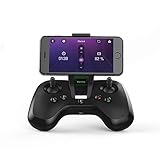
Parrot Flypad Minidrone Controller - Black (Renewed)

Parrot Flypad - Minidrone Controller
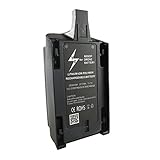
Anbee 2500mAh 11.1V High Capacity Lipo Battery for Parrot Bebop Drone

Parrot Bebop Drone Propellers, Red
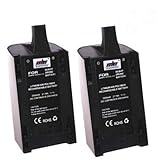
2 Pcs 2500mAh 11.1V High Capacity Upgrade Rechargeable Battery Pack Replacement Extended flight times for Parrot Bebop Drone 3.0 Quadcopter Parts
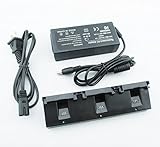
Anbee Parallel Multi-Battery Balance Charger for Parrot Bebop Drone Quadcopter

Anbee Repair Mounting Tool Kit for Parrot Bebop 2 Drone

Bonadget 11.1V 20C Parrot Bebop Drone Battery Skycontroller Replacement Battery Pack (Parrot Bebop Drone 1 Battery)
2500mAh 11.1V High Capacity Upgrade Rechargeable Battery Pack Replacement Extended flight times for Parrot Bebop Drone 3.0 Quadcopter Parts

2500mAh 11.1V High Capacity Upgrade Rechargeable Battery Pack Replacement for Parrot Bebop Drone 3.0