
Original PICkit4 by Microchip : MPLAB PICkit 4 3 PIC In-Circuit Debugger Programmer @XYGStudy
Product Description
Original PICkit4 by Microchip : MPLAB PICkit 4 3 PIC In-Circuit Debugger Programmer @XYGStudy
- Part Number: PICkit 5. (******!!!PICkit4 DISCONTINUED!!!******)
- PICkit 5 In-Circuit Debugger/Programmer, Programmer-to-Go support, Type-C port, Supports MPLAB, Card Programmer
- Connects to computer via a USB Type-C cable. Powered through USB cable or target and can optionally power target (up to 150 mA). Supports powering from the target board (2.7V~5.5V)
- Onboard 8pin SIL programming connector, supports ICSP, JTAG, SWD, UART VCP. Programs devices using MPLAB X IDE or MPLAB IPE. Supports Programmer-To-Go (PTG) to field program devices
- Supports MPLAB PTG iOS/Android app used to select and manage PTG program images via Bluetooth. Supports Virtual Comm Port (VCOM). Supports multiple hardware and software breakpoints, allows setting stopwatch and monitoring variables and internal file registers. Supports debugging in real-time and at full device operational speed
<b>Description </b><br>The MPLAB PICkit 4 In-Circuit Debugger/Programmer allows fast and easy debugging and programming of PIC and dsPIC flash microcontrollers, using the powerful graphical user interface of MPLAB X Integrated Development Environment (IDE), version 4.15.<br>The MPLAB PICkit 4 programs faster than its predecessor PICkit3. <b>Along with a wider target voltage, the PICkit 4 supports more advanced interfaces.</b><br><b>An additional micro SD card slot </b>and the ability to be self-powered from the target means <b>you can take your code with you and program on the go.*</b>, and never worry about the code size.<br><br><b> Features</b><br>8-pin single in-line header (compatible with ICSP/2-wire JTAG/4-wire JTAG/SWD)<br>Matches silicon clocking speed, programs as fast as the device will allow<br> Wide target voltage (1.20V~5.5V)<br>Can be powered from the target (2.7V~5.5V)<br>- Minimal current consumption at <100µA from target<br> Powered by a high-speed USB 2.0, no external power required<br>- Can supply up to 50mA of power to the target through USB<br>The firmware is continually being upgraded to add support for new devices<br><b>Programmer-to-Go (PTG) support*</b><br>- SD card slot to holds program data<br>- Press on the logo to program the target<br>CE and RoHS compliant<br><br><b> Software Requirements</b><br>MPLAB X IDE version 4.15 or later<br>Microsoft Windows 7 or later, Mac OSX and Linux operating systems<br>Programs code files generated by MPLAB IDE<br><br><b>Supported Devices</b><br>If you have MPLAB X IDE installed, you can browse to the "docs" folder under your MPLAB X installation directory and open the file "Device Support.htm". you can download it from official website <br><br><b>Package Contains</b><br>PICkit 4 original kit (USB cable included) x1<br>6-pin RJ11 cable x1<br> RJ-11 to ICSP adaptor x1<br>6-pin ICSP cable x1
Technical Specifications
You might also like

XCSOURCE Pickit3 Pickit3.5 Kit3 Emulator Programmer Download Original TE239
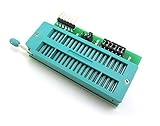
WINGONEER® PIC ICD2 PICKit 2 PICKIT 3 Programming Adapter PICKIT2 PICKIT3 Universal Programmer Seat

Hotop 50 Pack Single Row 40 Pin 2.54 mm Male Pin Header Connector

Brady High Adhesion Vinyl Official Label Tape (M21-750-595-WT) - Black on White Vinyl Film - Designed for BMP21-PLUS, IDPAL, and LABPAL Label Printers - 21' Length.75" Width

Hakko CHP 3-SA Stainless Steel Non-Magnetic Precision Tweezers with Very Fine Point Tips for Microelectronics Applications, 4-3/4" Length

PIC Microcontroller and Embedded Systems: Using Assembly and C for PIC18

ELEGOO 3pcs MB-102 Breadboard 830 Point Solderless Prototype PCB Board Kit for Arduino Proto Shield Distribution Connecting Blocks

Curiosity Development Board

AstroAI Digital Multimeter, TRMS 6000 Counts Volt Meter Manual Auto Ranging; Measures Voltage Tester, Current, Resistance; Tests Diodes, Transistors, Temperature

TP-Link N300 Wireless Portable Nano Travel Router - WiFi Bridge/Range Extender/Access Point/Client Modes, Mobile in Pocket(TL-WR802N)