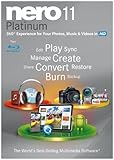
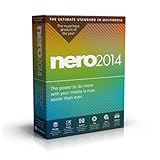
![Nero 2014 Platinum [Old Version]](https://m.media-amazon.com/images/I/51xQOD01zcL._SL500_.jpg)
Nero 2014 Platinum [Old Version]
Product Description
Nero 2014 Platinum [Old Version]
- Get started easily with the new interface to access projects, applications, tutorials, and tools with tons of extra creative content
- Rip and convert your Blu-ray Discs, DVD-Video, and audio CDs with 1-click to mobile devices or the cloud (intended for privately owned non copy-protected content)
- Powerful ripping and conversion including converting and burning online videos (intended for privately owned non copy-protected content)
- All-round mobile device support for iOS, Android, and Windows 8 smartphones and tablets
- Restoration of accidently deleted files or files from scratched discs
<div class="aplus"> <div class="third-col"> <div class="centerImage"><img src="https://images-na.ssl-images-amazon.com/images/G/01/aplus/detail-page/B00FB5R4L2L_box-sm.jpg" alt="Nero 2014 Boxshot" width="285" height="285" /><div class="imageCaption">View Larger</div></div> <div class="break"></div> </div> <div class="two-third-col last"> <h4>Nero 2014 Platinum: The ultimate standard in HD multimedia software</h4> <p>Enjoy Nero 2014 Platinum is the ultimate standard in HD multimedia software, allowing you to manage, create, convert, play, and burn your movies, music and photos for the best entertainment experience at home or on the go.</p> <p>Nero 2014 Platinum lets you achieve results fast and easily with fully integrated applications throughout the suite. Ultimate ripping and conversion, all-round mobile device compatibility, best video editing with Ultra HD (4K) support, full media management, superior disc and file playback including Blu-ray 3D discs, unique Nero Play to TV streaming, and best burning in the industry make Nero 2014 Platinum your state of the art companion for all your multimedia needs.</p> <h5>What's New in Nero 2014 Platinum?</h5> <ul> <li>Improved unification with new start screen and home screens</li> <li>Greatly enhanced media management</li> <li>1-click Nero Disc to Device conversion (mobile & cloud)</li> <li>Ultimate mobile device support</li> <li>Ultimate Nero Play to TV streaming</li> <li>Powerful video editing including Ultra HD (4K) support</li> <li>New high quality video enhancement tools</li> <li>Optimized encoding performance</li> </ul> </div> <div class="break"></div> <div class="fourth-col"> <p><div class="centerImage"> <img src="https://images-na.ssl-images-amazon.com/images/G/01/aplus/detail-page/B00FB5R4L2_r.jpg" alt="nero ripping" width="210"> <div class="imageCaption">Rip and convert virtually any file.<br>View Larger </div> </div></div> <div class="fourth-col"> <h5>Best Ripping and Conversion</h5> <ul> <li>1-click Nero Disc to Device conversion (mobile & cloud)</li> <li>Rip Blu-ray Discs, DVD-Video, online videos*</li> <li>Convert from and to virtually any video or audio format</li> <li>Ultimate mobile device support</li> <li>Hardware optimized encoding</li> </ul> <p><small>* Intended for non-commercial, personal content</small></p></p> </div> <div class="fourth-col"> <p><div class="centerImage"> <img src="https://images-na.ssl-images-amazon.com/images/G/01/aplus/detail-page/B00FB5R4L2_v.jpg" alt="nero video editing" width="210"> <div class="imageCaption">Edit your video files with tons of special effects.<br>View Larger </div> </div> </div> <div class="fourth-col last"> <h5>Powerful Video Editing and Authoring</h5> <ul> <li>Express video editing and powerful multitrack editing</li> <li>High quality video enhancement tools (Tilt-Shift Effects, Retro Effects, Video Stabilizer, and many more)</li> <li>Automatic slideshow and video editing to music with Nero RhythmSnap</li> <li>Ultra HD (4K) video editing for cinema quality videos</li> <li>Superb disc authoring and burning with Hollywood-style 2D and 3D menus templates</li> </ul></p> </div> <div class="break"></div><br> <div class="fourth-col"> <p><div class="centerImage"> <img src="https://images-na.ssl-images-amazon.com/images/G/01/aplus/detail-page/B00FB5R4L2_m.jpg" alt="nero media management" width="210"> <div class="imageCaption">Search files with face detection.<br>View Larger </div> </div></div> <div class="fourth-col"> <h5>Best Media Managing and Playback</h5> <ul> <li>Unique media organizer</li> <li>Ultimate Nero Play to TV streaming</li> <li>Blu-ray 3D and DVD-Video playback</li> <li>Ultimate video, photo, music file playback</li> <li>Superb themed slideshows and photo products</li> </ul></p> </div> <div class="fourth-col"> <p><div class="centerImage"> <img src="https://images-na.ssl-images-amazon.com/images/G/01/aplus/detail-page/B00FB5R4L2_b.jpg" alt="nero burning" width="210"> <div class="imageCaption">Burn high quality and secure discs.<br>View Larger </div> </div></div> <div class="fourth-col last"> <h5>Best Burning and Copying</h5> <ul> <li>Highest quality burning for all disc formats (CD, DVD, Blu-ray-Disc)</li> <li>Burn safe and highly reliable discs with Nero SecurDisc technology</li> <li>Burn discs from disc images and create disc images from burning projects</li> <li>Span large files efficiently across multiple discs with Nero DiscSpan SmartFit</li> <li>Burn DVD-Video, BDMV, and AVCHD compilations</li> <li>Rip and convert Audio CDs and audio files to high quality audio formats</li> </ul></p> </div> <h5>Minimum System Requirements for Nero 2014 Platinum</h5> <ul> <li>Windows XP SP3 (32 bit), Windows Vista SP2 or later (32/64 bit), Windows 7 SP1 Home Premium, Professional or Ultimate (32/64 bit), Windows 8 (32/64 bit), Windows 8.1 (32/64 bit)</li> <li>2 GHz AMD or Intel processor</li> <li>1 GB RAM</li> <li>5 GB hard drive space for a typical installation of all components (including templates, content and temporary disk space)</li> <li>Microsoft DirectX 9.0 compliant graphics card</li> <li>DVD disc drive for installation and playback</li> <li>CD, DVD, or Blu-ray Disc recordable or rewritable drive for burning</li> <li>Windows Media Player 9 or higher</li> <li>Third party components such as Microsoft Windows Installer 4.5, Microsoft .NET 4, Microsoft DirectX or Adobe Flash are shipped with the product or automatically downloaded if not included in the package</li> <li>For some services an Internet connection is required. Internet connection charges are the user's responsibility</li> <li>Blu-ray DiscTM Playback, Blu-ray 3D Disc Playback as well as HD Video Editing require Windows Vista SP2 (32/64 bit), Windows 7 SP1 Home Premium, Professional or Ultimate (32/64 bit), Windows 8, (32/64 bit), Windows 8.1 (32/64 bit)</li> <li>Ultra HD (4K) Editing requires 64 bit operating systems: Windows 7 SP1 Home Premium, Professional or Ultimate, Windows 8, Windows 8.1</li> <li>For further requirements please check www.nero.com</li> </ul> <h5>Scope of Delivery</h5> <ul> <li>Box contains DVD</li> </ul> <div class="break"></div> </div>