
Neewer Professional Battery Grip(Replacement for BG-E2N) for Canon EOS 20D/30D/40D/50D D-SLR

Product Description
Neewer Professional Battery Grip(Replacement for BG-E2N) for Canon EOS 20D/30D/40D/50D D-SLR
<p><b>Note: Camera NOT Included.</b> <p><b>Description:</b> <p>This battery grip/holder is a Pro Battery Grip for the Canon EOS 20D/30D/40D/50D. The functions are the same as the original Canon BG-E2N. <p>It can hold 6 AA batteries or two BP-511A Li-ion batteries, doubling the battery capacity of your camera. <p>Vertical shutter release button on the Battery Grip makes shooting with the camera in a vertical position much easier, adding stability to the camera. <p>Beware that the batteries should be put into the magazine before inserting the magazine into the grip! <p>It provides additional shutter release, main dial, AE lock/FE lock and AF point selection controls for easier vertical shooting. <p><b>Specifications:</b> <p>Type: Battery grip for the CANON 20D/30D/40D/50D <p>Power Sources: 1-piece BP-511A/514/511/512 or 2-piece AA batteries:Alkaline batteries <p>Power Switch: Camera's power switch <p>Dimensions: 142.7(W)x110.5(H)x75.7(D) mm / 5.6(W)x4.4(H)x3.0(D) inch <p>Weight: Approx. 300g / 11.5oz. (without batteries and battery magazine) <p><b>How to use?</b> <p>1.Remove the battery from the camera. <p>2.Detach the camera's battery compartment cover. <p>*EOS40D:place the camera on a desk or the other flat surface and hold it firmly so that it does not drop. Next, pull the battery compartment cover while opened at a slanted angle to remove. <p>*EOS30D/20D:Refer to Fig.2-2 to remove the battery compartment cover. <p>3.Insert the detached cover, and then insert the electrical contacts into its storage slot to ensure that it will not be lost. <p>4.Remove the protective cover, and then insert the electrical contacts into the battery compartment. <p>5.Align the attachment screw with the camera's third socket, and the turn the attach/detach knob to tighten securely.
Technical Specifications
You might also like
STK's Canon BP-511 2200mAh Battery for Select Canon Cameras (2 Pack)

Kastar Battery (4-Pack) and Charger for Canon BP-511, BP-511A, BP511, BP511A and EOS 5D, 10D, 20D, 30D, 40D, 50D, Digital Rebel 1D, D60, 300D, D30, Kiss Powershot G5, Pro 1, G2, G3, G6, G1, Pro90 etc.

Canon EOS 50D DSLR Camera (Body Only) (Discontinued by Manufacturer)

Powerextra 2 Pack Replacement Canon BP-511 Battery for Canon BP-511A and Canon EOS 5D, 50D, 40D, 20D, 30D, 10D, Digital Rebel 1D, D60, 300D, D30, Kiss Powershot G5, Pro 1, G2, G3, G6, G1, Pro90
SanDisk Ultra 16GB Compact Flash Memory Card Speed Up To 50MB/s, Frustration-Free Packaging- SDCFHS-016G-AFFP (Label May Change)

Canon EOS 40D 10.1MP Digital SLR Camera (Body Only)
Kastar Battery (3-Pack) and Charger for Canon BP-511, BP-511A, BP511, BP511A and EOS 5D, 10D, 20D, 30D, 40D, 50D, Digital Rebel 1D, D60, 300D, D30, Kiss Powershot G5, Pro 1, G2, G3, G6, G1, Pro90 etc.
Bonadget 2200mAh Canon BP-511a BP-511 Battery Replacement – 2 Pack Li-Ion Batteries for Canon Rebel EOS 5D 40D 20D 50D 10D 30D 300D D30 D60 PowerShot G6 G5 G3 G2 G1
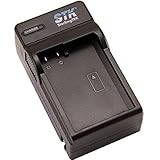
STK CB-5L Canon BP-511 BP-511A Battery Charger - for Canon EOS-5D, Canon EOS-40D, Canon EOS-50D, Canon EOS-20D, Canon EOS-30D, Canon EOS-1D, Canon EOS-10D, Canon EOS-Digital Rebel, Canon EOS-D60, Canon EOS-300D, Canon EOS-D30, Canon EOS Kiss, Canon Powershot G1, Canon Powershot Pro1, Canon Powershot G2, Canon Powershot G3, Canon Powershot G5, Canon Powershot G6, Canon Powershot Pro90 IS, Canon Optura 20, Canon Optura Xi, Canon Optura 10, Canon Optura 200MC, Canon Optura Pi, Canon Optura 100MC, Canon MV700i, Canon MV650i, Canon ZR-60, Canon ZR-80, Canon ZR-85, Canon ZR-10, Canon ZR-40
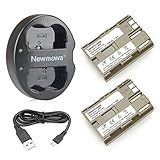
Newmowa BP-511 Battery(2-pack) and Dual USB Charger for Canon EOS 5D, 50D, 40D, 20D, 30D, 10D, Digital Rebel, D60, 300D, D30