
Neenah IMAGE CLIP LASER Light Transfer Paper For Laser Printers 20 sheets
Product Description
Neenah IMAGE CLIP LASER Light Transfer Paper For Laser Printers 20 sheets
- INSTRUCTIONS IMAGE CLIP LASER LIGHT TRANSFER PAPER: PRINTING 1) Mirror the Image. 2) Laser print the coated side of the paper identified as the Imaging Sheet
- 3) IMAGE CLIP® Laser Light Paper should be fed into the copier or printer with the short dimension first (grain long). For best fusing results use a heavy paper setting.
- WASHING INSTRUCTIONS Turn garment inside out and wash in cold water using a mild detergent. Do not use bleach. Dry on low heat setting. Do not iron directly on the transferred area.
TRANSFERRING IMAGE CLIP LASER LIGHT TRANSFER PAPER<br/> <br/> Use Commercial Heat Press<br/> <br/> 1) Marry the imaged sheet with the transfer sheet. This will apply the transfer coating to the imaged area. Press: 10 seconds at 210° F using light/medium pressure<br/>. <br/> Separate the papers while still hot.<br/> <br/> 2. Place the imaging sheet face down onto the fabric. Press: 15 seconds at 400° F using heavy pressure.<br/> <br/> Peel off the backing paper while it is still hot. For the best feel, stretch the fabric after pressing while it is still hot.<br/>
Technical Specifications
You might also like
LASER TRANSFER FOR DARK FABRIC: "IMAGE CLIP KONCERT-T's" (8.5"X11") 25pk :)
Laser Dark Transfer Paper IMAGE CLIP® LASER DARK HEAT TRANSFER PAPER. 9849P0 8.5" x 11" -10 Sheets-
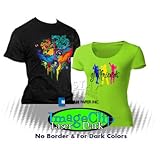
ImageClip Laser Dark Heat Transfer Paper 8.5 x 11 (5 sheets) *SAMPLE PACK*

3 Pack Teflon Sheet For 16x20 Heat Press Transfer Sheet SUPER SALE LIMITED TIME

Laser 1 Opaque Dark Shirt Heat Transfer Paper 8.5x11 25
LASER DARK TRANSFER PAPER: NEENAH "IMAGE CLIP LASER DARK" (8.5"X11") 25Pk :)
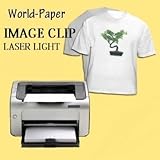
IMAGE CLIP Laser Light Heat Transfer Paper 8.5x11 (50 Sheets)
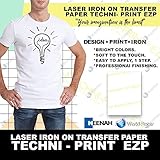
Techni-Print EZP Laser Heat Transfer Paper 8.5"x11" 25
High Temperature Tape 1/2" Wide, Kapton No Residue Heat Tape for Sublimation and Heat Transfe