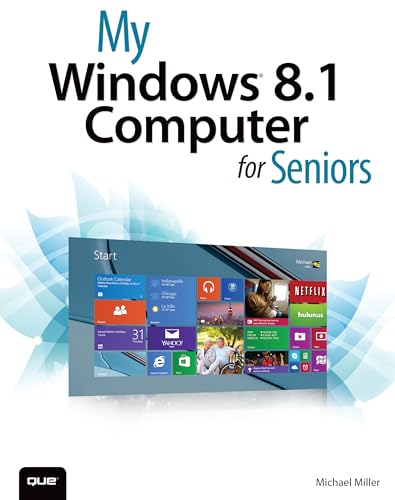
My Windows 8.1 Computer for Seniors (My...)

Product Description
My Windows 8.1 Computer for Seniors (My...)
Easy, clear, readable, and focused on what you want to do<br /> <i>Step-by-step instructions </i>for the tasks you care about most<br /> <i>Large, full-color, close-up photos</i> show you exactly what to do<br /> <i>Common-sense help </i>whenever you run into problems<br /> <i>Tips and notes</i> to help you do even more<br /> <br />Over the years, you’ve learned a lot. Now, learn Windows 8.1! We’ve identified the Windows 8/8.1 skills you need to stay connected with people you care about: keep your computer reliable, productive, and safe; express your creativity; find new passions; and live a better life!<br /> <br />Our crystal-clear instructions respect your smarts but never assume you’re an expert. Big, colorful photos on nearly every page make this book incredibly easy to read and use!<br />   •   Set up your computer with no fuss or aggravation<br />   •   Get productive fast, even if you don’t have computer experience<br />   •   Use Windows’ new touch features if you have a touchscreen device<br />   •   Safeguard your privacy, and protect yourself from online scams<br />   •   Find, install, and use easy new Modern apps<br />   •   Display up-to-the-minute news, weather, and stock prices<br />   •   Browse the Web with the great new Internet Explorer 11<br />   •   Use new SmartSearch to find everything faster on the Internet<br />   •   Discover reliable health and financial information online<br />   •   Make free Skype video calls to friends and family<br />   •   Use Facebook to find old friends and see what they’re up to<br />   •   Store your pictures, fix them, and share them with loved ones<br />   •   Read eBooks on your PC—even enlarge text for greater comfort<br />   •   Watch TV or movies with Netflix, Hulu Plus, or YouTube<br />   •   Enjoy your music, and discover great music you’ve never heard<br />   •   Fix your own computer problems without help<br /> <br />
Technical Specifications
You might also like

Windows 8.1: 101 Tips & Tricks

Top 100 Tips for Windows 8

Fundamentals of Windows 8.1 (Computer Fundamentals)

Windows 8.1 For Seniors For Dummies

Teach Yourself VISUALLY Windows 8.1 (Teach Yourself VISUALLY (Tech))
My Windows 10 Computer for Seniors (includes Video and Content Update Program) (My...)

My iPad for Seniors (Covers iOS 8 on all models of iPad Air, iPad mini, iPad 3rd/4th generation, and iPad 2) (My...)

My Facebook for Seniors (My...)
Windows 10 Simplified
Windows 8.1 Step by Step