
Mophorn Button Maker 32mm 1.25Inch Button Maker Machine Badge Punch Press Pin Button Maker with Free 1000 Pcs Button Parts and Circle Cutter (1000pcs 32mm 1.25inch), Red
Product Description
Mophorn Button Maker 32mm 1.25Inch Button Maker Machine Badge Punch Press Pin Button Maker with Free 1000 Pcs Button Parts and Circle Cutter (1000pcs 32mm 1.25inch), Red
<p><b>DIY 1.25Inch Round Badge Maker Press Machine Circle Cutter with Button Parts Selectable</b></p> <p><b>Introduction</b></p> <p>The 32mm button maker machine is perfect for making your own DIY pinback badges. You can make any kind of buttons with this easy-to-use machine.</p> <p>The design of the 'positive stop' ensures upper and lower die alignment. The cushioned hand grip is user-friendly, and requires only a little force to make a button, making the machine very easy to operate.</p> <p><b>Product Specifications:</b></p> <p><b>Model of Badge Maker Machine:</b></p> <p>Material: Metal body + plastic baseplate</p> <p>Mold size: 1.25 inch</p> <p>Color: Red</p> <p>Sturdy mold base</p> <p>Speed:200-300 pcs per hour</p> <p><b>Model of Pinback Button Parts:</b></p> <p>Material: Plastic back + metal front</p> <p>Size: 1-1/4 inch</p> <p>Quantity: 1000 sets</p> <p><b>How to use</b></p> <p>Step 1. Prepare pictures</p> <p> 1.Print out the pictures on normal paper;Cut the picture to proper size by circle cutter (plastic cutter or metal cutter), the size of picture should be the same as transparent film. </p> <p>Step 2: Set moulds</p> <p> 1.Set the bottom mould on the machine;Set the top mould. </p> <p>Step 3: Make badges</p> <p> 1.Put the badge metal cover into the top cover mould. </p> <p> 2.Put the picture on the cover. </p> <p> 3.Then put the transparent film on the picture, press the badge making machine. </p> <p> 4.Add pin on the bottom cover and put it into cover mould. </p> <p> 5.Move back the mould base to the cover mould, press the badge making machine. </p> <p><b>Package Contents:</b></p> <p>- 1x 32mm Button Maker Machine</p> <p>- 1x 1000 Button Parts </p> <p>- 1x Installation Accessories </p>
Technical Specifications
You might also like

EK tools Circle Punch, 1-Inch
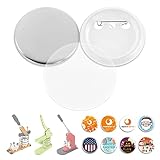
BEAMNOVA 500Pcs 1-1/4 inch Button Parts for Badge Maker Machine Clip Pin Top/Bottom Cover - Every Set includs 1.26 inch Clip Button, 1.73 inch Thin Film, 1 Mylar

Fiskars 174360-1001 Medium Circle Squeeze Punch, 1 Inch, White

EK Tools Circle Punch, 2-Inch

Bira 1 3/4" Circle Lever Action Craft Punch for Paper Crafting Scrapbooking Cards Arts DIY Project
Xyron Create-a-Sticker, 5", Sticker Maker, Machine, Permanent Adhesive (0501-05-10A)
Sticker Paper, 100 Sheets, White Matte, 8.5 x 11 Full Sheet Label, Inkjet or Laser Printer, Online Labels

Desktop Tape Dispenser Adhesive Roll Holder (Fits 1" & 3" Core) with Weighted Nonskid Base Black
A-SUB Sublimation Paper 8.5x11 Inches for Any Inkjet Printer with Sublimation Ink 110 Sheets Letter Size

Ya-cos Cosplay Female High School Chiaki Nanami Cosplay Outfit Uniform Dress Green (Female:Medium, Green)