
Miuzei Raspberry Pi 4 Touchscreen with Case Fan, 4 inch IPS Touch Screen LCD Display, 800x480 HDMI Monitor for RPI 4b 8gb/4gb/2gb with Touch Pen (Support Raspbian/Kali/Octopi/Ubuntu)- No Raspberry Pi
Product Description
Miuzei Raspberry Pi 4 Touchscreen with Case Fan, 4 inch IPS Touch Screen LCD Display, 800x480 HDMI Monitor for RPI 4b 8gb/4gb/2gb with Touch Pen (Support Raspbian/Kali/Octopi/Ubuntu)- No Raspberry Pi
- Raspberry Pi 4 Touchscreen - Raspberry Pi 4 Inch IPS full-angle display monitor, 800 x 480 physical resolution support HDMI input, refresh rate up to 60fps.
- Raspberry Pi Touchscreen - Miuzei raspberry pi 4 monitor support HDMI audio output, data entry (computer, DVD), HDMI audio input, stereo 3.5mm audio output.
- Raspberry Pi 4 Screen Case - Pi 4 inch touch screen compatible with raspberry pi 4 b/4b/4 model b. Display ONLY Support System - Raspbian, Kali-linux, Ubuntu, Octopi.
- Touchfunction Support System - only support Kali, Raspbian, Ubuntu, Octopie. The 4 inch display monitor with touch control function (need to install touch drive), we offer pre-install driver system image file. could be used as standard HDMI output device for computer display (no touch function).
- Packaging Content - you will receive raspberry pi screen, raspberry pi heatsink, 30mm cooling fan, screwdrive,Check A+ FAQ for common problem solutions.
<b>Product Features:</b><br> Miuzei 4 inch touch screen with HDMI to Micro HDMI converter, compatible with the newest raspberry pi 4, Up to 60fps refresh rate<br> 4 inch IPS screen have better view angle( about 178°) than TFT screen.<br> Providing a convenient man-machine interface for raspberry pi, you could take it anywhere with the use of power bank.<br>Could be used as a universal HDMI display, such as Computer HDMI, TV Box, PSP game.<br><b>Parameters:</b><br> Size:4 inch<br> LCD Type:TFT<br>Resolution: 800×480(Pixel)<br> Frame rate: 60 fps<br> Dimensions: 98*58(mm)<br>Power consumption: 0.16A * 5V<br>Working temperature (℃): 20 ~ 60<br> Case Assembly : (https://youtu.be/4Va3Imd8ByM)<br>System burning teach:(http://bit.do/fnFvx)<br><br><b>Driver download:<br>1. Raspbian with touch driver system :(Mega: http://bit.do/fnFui)<br>Kali-linux :<br>(http://bit.do/fnFut)<br>NOTE:With touch drive system, the second HDMI port will disable the output<br> 2. Raspbian system without touch。<br>Link:http://bit.do/fnFv9<br>3. Kali system does not officially support dual screens. Kali system as the resolution of small screen and large screen is different and there are many Raspberry Pi adapter systems, it can not be compatible. <br>4. Need to use the Raspbian Buster Lite system to modify the steps : <br>(http://bit.do/fnFwn)<br><b>System installation instructions:<br>Step 1: Download the system image file <br>Step 2: Format the TF card using "SDFormatter.exe"<br>Step 3: Use "Win32DiskImager.exe" to burn the image to the TF card<br></b><b>Note:</b> After downloading the display and touch system files, only need write to the Micro SD card . If have other needs, please modify the system configuration file.<br> <b>Package Included:</b> <br>1 4-inch touch screen<br>1 HDMI to HDMI converter<br>1x Raspberry Pi 4 case<br>1 silent cooling fan<br>1x stylus<br>4 radiators<br>1 screwdriver<br> <b>NOTE:</b> Before installation, remove the protective film from the case.
Technical Specifications
You might also like

Raspberry Pi 4 Model B 2019 Quad Core 64 Bit WiFi Bluetooth (4GB)

CanaKit Raspberry Pi 4 Power Supply (USB-C)
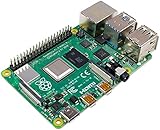
Raspberry SC15184 Pi 4 Model B 2019 Quad Core 64 Bit WiFi Bluetooth (2GB)

GANA Micro HDMI to HDMI Adapter Cable, Micro HDMI to HDMI Cable (Male to Female) for Gopro Hero and Other Action Camera/Cam with 4K/3D Supported
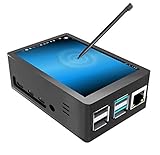
for Raspberry Pi 4 Touch Screen with Case, 3.5 inch Touchscreen with Fan, 320x480 Monitor TFT LCD Game Display

Smraza Compatible with Raspberry Pi 4 Power Supply with ON/Off Switch, 5V 3A USB-C Pi 4 Charger 60 Degree Rotation Adapter for Raspberry Pi 4 Model B 1GB / 2GB / 4GB Version

seeed studio Raspberry Pi 4 Model B [4GB] RAM, Single Board Computer Suitable for Building Mini PC/Smart Robot/Game Console/Workstation/Media Center/Etc.

CanaKit Raspberry Pi 4 4GB Starter MAX Kit - 64GB Edition

CanaKit Raspberry Pi 4 4GB Starter Kit - 4GB RAM